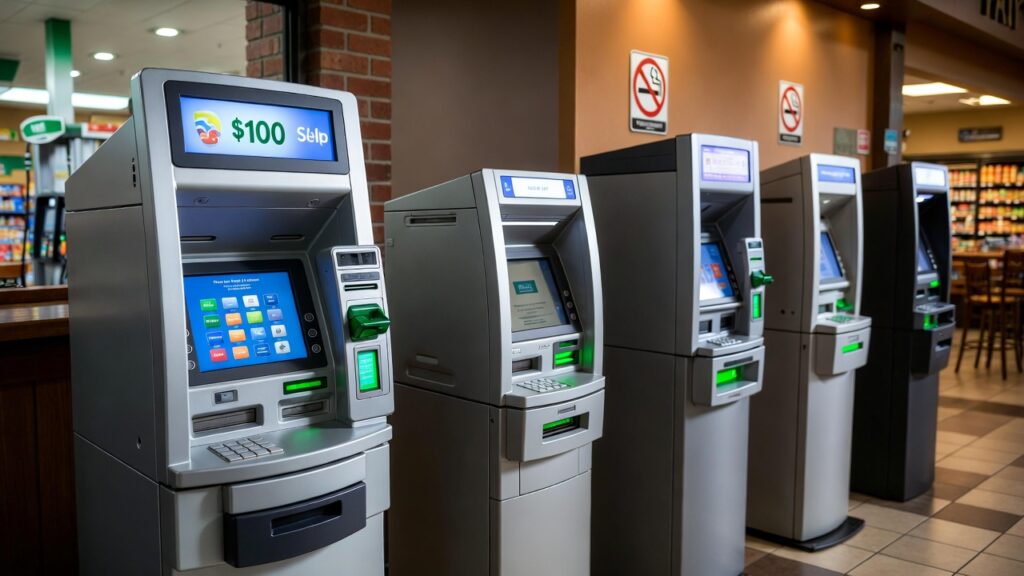
You can use your Cash App Card at any ATM worldwide. Free withdrawals are available at MoneyPass ATMs (40,000+ locations, many at 7-Eleven) when you have Green Status, which requires at least $300 in qualifying direct deposits per month or $500 in Cash Card spending. Without Green Status, Cash App charges a flat $2.50 fee per withdrawal on top of whatever the ATM operator charges. The withdrawal limit is $1,000 per transaction, $1,000 per day, and $1,000 per week.
You pulled out your phone, walked up to the nearest ATM, tapped your Cash App Card, and then watched a $2.50 fee pop up on the screen before the cash even came out. If you have been there, you are not alone. ATM fees on Cash App confuse a lot of people, mostly because the answer is not just “yes it works” or “no it does not.” It depends on which ATM, whether you have direct deposit set up, and how much you are trying to pull out.
This guide covers all of it: which ATMs are free, how to qualify for free withdrawals, what the limits actually are, where to load your card with cash, and how Chime and PayPal handle the same questions for comparison.
40,000+
MoneyPass ATMs free for Cash App users with Green Status
$2.50
Cash App fee per withdrawal without Green Status
$300/mo
Minimum direct deposit to qualify for free withdrawals
$1,000/day
Cash App ATM withdrawal limit per day
Can You Use a Cash App Card at an ATM?
Yes, the Cash App Card works at any ATM that accepts Visa. Since the Cash App Card is a Visa debit card issued through partner banks, it will be accepted at ATMs across the United States and in most countries internationally. The card works exactly like a regular debit card at the machine: insert or tap, enter your PIN, and withdraw.
The catch is the cost. Using an ATM with a Cash App Card triggers two potential fees at the same time:
- The Cash App fee ($2.50): Charged by Cash App itself for each ATM withdrawal. This goes to Cash App, not to the machine owner.
- The ATM operator surcharge ($2.50 to $4.00 typically): The fee displayed on the ATM screen before you confirm the transaction. This goes to whoever owns the machine, whether that is a bank or an independent ATM operator.
So a single withdrawal at a random out-of-network ATM could realistically cost you $5.00 to $6.50 before a dollar of your own money comes out. The solution is knowing which ATMs eliminate one or both of those fees.
Which ATMs Are Free for Cash App?
Cash App partners primarily with the MoneyPass network. MoneyPass has over 40,000 ATMs across the United States, with a heavy presence inside 7-Eleven stores, select credit unions, and regional banks. These ATMs carry a MoneyPass logo or are labeled in the Cash App’s ATM finder.
The key detail: being at a MoneyPass ATM does not automatically make the withdrawal free. You need to have Green Status on your account. Here is how the fee structure breaks down depending on your situation:
| Your Situation | MoneyPass ATM | Other ATM | Out-of-Network ATM |
|---|---|---|---|
| Green Status (direct deposit $300+/mo) | Free (up to 3 per month) | 1 free out-of-network per month | $2.50 + operator surcharge after limit |
| No Green Status | $2.50 Cash App fee | $2.50 + operator surcharge | $2.50 + operator surcharge |
Even with Green Status, Cash App reimburses its own $2.50 fee and up to $7 in operator surcharges per qualifying withdrawal. If the ATM operator charges more than $7, you cover the difference. Most retail ATMs charge between $2.50 and $4.00, so reimbursement covers nearly every real-world scenario.
Is 7-Eleven ATM Free for Cash App?
Most 7-Eleven ATMs in the United States are MoneyPass machines, which means yes, they qualify for free withdrawals when you have Green Status. 7-Eleven is actually one of the most reliable places to find a free Cash App ATM because so many of their stores host MoneyPass units and they are open 24 hours.
The catch is that not every 7-Eleven ATM is MoneyPass branded. Some franchise locations install their own machines that are not in the network. Before you go, use the ATM locator inside the Cash App to confirm a specific machine qualifies.
Is Walgreens ATM Free for Cash App?
Walgreens ATMs are generally not in the MoneyPass network, which means they are typically not free for Cash App users. Walgreens hosts Allpoint ATMs at many locations, and Allpoint is not Cash App’s primary network partner. You can still use your Cash App Card there, but you will pay the $2.50 Cash App fee plus the Walgreens machine surcharge unless you are using one of your monthly free out-of-network withdrawals as a Green Status user.
Where Exactly Are MoneyPass ATMs Located?
| Location Type | MoneyPass Availability | Notes |
|---|---|---|
| 7-Eleven stores | Yes (most) | Largest single category of MoneyPass ATMs in the U.S. |
| Credit unions | Many | Thousands of credit union ATMs participate in MoneyPass |
| Regional banks | Some | Varies by bank and region. Always verify in the app first. |
| PNC Bank ATMs | Yes (select) | Cash App has a specific partnership with PNC for fee-free access |
| Convenience stores (non-7-Eleven) | Varies | Some independents participate, many do not. Use the in-app finder. |
| Gas stations | Rarely | Most gas station ATMs are third-party machines outside any free network |
How to Find a Free Cash App ATM Near You
The Money tab is the home screen showing your Cash App balance.
This brings up your Cash Card settings and options.
A map loads showing in-network ATMs near your current location, labeled with the network name.
The map shows you which ATMs are in the free network. Do not rely on Google Maps for this, as many MoneyPass machines are inside stores that Google just labels as “ATM” without network info.
How to Get Free ATM Withdrawals with Cash App: Green Status Explained
Green Status is Cash App’s name for the account level that unlocks fee-free ATM withdrawals. Reaching it requires hitting one of two monthly thresholds:
- Option 1: Receive at least $300 in qualifying direct deposits in a calendar month. Paychecks, government benefits (Social Security, SSI, VA benefits), and pension payments all count.
- Option 2: Spend $500 or more using your Cash App Card in a month.
Once you hit either threshold, Green Status activates and stays in effect for the following 31 days. It renews automatically each month you re-qualify.
With Green Status active, you get:
- 3 free withdrawals per 31-day period at in-network ATMs (Cash App’s $2.50 fee waived, operator surcharge up to $7 reimbursed)
- 1 free out-of-network withdrawal per 31-day period (Cash App’s fee waived, though the ATM operator’s surcharge still applies)
To check your Green Status, open Cash App and look at the Money tab. Cash App added a dedicated Green Status tracker in late 2025 that shows exactly how much more you need to deposit or spend to qualify for the current month.
If you use Cash App regularly for purchases, setting up direct deposit of your paycheck or any government benefit is the fastest way to reach Green Status and keep it. Even small recurring payments of $300+ per month qualify. The 3 free withdrawals per month is sufficient for most people who use an ATM once a week or less.
Cash App ATM Withdrawal Limits
Even with Green Status and a free ATM in front of you, there are limits on how much you can pull out. These are Cash App’s limits and they are separate from whatever the physical ATM machine is set to dispense:
| Limit Type | Amount | Notes |
|---|---|---|
| Per transaction | $1,000 | Cash App’s limit. The ATM may have its own lower limit too. |
| Per 24-hour period | $1,000 | Resets on a rolling 24-hour basis, not at midnight. |
| Per 7 days | $1,000 | Weekly limit. If you need more than $1,000 per week, you will need multiple days to access it. |
There is also a practical wrinkle from the ATM side. Most ATMs dispense a maximum of 40 bills per transaction as a mechanical limit. If the machine only loads $20 bills, 40 bills means $800 maximum per transaction, even if Cash App allows $1,000. To withdraw your full daily limit, you may need two separate transactions, which counts as two of your free monthly withdrawals.
If you need cash above $1,000 in a short period, you have a few options: transfer to a linked bank account and withdraw there, use the Cash App Card for purchases directly instead of taking out cash, or request cash back at a retailer when making a purchase with the card (more on that below).
Cash App ATM Fees: The Full Breakdown
This is where most of the confusion lives. People assume Cash App charges one fee. There are actually two separate charges from two different sources, and they stack on top of each other when you are out of network and without Green Status:
| Fee | Who Charges It | Typical Amount | Can It Be Avoided? |
|---|---|---|---|
| Cash App ATM fee | Cash App | $2.50 per withdrawal | Yes, with Green Status at in-network ATMs |
| ATM operator surcharge | Machine owner (bank or independent operator) | $2.50 to $4.00 typically | Yes, at in-network ATMs with Green Status (reimbursed up to $7) |
| Balance inquiry fee | Machine owner (some) | $0 to $1.00 | Check your Cash App balance in the app instead |
| International ATM fee | Cash App + foreign bank | Varies significantly | Green Status waives Cash App’s portion but not the foreign bank’s fee |
The total cost at a random out-of-network ATM without Green Status could easily be $5.00 to $7.00 per transaction. On a $40 withdrawal, that is 12 to 17 percent of your cash gone in fees before you even touch the money.
Getting Cash Without ATM Fees: Cash Back at Checkout
The lowest-cost way to get physical cash with a Cash App Card has nothing to do with ATMs. Cash back at checkout means you make a small purchase using your Cash App Card as a debit card, then request cash back from the cashier. This is a purchase transaction, not an ATM withdrawal, so Cash App’s $2.50 ATM fee never applies.
Retailers that commonly offer cash back include:
- Walmart (up to $100 cash back per transaction)
- Target (up to $40)
- Kroger and most major grocery chains
- CVS (up to $35)
- Walgreens (up to $20)
- Dollar General, Family Dollar, and most convenience stores
Cash back works even if you do not have Green Status. It is a purchase, not a withdrawal, so Cash App treats it differently. The only requirement is that you have enough balance in your Cash App account to cover both the purchase and the cash back amount.
Where to Load Your Cash App Card with Cash
Loading your Cash App Card with cash, meaning depositing physical cash into your Cash App balance, is a different process from using an ATM. Cash App calls this the Paper Money feature. It works at participating retail locations, not at ATMs.
Here is how it works and what it costs at common retailers:
| Retailer | Typical Deposit Fee | Max Per Deposit | Notes |
|---|---|---|---|
| Walmart | $3.74 to $3.95 | $1,000 | MoneyCenter or any checkout. Widely available. |
| 7-Eleven | $1.00 to $3.95 | $1,000 | One of the cheaper options. Fee varies by location. |
| Walgreens | $1.00 to $4.95 | $500 | Fee varies significantly by location. Always ask before handing over cash. |
| CVS | $3.95 | $500 | Consistent fee but higher than some alternatives. |
| Dollar General | $1.00 to $3.00 | $500 | Among the lowest retail fees for cash loading. |
| Family Dollar | $1.00 to $3.00 | $500 | Similar to Dollar General. Good option if no 7-Eleven nearby. |
To load cash using the Paper Money feature:
Look for “Add Cash” or the Paper Money option in your account settings.
Cash App creates a time-sensitive barcode linked to your account. Do this at the register, not at home, as it expires within minutes.
The cashier scans the barcode and processes the deposit. The retailer fee applies here.
Deposits typically appear within minutes. Keep your receipt until the balance updates in your app.
Where to Load Your Chime Card with Cash
Chime users searching for how to load their cards will find the process works similarly to Cash App but with a better free option. Chime has a direct partnership with Walgreens that allows cash deposits at over 8,000 Walgreens locations completely free of charge, using the barcode method in the Chime app.
Beyond Walgreens, Chime supports deposits at over 100,000 retail locations across the U.S., though most charge a retailer fee:
| Retailer | Chime Deposit Fee | Daily Limit |
|---|---|---|
| Walgreens / Duane Reade | Free | $1,000 per day |
| Walmart | $3.00 to $3.95 | $1,000 per day |
| CVS | $3.95 | $1,000 per day |
| 7-Eleven | $1.00 to $3.00 | $500 |
| Dollar General | $1.00 to $3.95 | $500 |
| Family Dollar | $1.00 to $3.95 | $500 |
Chime’s monthly deposit cap is $10,000, and you can make up to three deposits every 24 hours. To find your nearest deposit location, open the Chime app, go to Move Money, select Deposit Cash, and tap “See locations near me.” The in-app map shows all supported retailers with their distance from you.
One important thing to know: Chime does not support cash deposits at ATMs. The retail partner method above is the only way to add physical cash to a Chime account.
PayPal ATMs: Are There Free Withdrawal Options?
PayPal’s approach to ATM access is different from Cash App and Chime. PayPal offers a debit card called the PayPal Debit Card that works at any Visa or Mastercard ATM. The free ATM situation for PayPal users depends on which network the machine belongs to and whether your PayPal account has been upgraded.
Standard PayPal Debit Card users pay a $2.50 fee per ATM withdrawal, similar to Cash App without Green Status. PayPal does not maintain a branded free ATM network the way Cash App does with MoneyPass. However, PayPal business debit card holders may have different arrangements, and fees can be reimbursed in certain cases depending on account type and transaction volume.
For PayPal users looking to minimize ATM costs, the same strategy applies as with Cash App: use cash back at checkout when possible, and transfer to a bank account with a better fee-free ATM network when you regularly need large amounts in cash.
Frequently Asked Questions
Can I use my Cash App Card at any ATM?
Yes. The Cash App Card is a Visa debit card and works at any ATM that accepts Visa, including machines worldwide. The difference is cost. In-network ATMs with Green Status are free. All other ATMs will charge Cash App’s $2.50 fee plus whatever the machine operator charges.
What ATMs are free for Cash App?
MoneyPass ATMs are the primary free network for Cash App users with Green Status. There are over 40,000 MoneyPass locations in the United States, with heavy concentration at 7-Eleven stores. PNC Bank ATMs also qualify under a specific Cash App partnership. Use the “Find an ATM” feature inside Cash App to see which machines near you are in-network.
Is the 7-Eleven ATM free for Cash App?
Most 7-Eleven ATMs are part of the MoneyPass network, which means yes, they qualify for free withdrawals when you have Green Status. However, some independently franchised 7-Eleven stores install their own machines that are not MoneyPass affiliated. Always verify using the in-app ATM finder before making a trip.
Is the Walgreens ATM free for Cash App?
No, not typically. Walgreens hosts Allpoint ATMs at most locations, and Allpoint is not Cash App’s primary free network. You can still use your Cash App Card there, but you will pay Cash App’s $2.50 fee plus the machine surcharge unless you apply one of your monthly free out-of-network withdrawals through Green Status.
What is the Cash App ATM withdrawal limit?
$1,000 per transaction, $1,000 per 24 hours, and $1,000 per seven days. Note that the physical ATM may have its own lower dispensing limit, typically $300 to $800 per transaction depending on the machine. If you need your full $1,000 daily limit and the ATM only allows $800 at once, you will need two separate transactions.
How do I avoid ATM fees on Cash App?
The most reliable method is setting up direct deposit of at least $300 per month to earn Green Status, then using the in-app ATM finder to locate MoneyPass machines. If no MoneyPass ATM is convenient, use cash back at checkout when making a purchase with your Cash App Card. That avoids ATM fees entirely since it is a purchase transaction.
Where can I load my Cash App Card with cash?
Use the Paper Money feature inside Cash App to generate a barcode, then bring that barcode and your cash to any participating retailer: Walmart, 7-Eleven, Walgreens, CVS, Dollar General, Family Dollar, and thousands of other locations. The retailer charges a fee of $1.00 to $3.95 depending on the store. There is no completely free way to deposit physical cash to a Cash App balance.
Where can I load my Chime Card for free?
Walgreens is the only major retail chain where Chime deposits are completely free. With over 8,000 Walgreens locations nationwide, this covers most of the country. Generate a barcode in the Chime app under Move Money, bring it to any Walgreens cashier with your cash, and the deposit typically appears in your account within minutes at no charge.
How do I qualify for free Cash App ATM withdrawals?
You need Green Status, which requires receiving at least $300 per month in qualifying direct deposits into your Cash App balance, or spending $500 or more using your Cash App Card in a month. Either threshold activates Green Status for the following 31 days and gives you 3 free in-network withdrawals plus 1 free out-of-network withdrawal during that period.
The Bottom Line
Cash App ATM access is not complicated once you understand the two-layer fee structure and the Green Status requirement. Without Green Status, every ATM costs you at least $2.50 from Cash App plus whatever the machine charges on top. With Green Status, MoneyPass ATMs, especially the ones inside 7-Eleven stores, become genuinely free for up to three withdrawals per month.
If you are using Cash App regularly, setting up direct deposit is the single most valuable change you can make to your account. It saves you on ATM fees, it often gets you paid up to two days earlier, and it qualifies you for Green Status automatically every month your paycheck or benefit arrives.
For people who mostly need small amounts of cash, skipping the ATM entirely and using cash back at checkout costs nothing and works at tens of thousands of retail locations.
Explore more: ATM machines for sale — buying an ATM business — how to start an ATM business in 2026 — ATM withdrawal limits by bank — using a credit card at an ATM