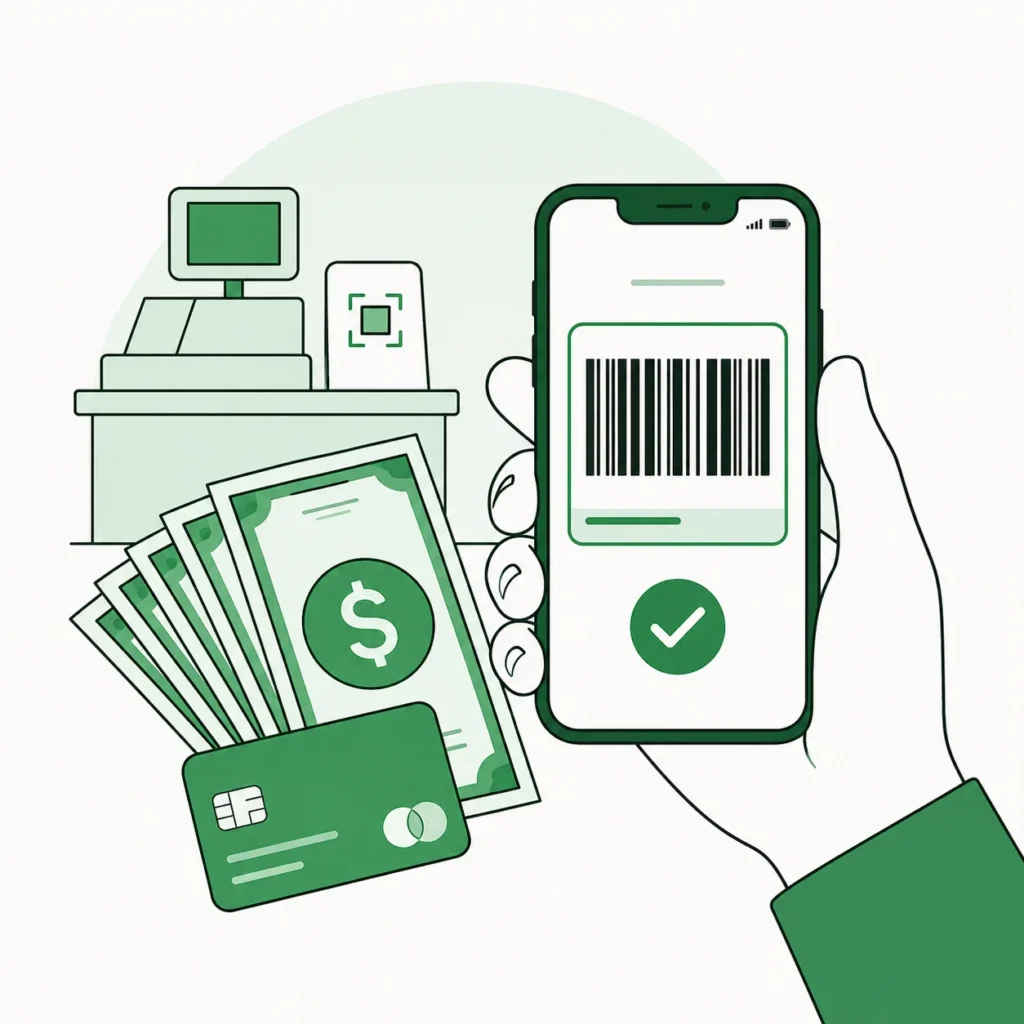
You can load cash onto your Cash App Card at major retailers including Walmart, Walgreens, CVS, Dollar General, Family Dollar, Dollar Tree, 7-Eleven, and Rite Aid, over 85,000 locations in total. There is a flat $1 fee per deposit, you can add $5 to $500 at a time, and the money lands instantly. You do it through the app’s Paper Money feature: open Cash App, tap the Money tab, choose Paper Money, and show the cashier your barcode along with your cash.
If you have searched “where can I load my Cash App card,” you have probably found a dozen conflicting answers. Some list stores that no longer participate, some quote fees that changed, and almost none explain the part that actually confuses people: you are not really loading the card at all. Here is exactly how it works in 2026, which stores take it, what it costs, and the limits you will hit.
“Loading your card” really means depositing to your balance
This is the part every other guide skips, and it is the source of most of the confusion. Cash App does not have a separate “card loading” system. Your Cash App Card simply spends whatever is in your Cash App balance. So when you “load your card,” what you are actually doing is adding cash to your balance, and the card then draws from it.
The feature that lets you add physical cash at a store is called Paper Money. You generate a barcode in the app, hand the cashier your cash, they scan the barcode, and the money appears in your balance instantly. That is it. There is no separate card to “reload.”
Because you are funding your balance, not a physical card, you do not even need the plastic Cash App Card in hand to load cash. The barcode on your phone is all the cashier needs.
Which stores load Cash App cards?
Cash App’s Paper Money network covers more than 85,000 locations. These are the major chains that participate in 2026:
| Store | Loads Cash App? | Fee | Notes |
|---|---|---|---|
| Walmart | Yes | $1 | MoneyCenter or customer service desk |
| Walgreens | Yes | $1 | At the register |
| CVS | Yes | $1 | At the register |
| Dollar General | Yes | $1 | At the register |
| Family Dollar | Yes | $1 | At the register |
| Dollar Tree | Yes | $1 | At the register |
| 7-Eleven | Yes | $1 | Open 24/7 |
| Rite Aid | Yes | $1 | At the register |
| Kroger | Usually | $1 | Varies by store, check the app |
| Circle K, Speedway, Sheetz, Pilot, H-E-B | Yes | $1 | Convenience & regional chains |
Participation changes, and not every branch of a chain takes Paper Money. The only reliable answer is Cash App’s built-in map: open Paper Money and it shows participating stores near you. Do not drive across town on a blog’s word, including this one.
How to load your Cash App card with cash
The whole thing takes about two minutes at the register.
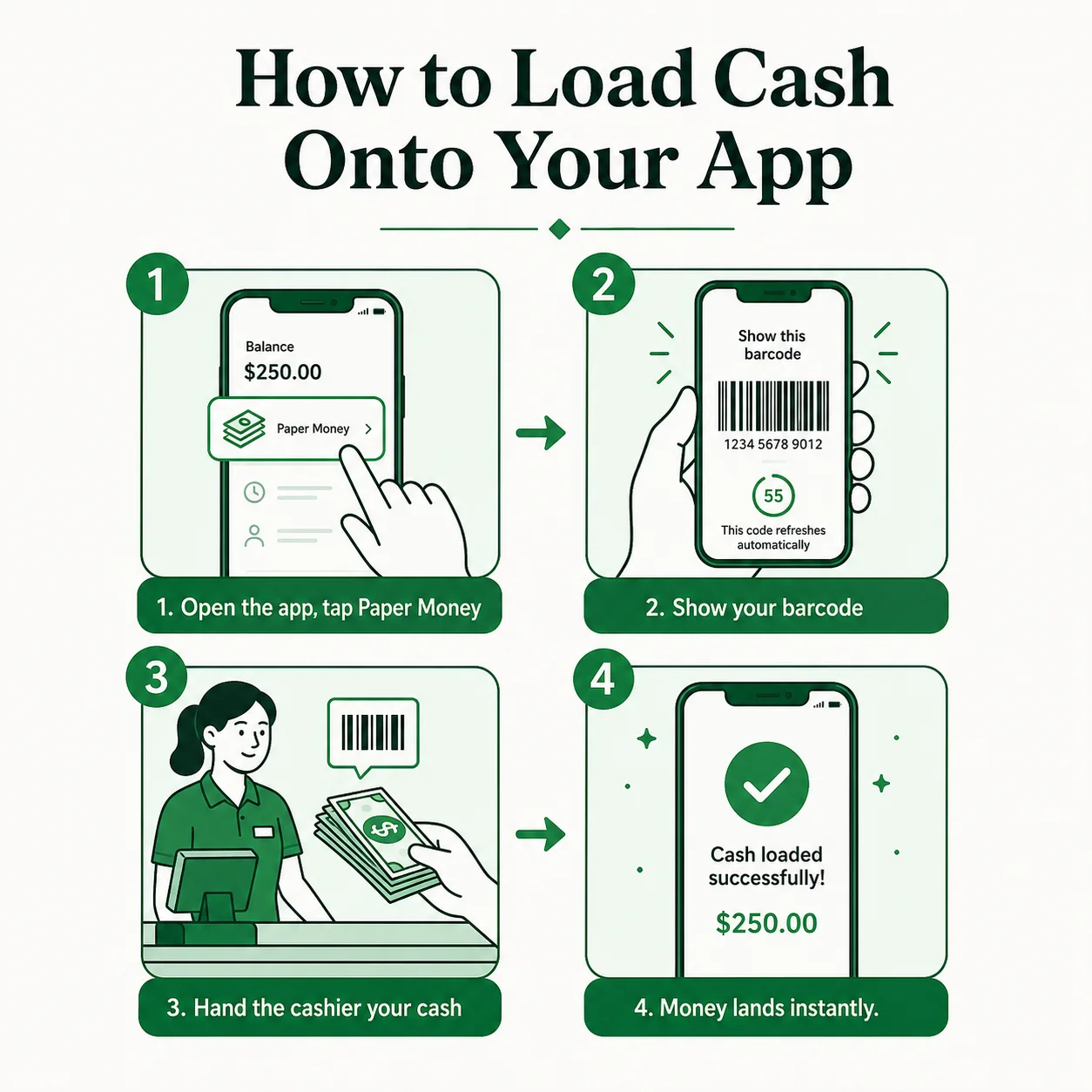
- Open Cash App and go to the Money tab. It is the tab that shows your balance, sometimes labeled Banking.
- Tap “Paper Money,” then “Show Barcode.” The app generates a unique barcode tied to your account. It is valid for about an hour.
- Hand the cashier your cash and show the barcode. Tell them you are making a Paper Money or Cash App deposit. They scan the barcode and take your cash, up to $500.
- Confirm and keep the receipt. The money hits your Cash App balance instantly. Keep the receipt until you see it land.
Some stores also let you load by swiping the Cash App Card instead of scanning a barcode, but that method often carries a $20 minimum per deposit. The barcode method starts at just $5, so it is usually the better option for small amounts.
Fees and limits
The numbers are simple and the same everywhere, because the fee is Cash App’s, not the store’s:
- Fee: a flat $1 per deposit. It is taken out of the cash you are loading, and yes, even Cash App Green Status customers pay it.
- Per deposit: minimum $5, maximum $500.
- Rolling limits: up to $5,000 every 7 days and $10,000 every 30 days.
- Eligibility: Paper Money is for verified Cash App accounts only. If you have not verified your identity in the app, you will need to do that first.
People often ask whether Walmart is cheaper than CVS, or whether some store is free. It is not, and none are. The $1 is Cash App’s flat charge, so the store you pick does not change the cost, only the convenience.
Store-by-store details
Loading Cash App at Walmart
Walmart is the most-searched option, and it works, but with one wrinkle: you usually do it at the MoneyCenter or customer service desk, not a regular checkout lane. Those desks keep their own hours, often shorter than the store’s, so check before a late-night run. Fee and limits are the standard $1 and $5 to $500.
Loading Cash App at CVS and Walgreens
Both pharmacies handle Paper Money right at the register, no special desk needed. They are convenient because they are open long hours and there is usually one nearby. Same $1 fee, same $500 cap.
Loading Cash App at Dollar General and Family Dollar
The dollar stores are the quiet workhorses of the Paper Money network: thousands of small-town locations, register-based, no fuss. If you are rural and the nearest Walmart is far, a Dollar General is often the closest option.
Loading Cash App at 7-Eleven
7-Eleven takes Paper Money at the counter, and being open 24/7 makes it the go-to for loading cash outside normal hours. Same fee and limits as everywhere else.
Loading Cash App at Rite Aid, Dollar Tree and Kroger
Rite Aid and Dollar Tree both handle Paper Money at the register with the standard $1 fee, useful backups when the bigger chains are not close. Kroger participates too, but grocery chains are the least consistent, some individual stores do not offer it. Kroger is exactly the kind of place to confirm in the app before you go rather than assume.
What to do if your load will not go through
Most failed loads come down to one of these, and all are quick to fix:
- Your account is not verified. Paper Money only works on verified accounts. If you have never confirmed your identity in the app, do that first, it takes a few minutes.
- The barcode expired. Each barcode is good for about an hour. If it has been sitting on your screen, close it and tap “Show Barcode” again for a fresh one.
- You have hit a rolling limit. You cannot exceed $5,000 in 7 days or $10,000 in 30. If you are maxed out, you have to wait for the window to roll forward.
- The store is not actually participating. A chain being on the list does not guarantee every branch offers it. Check the in-app map for that specific location.
- The cashier does not know what you mean. This one is common. Ask for a “Paper Money” or “barcode cash deposit.” At Walmart, head to the MoneyCenter; at other stores it is a standard barcode scan they do for several apps.
Other ways to add money to Cash App (some free)
Cash at a store is just one option. If you do not specifically need to deposit physical cash, several methods avoid the $1 fee entirely. Here is how they compare:
| Method | Fee | Speed | Best for |
|---|---|---|---|
| Paper Money (cash at a store) | $1 | Instant | Physical cash in hand |
| Bank transfer | Free | 1–3 days | Moving money from your bank |
| Debit card (standard) | Free | 1–3 days | Money already on a debit card |
| Debit card (instant) | Small % | Instant | Needing it right now |
| Direct deposit | Free | On payday | Paychecks & benefits |
| From another Cash App user | Free | Instant | Getting paid by someone |
The trade-off is simple: everything except Paper Money moves digital money you already have somewhere. If what you are holding is physical cash, Paper Money is the only way in, and the $1 is just the cost of turning paper into a balance.
Can you load cash onto someone else’s Cash App?
Yes, if you have their Paper Money barcode. The barcode is what links the deposit to an account, so whoever’s phone shows the barcode is the account that gets funded. That is handy for family, but it is also a favourite of scammers, who talk people into “loading” cash to a stranger’s barcode. Never scan a barcode for someone you do not know, and never load cash to an account that is not yours or a trusted person’s. Once it is deposited, it is gone.
Frequently Asked Questions
Who loads Cash App cards?
Major retailers on Cash App’s Paper Money network: Walmart, Walgreens, CVS, Dollar General, Family Dollar, Dollar Tree, 7-Eleven, Rite Aid, and many convenience and regional chains, over 85,000 locations. You add the cash to your Cash App balance, which your card then spends.
Does Walmart load Cash App cards?
Yes. Go to the MoneyCenter or customer service desk, not a regular checkout. It is a $1 fee, $5 to $500 per deposit, and it is instant. Check the desk’s hours, they are often shorter than the store’s.
Does CVS load Cash App cards?
Yes, right at the register, with the standard $1 fee and $500 maximum per deposit.
Can I load my Cash App card at an ATM?
No. You cannot deposit cash to Cash App at a regular ATM, ATMs are for withdrawing. To put cash in, use Paper Money at a participating store. To take cash out with your Cash App Card, see our guide on using your Cash App Card at an ATM.
How much can I load onto my Cash App card?
$500 per deposit, up to $5,000 per rolling 7 days and $10,000 per rolling 30 days. The minimum per deposit is $5.
Where can I load my Cash App card near me?
Open Cash App, tap Paper Money, and the built-in map shows participating stores nearby. That is the only real-time-accurate source, since availability shifts.
Why can’t I load money on my Cash App card?
The most common reason is that your account is not verified, Paper Money requires a verified identity. Other causes: you have hit a rolling limit, the store is not actually a participating location, or your barcode expired, they last about an hour, just generate a new one.
Is loading a Cash App card free anywhere?
No. The $1 Paper Money fee is Cash App’s, so it applies at every store, no retailer is free or cheaper. The only fee-free ways to add money use digital sources: a linked bank, a debit card, direct deposit, or a transfer from another Cash App user.
Can I reload the same Cash App card again and again?
Yes. There is no separate reload, you are just adding cash to your balance, and you can do it as often as you like until you hit the $5,000-per-7-days or $10,000-per-30-days ceiling.
The Bottom Line
Loading your Cash App card is really just adding cash to your Cash App balance through the Paper Money feature. Walmart, Walgreens, CVS, and the dollar stores all do it for a flat $1, $5 to $500 at a time, and it is instant. There is no cheaper store and no free cash option, so pick whichever is closest, generate your barcode, and you are done in two minutes. And if you are trying to pull money out instead, that is an ATM, and a different guide.
Get the ATM industry update
New guides, pricing news, and operator tips from someone who actually runs machines. Free every week, unsubscribe any time.