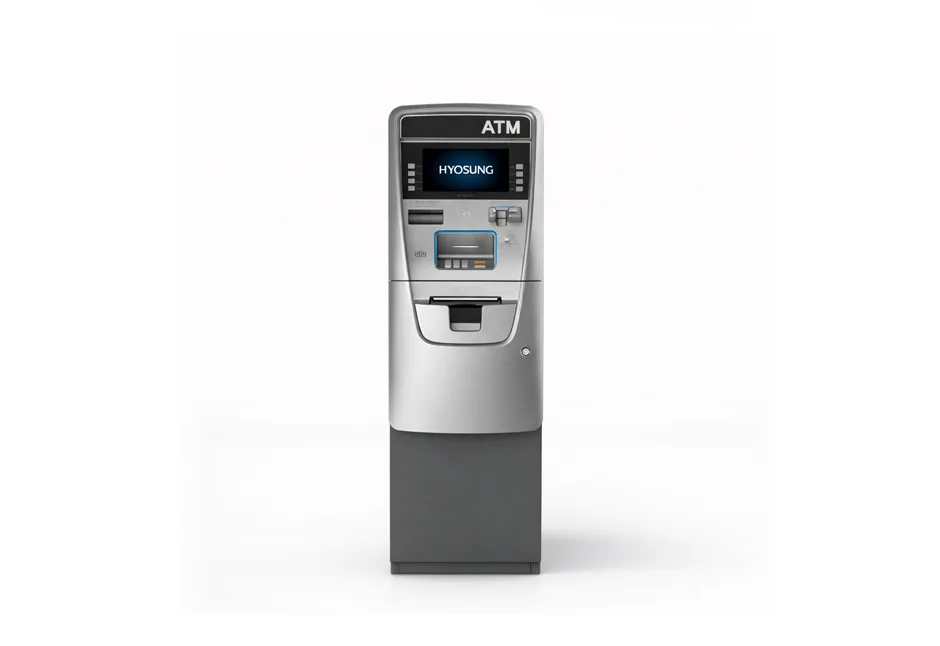
Every Hyosung ATM error code we could find, 1,595 codes, from the official Nautilus Hyosung manuals. Type your code below, or tap a character to jump. Each code shows what it means in plain English, the manual’s wording, and who usually fixes it.
2000200 and 20002 are the same problem (low cash). Codes starting with D are often the phone line or the customer’s bank, not your machine.| Code | What it means | Who fixes it |
|---|---|---|
| 0 codes: Customer left something (5) | ||
| 00000new 0000000 | Everything is working normally.Normal, no fault reported | Nothing to fix |
| 0000000old 00000 | Everything is working normally.No errors. | Nothing to fix |
| 0110091 | The customer did not take their receipt.Lost slip (receipt) | Nothing to fix |
| 0110191 | A card was left in the machine (the customer did not take it, or it was kept).Lost card | Fix it yourself |
| 0110292 | Deposited cash was left behind (deposit-taking machines only).Lost deposit cash | Fix it yourself |
| 1 codes: Customer left something / key data (14) | ||
| 10301new 1030100 | Something was left inside the machine, or a part reported a problem at start-up. | Try yourself, then a tech |
| 1030100old 10301 | The PIN pad received bad security key data from the processor.(Key data error from host) | Call your processorCall processor |
| 1101910 | A card was left in the machine (the customer did not take it, or it was kept).LOST CARD | Fix it yourself |
| 1102910 | Cash was left in the machine: the customer did not take it, or it got stuck.LOST WITHDRAW CASH | Try yourself, then a tech |
| 1102920 | Deposited cash was left behind (deposit-taking machines only).LOST DEPOSIT CASH | Fix it yourself |
| 1103910 | The customer left both their card and receipt in the machine.LOST CARD & SLIP | Fix it yourself |
| 1106910 | The customer did not take their receipt.E.1 Receipt Printer LOST SLIP | Nothing to fix |
| 1910000 | This code is listed without a description in the manuals we checked. | Call a technicianRestart |
| 1910400 | Something was left inside the machine, or a part reported a problem at start-up.The error of head right position | Try yourself, then a techRestart |
| 1910800 | The receipt printer reported a paper problem during start-up.The error of Paper charger sub assembly | Fix it yourself |
| 1912000 | Something was left inside the machine, or a part reported a problem at start-up.Failed to print due to shortage of CR/LF | Try yourself, then a techCheck cable |
| 1912100 | The receipt printer reported a paper problem during start-up.Paper out when checked status of initializing | Fix it yourselfClear jam |
| 1914000 | Something was left inside the machine, or a part reported a problem at start-up.Head overheat | Try yourself, then a tech |
| 1914100 | The receipt printer reported a paper problem during start-up.Paper jam error | Fix it yourselfClear jam · Restart |
| 2 codes: Everyday alerts: cash, cassette, door, paper (95) | ||
| 2000000 | This code is listed without a description in the manuals we checked. | Call a technician |
| 20001new 2000100 | A cash cassette is not in place (or was pulled out).Unable to load a cassette. | Fix it yourselfCheck cable · Close / reseat |
| 2000100old 20001 | A cash cassette is not in place (or was pulled out).No cassette | Fix it yourselfClose / reseat |
| 20002new 2000200 | The machine is low on cash or out of cash.Low cash. | Fix it yourselfReload · Check settings |
| 2000200old 20002 | The machine is low on cash or out of cash.Note shortage | Fix it yourselfReload · Clear jam |
| 20003new 2000300 | The reject bin is full.Reject Bin full. | Fix it yourselfCheck settings |
| 2000300old 20003 | The reject bin is full.Reject bin full | Fix it yourselfClear jam |
| 20004new 2000400 | The vault door is open, or the door switch is not closing.Vault Door is open. | Fix it yourselfCheck cable · Close / reseat |
| 2000400old 20004 | The vault door is open, or the door switch is not closing.Vault door open | Fix it yourselfClose / reseat |
| 20005new 2000500 | Everyday status alert from the machine.Cash Dispenser Unit data(country, cassette, shutter)setting error occurs during initialization. | Fix it yourselfCheck settings |
| 2000500old 20005 | The dispenser’s settings (currency or bill value) do not match.Cash Dispenser Unit data setting error | Fix it yourselfCheck settings |
| 2000800 | This code is listed without a description in the manuals we checked. | Call a technician |
| 20010new 2001000 | Receipt paper is jammed.Receipt paper jam | Fix it yourselfClear jam |
| 2001000old 20010 | Receipt paper is jammed.Receipt paper jam | Fix it yourselfClear jam |
| 20011new 2001100 | The receipt printer’s lever or cover is open.TPH Headup Lever Open | Fix it yourself |
| 2001100old 20011 | The printer head is too hot or not working.Receipt Printer thermal head over heated. | Try yourself, then a tech |
| 20012new 2001200 | The receipt printer’s lever or cover is open.Receipt printer feed plate open | Fix it yourselfRestart · Close / reseat |
| 2001200old 20012 | The receipt printer’s lever or cover is open.Receipt printer feed plate open | Fix it yourselfClose / reseat |
| 20013new 2001300 | Out of receipt paper.Out of receipt (Receipt paper empty) | Fix it yourselfReload · Clear jam |
| 2001300old 20013 | Out of receipt paper.Out of receipt (Receipt paper empty) | Fix it yourselfReload |
| 20014new 2001400 | The printer head is too hot or not working.Receipt printer head overheated before printing | Try yourself, then a techRestart |
| 2001400old 20014 | The printer head is too hot or not working.Receipt printer head overheated before printing | Try yourself, then a tech |
| 20015 | The receipt printer’s lever or cover is open.The feed lever of the receipt printer is open. It was detected that the feed lever was open before ther… | Fix it yourselfClear jam · Technician |
| 20016new 2001600 | Receipt printer problem.Note detected in stacker (shutter or presenter type) | Try yourself, then a tech |
| 2001600old 20016 | Receipt printer problem.Note detected in stacker (shutter or presenter type) | Try yourself, then a tech |
| 20101new 2010100 | The receipt printer’s lever or cover is open.In case of detecting to be open lever of printer head before printing receipt paper | Fix it yourselfClose / reseat |
| 2010100old 20101 | The receipt printer’s lever or cover is open.Receipt printer lever opened | Fix it yourselfClose / reseat |
| 20102new 2010200 | The printer head is too hot or not working.In case of detecting to be overheated in print head before printing receipt paper | Try yourself, then a techRestart |
| 2010200old 20102 | The printer head is too hot or not working.Receipt printer head overheated | Try yourself, then a techRestart |
| 20103new 2010300 | Receipt paper is jammed.Paper Jam occurs in return path before printing or cutting or discharging receipt paper | Fix it yourselfClear jam |
| 2010300old 20103 | Receipt paper is jammed.Receipt paper jam | Fix it yourselfClear jam |
| 20104new 2010400 | Out of receipt paper.It is detected when paper is empty before printing receipt printer | Fix it yourselfReload · Check cable |
| 2010400old 20104 | Out of receipt paper.Receipt paper empty | Fix it yourselfReload · Check cable |
| 20105new 2010500 | A setting is missing or entered wrong.It is detected when paper is not properly set before printing | Fix it yourselfCheck cable · Check settings |
| 2010500old 20105 | The receipt paper is not loaded correctly.Receipt paper setting error | Fix it yourselfCheck cable · Check settings |
| 20106new 2010600 | The receipt printer is not responding to the ATM.Command is received while doing self-test | Try yourself, then a techRestart |
| 2010600old 20106 | The receipt printer is not responding to the ATM.Command is received while doing self-test | Try yourself, then a techRestart |
| 20107new 2010700 | Out of receipt paper.Receipt Paper runs out before printing | Fix it yourselfReload · Check cable |
| 2010700old 20107 | Receipt printer problem.No receipt paper | Try yourself, then a techReload · Check cable |
| 20108new 2010800 | The receipt cutter is not working.It is detected when paper is not properly cut while operating | Try yourself, then a tech |
| 2010800old 20108 | The receipt cutter is not working.Receipt paper cutting error | Try yourself, then a tech |
| 20109new 2010900 | Receipt printer problem.Black mark is not properly detected in receipt paper before printing | Try yourself, then a techCheck settings |
| 2010900old 20109 | Receipt printer problem.No sensing black mark (dark sensor) | Try yourself, then a techCheck settings |
| 2010Anew 2010A00 | Receipt printer problem.The size of image print data is abnormal while printing image | Try yourself, then a techRestart |
| 2010A00old 2010A | Receipt printer problem.The size of image print data is abnormal | Try yourself, then a techRestart |
| 2010B00 | Receipt printer problem.Margin value is invalid during configuration. | Try yourself, then a tech |
| 2010C00 | Receipt paper is jammed.Paper jammed at the exit of the slot | Fix it yourself |
| 2010D00 | Receipt paper is jammed.Paper jammed in the path (Receipt Printer) | Fix it yourself |
| 2010F00 | Receipt printer problem.The firmware crashed (Receipt Printer) | Try yourself, then a tech |
| 20215new 2021500 | A bill is in the wrong place in the cash path (often a stuck bill).Sensor detects note in delivery path before CDU dispenses | Try yourself, then a techClear jam · Clean sensor |
| 2021500old 20215 | A bill is in the wrong place in the cash path (often a stuck bill).Sensor detects note in delivery path before CDU dispenses | Try yourself, then a tech |
| 20801new 2080100 | The receipt printer’s lever or cover is open.In case of detecting to be open lever of print head after printing receipt paper | Fix it yourselfClose / reseat |
| 2080100old 20801 | The receipt printer’s lever or cover is open.Receipt printer lever opened | Fix it yourselfClose / reseat |
| 20802new 2080200 | The printer head is too hot or not working.In case of detecting to be overheated in print head after printing receipt paper. | Try yourself, then a techRestart |
| 2080200old 20802 | The printer head is too hot or not working.Receipt printer head overheated | Try yourself, then a techRestart |
| 20803new 2080300 | Receipt paper is jammed.Paper Jam occurs in return path after printing or cutting or discharging receipt paper | Fix it yourselfClear jam |
| 2080300old 20803 | Receipt paper is jammed.Receipt paper jam | Fix it yourselfClear jam |
| 20804new 2080400 | Out of receipt paper.It is detected when paper is empty after printing receipt printer | Fix it yourselfReload · Check cable |
| 2080400old 20804 | Out of receipt paper.Receipt paper empty | Fix it yourselfReload · Check cable |
| 20805new 2080500 | A setting is missing or entered wrong.It is detected when paper is not properly set after printing | Fix it yourselfCheck cable · Check settings |
| 2080500old 20805 | The receipt paper is not loaded correctly.Receipt paper setting error | Fix it yourselfCheck cable · Check settings |
| 20806new 2080600 | The receipt printer is not responding to the ATM.Command is received while doing self-test | Try yourself, then a techRestart |
| 2080600old 20806 | The receipt printer is not responding to the ATM.Command is received while doing self-test | Try yourself, then a techReload · Restart |
| 20807new 2080700 | Out of receipt paper.Receipt paper runs out after printing | Fix it yourselfReload · Check cable |
| 2080700old 20807 | Receipt printer problem.No receipt paper | Try yourself, then a techReload · Check cable |
| 20808new 2080800 | The receipt cutter is not working.It is detected when paper is not properly cut while operating | Try yourself, then a tech |
| 2080800old 20808 | The receipt cutter is not working.Receipt paper cutting error | Try yourself, then a tech |
| 20809new 2080900 | Receipt printer problem.Black mark is not properly detected in receipt paper after printing | Try yourself, then a techCheck settings |
| 2080900old 20809 | Receipt printer problem.No sensing black mark (dark sensor) | Try yourself, then a techCheck settings |
| 2080Anew 2080A00 | Receipt printer problem.The size of image print data is abnormal while printing image | Try yourself, then a techRestart |
| 2080A00old 2080A | Receipt printer problem.The size of image print data is abnormal | Try yourself, then a techRestart |
| 2080Bnew 2080B00 | The receipt paper is not loaded correctly.Margin setting error | Fix it yourselfRestart · Check settings |
| 2080B00old 2080B | The receipt paper is not loaded correctly.Margin setting error | Fix it yourselfRestart · Check settings |
| 2080Cnew 2080C00 | Receipt paper is jammed.Paper jammed at the exit of the slot | Fix it yourselfClear jam |
| 2080C00old 2080C | Receipt paper is jammed.Paper jammed at the exit of the slot | Fix it yourselfClear jam · Restart |
| 2080Dnew 2080D00 | Receipt paper is jammed.Paper jammed in the path | Fix it yourselfClear jam |
| 2080D00old 2080D | Receipt paper is jammed.Paper jammed in the path | Fix it yourselfClear jam |
| 2080E00 | Receipt printer problem.The size of image print data is abnormal while printing image. | Try yourself, then a tech |
| 2080Fnew 2080F00 | Receipt printer problem.The firmware crashed | Try yourself, then a techCheck settings |
| 2080F00old 2080F | Receipt printer problem.The firmware crashed | Try yourself, then a techCheck settings |
| 2080I00 | Receipt printer problem.Use to same sequence number. Sequence number must be different to previous sequence number. | Try yourself, then a tech |
| 2080K00 | Receipt printer problem.It means Image print is not finished. When SPR print image data with receive, If no more data received then… | Try yourself, then a techCheck cable |
| 21315new 2131500 | A bill is in the wrong place in the cash path (often a stuck bill).CS4 sensor detects note in delivery path befoe CDU dispenses | Try yourself, then a techClear jam · Clean sensor |
| 2131500old 21315 | A bill is in the wrong place in the cash path (often a stuck bill).CS4 sensor detects note in delivery path before CDU dispenses. Sensor is located along the delivery path… | Try yourself, then a tech |
| 21A15new 21A1500 | A bill is in the wrong place in the cash path (often a stuck bill).CDU detects bills prior to dispensing | Try yourself, then a techClear jam · Clean sensor |
| 21A1500old 21A15 | A bill is in the wrong place in the cash path (often a stuck bill).CS1A sensor detects note in delivery path before CDU dispenses. Sensor is located along the delivery path… | Try yourself, then a tech |
| 21B15new 21B1500 | A bill is in the wrong place in the cash path (often a stuck bill).CDU detects bills prior to dispensing | Try yourself, then a techClear jam · Clean sensor |
| 21B1500old 21B15 | A bill is in the wrong place in the cash path (often a stuck bill).CSB sensor detects note in delivery path before CDU dispenses. Sensor is located along the delivery path… | Try yourself, then a tech |
| 24A15new 24A1500 | A bill is in the wrong place in the cash path (often a stuck bill).CDU detects bills prior to dispensing | Try yourself, then a techClear jam · Clean sensor |
| 24A1500old 24A15 | A bill is in the wrong place in the cash path (often a stuck bill).CS3A sensor detects note in delivery path before CDU dispenses. Sensor is located along the delivery path… | Try yourself, then a tech |
| 24B15new 24B1500 | A bill is in the wrong place in the cash path (often a stuck bill).CDU detects bills prior to dispensing | Try yourself, then a techClear jam · Clean sensor |
| 24B1500old 24B15 | A bill is in the wrong place in the cash path (often a stuck bill).CS3B sensor detects note in delivery path before CDU dispenses. Sensor is located along the delivery path… | Try yourself, then a tech |
| 2DN00new 2DN0000 | The receipt printer is not responding to the ATM.Failed to connect communication between Receipt printer and SP | Try yourself, then a techCheck cable |
| 2DN0000old 2DN00 | The receipt printer is not responding to the ATM.Failed to connect communication between Receipt printer and SP | Try yourself, then a techCheck cable |
| 2YY1500 | Receipt paper is jammed.Receipt paper jam. | Fix it yourself |
| 3 codes: Card reader (73) | ||
| 3000000 | The card reader is not responding to the ATM.Failed to set USB control register | Try yourself, then a techCheck settings |
| 3000100 | The card reader is not responding to the ATM.To show command parameter error | Try yourself, then a tech |
| 3000200 | The card reader is not responding to the ATM.The reception of the command that impossible to implementation | Try yourself, then a tech |
| 3000400 | The card reader is not responding to the ATM.To show that error data was included in command | Try yourself, then a tech |
| 3000500 | The card reader is not responding to the ATM.To show that a command, which requires the card movement, was executed before IC contacts were released from… | Try yourself, then a tech |
| 3001000 | Card reader problem.Abnormal end sensor | Call a technician |
| 3001100 | The card reader’s gate or latch is not working.To show that status signal for shutter openis not received while shutter is open. | Call a technician |
| 3001200 | Card reader problem.To show that the Sensor is damaged or more that one card is inside ICRW. | Call a technician |
| 3001300 | The card was pulled out early, kept by the machine, or the wrong size.To show that the card longer than 92mm is inserted into ICRW | Nothing to fix |
| 3001400 | The card was pulled out early, kept by the machine, or the wrong size.To show that the card shorter than 78mm is inserted into ICRW | Nothing to fix |
| 3001500 | Card reader problem.To show that data in F-ROM is damaged | Call a technician |
| 3001600 | Card reader problem.To show that the card staying inside ICRW was moved up to the point where status request information change.… | Call a technician |
| 3001700 | Card reader problem.To show that the card was not carried to the specific location after specified number of trial for specified… | Call a technician |
| 3001800 | The card reader’s gate or latch is not working.To show that shutter open/close detection sensor(SW2) and card width check sensor(SW1) are not operating… | Call a technician |
| 3001900 | The card was pulled out early, kept by the machine, or the wrong size.To show that a card was not inserted from the rear, even if 10 seconds had passed after the execution of BACK… | Nothing to fix |
| 3002000 | The card could not be read. Usually a damaged card; sometimes a dirty reader.To show that track has parity error | Try yourself, then a tech |
| 3002100 | The card could not be read. Usually a damaged card; sometimes a dirty reader.To show that read error has happened in Multiple magnetic read command. | Try yourself, then a tech |
| 3002200 | Card reader problem.To show that write error is detected through write/verify procedure. | Call a technician |
| 3002300 | The card could not be read. Usually a damaged card; sometimes a dirty reader.To show that only SS,ES,LRC are contained in the track. (no retry) | Try yourself, then a tech |
| 3002400 | The card could not be read. Usually a damaged card; sometimes a dirty reader.To show that the card has no magnetic track(no retry) | Try yourself, then a tech |
| 3002500 | Card reader problem.To show that quality error(Jitter,Preamble,Postamble) has happended in write verify. | Call a technician |
| 3002600 | The card could not be read. Usually a damaged card; sometimes a dirty reader.To show that the track has no SS. | Try yourself, then a tech |
| 3002700 | The card could not be read. Usually a damaged card; sometimes a dirty reader.To show that the track has no ES | Try yourself, then a tech |
| 3002800 | The card could not be read. Usually a damaged card; sometimes a dirty reader.To show that the track has no LRC error | Try yourself, then a tech |
| 3002900 | Card reader problem.To show that the discordance of write data has happened in write verify. | Call a technician |
| 3003000 | The card reader detected a power problem.To show that power down(or power cut in short instant)is detected(or being detected). | Try yourself, then a tech |
| 3003100 | The card reader is not responding to the ATM.To show that DSR signal was turned to OFF(communication is cut) | Try yourself, then a tech |
| 3004000 | The card was pulled out early, kept by the machine, or the wrong size.To show that the card was pulled out from ICRW through entrance date when CAPTURE command is being executed. | Nothing to fix |
| 3004100 | Card reader problem.Failure at IC Contact solenoid or sensor ICD. | Call a technician |
| 3004300 | Card reader problem.Card could not be set to IC contack position/Failure at sensor PDI. | Call a technician |
| 3004500 | Card reader problem.ICRW lost sight of the card when ICRW completed to carrry the card to dhe rear position during the card… | Call a technician |
| 3004600 | The card reader is not responding to the ATM.To show that the ejected card has not been withdrawn during execution of Monitoring for removal command. | Try yourself, then a tech |
| 3005000 | Card reader problem.Retract counter overflow. | Call a technician |
| 3005100 | The card reader is not responding to the ATM.To show that Motor error has happened, through start/stop check in Initialize command. | Try yourself, then a tech |
| 3005300 | The card could not be read. Usually a damaged card; sometimes a dirty reader.To show that read error in Digital Decode Read Command. | Try yourself, then a tech |
| 3006000 | The card reader detected a power problem.To show that there found abnormal condition on the power-line. | Try yourself, then a tech |
| 3006100 | The card’s chip could not be read.The receiving error for ATR. | Try yourself, then a tech |
| 3006200 | The card’s chip could not be read.To show that the specified protocol does not agree with that of ICC/SAM ICRW still connected. | Try yourself, then a tech |
| 3006300 | The card’s chip could not be read.In case T=1 cards, after ATR receiving, IFS exchange is failed. ICRW detects time out. | Try yourself, then a tech |
| 3006400 | The card’s chip could not be read.In case T=1 cards, after ATR receiving, IFS exchange is failed. ICRW detects protocol error. | Try yourself, then a tech |
| 3006500 | The card’s chip could not be read.HOST tried to communicate with IC card without card activation. | Try yourself, then a tech |
| 3006600 | The card’s chip could not be read.ICRW tried to activate with ICC/SAM, but the card returned ATR, which is not supported. | Try yourself, then a tech |
| 3006900 | The card’s chip could not be read.ICRW tried to activate with ICC/SAM, but the card returned ATR, Which does not match EMV. | Try yourself, then a tech |
| 3007000 | Card reader problem.Failure at F-ROM operation. | Call a technician |
| 3007100 | Card reader problem.Firmware of User program code area is wrong. | Call a technician |
| 3100000 | This code is listed without a description in the manuals we checked. | Call a technician |
| 3100100 | The card reader is not responding to the ATM.Send to undefined command | Try yourself, then a techRestart · Technician |
| 3100200 | The card reader is not responding to the ATM.Command execution is impossible | Try yourself, then a techRestart · Technician |
| 3100400 | The card reader is not responding to the ATM.Command data error | Try yourself, then a techRestart · Technician |
| 3101000 | The card reader’s gate or latch is not working.Latch sensor is abnormal | Call a technicianRestart · Technician |
| 3102000 | Card reader problem.Card has not been read yet or others errors | Call a technicianRestart · Technician |
| 3102100 | The card could not be read. Usually a damaged card; sometimes a dirty reader.No Start sentinel | Try yourself, then a techTechnician |
| 3102200 | The card could not be read. Usually a damaged card; sometimes a dirty reader.VRC Error | Try yourself, then a techTechnician |
| 3102300 | The card could not be read. Usually a damaged card; sometimes a dirty reader.No End sentinel. Too many data | Try yourself, then a techTechnician |
| 3102400 | The card could not be read. Usually a damaged card; sometimes a dirty reader.LRC Error | Try yourself, then a techTechnician |
| 3102500 | The card could not be read. Usually a damaged card; sometimes a dirty reader.No mac.stripe or No encoded card | Try yourself, then a techTechnician |
| 3102700 | The card could not be read. Usually a damaged card; sometimes a dirty reader.SS-ES-LRC card | Try yourself, then a techTechnician |
| 3103000 | The card reader detected a power problem.Detection of Power failure Abnormal condition was found | Try yourself, then a techRestart · Technician |
| 3106000 | The card’s chip could not be read.Abnormal condition was found on the power-line (Vcc) of ICC(or SAM). | Try yourself, then a techTechnician |
| 3106100 | The card’s chip could not be read.The receiving error of ATR | Try yourself, then a techTechnician |
| 3106200 | The card’s chip could not be read.The card(SAM) does not accept this protocol | Try yourself, then a techTechnician |
| 3106300 | The card’s chip could not be read.IC Card communication error(No answer) | Try yourself, then a techTechnician |
| 3106400 | The card’s chip could not be read.IC Card communication error(Other) | Try yourself, then a techTechnician |
| 3106500 | The card’s chip could not be read.IC Card is not activated | Try yourself, then a techTechnician |
| 3106600 | The card’s chip could not be read.IC Card returned ATR which is not supported ISO/IEC7816-3 | Try yourself, then a techTechnician |
| 3106900 | The card’s chip could not be read.IC Card returned ATR which does not match EMV2000 V4.0 | Try yourself, then a techTechnician |
| 3107000 | Card reader problem.F-FROM write error | Call a technicianRestart · Technician |
| 3107100 | Card reader problem.CRC error of User program code area of ESU | Call a technicianTechnician |
| 3107200 | Card reader problem.EEPROM operation error | Call a technicianRestart · Technician |
| 3107600 | Card reader problem.Transmission error between ESU and ICRW | Call a technicianTechnician |
| 3109500 | Card reader problem.ESU is broken-down or disconnected | Call a technicianTechnician |
| 3109600 | Card reader problem.Metalic fraud object is detected _INTERNAL_ERROR error is | Call a technicianTechnician |
| 3109900 | Card reader problem.Internal error is occurred and Fail to get error code from DLL | Call a technicianRestart · Technician |
| 4 codes: Cash dispenser (216) | ||
| 40000new 4000000 | The dispenser is not communicating with the ATM’s main board.Receive undefined command. | Try yourself, then a techClear jam · Technician |
| 4000000old 40000 | The dispenser is not communicating with the ATM’s main board.Cash Dispenser(CDU) received the undefined command from AP software | Try yourself, then a techTechnician |
| 40011new 4001100 | Too many bills were rejected (often worn, torn or stuck-together bills).CS2 dark detection during initializing or dispense reserved operation (Reject box mounting/dismounting). | Try yourself, then a techClear jam · Clean sensor |
| 4001100old 40011 | The reject bin is open or not seated.Detecting CS2 Dark (Front Access Type:Reject box is opened.) | Fix it yourselfClear jam · Clean sensor |
| 40012 | A sensor sees a bill where there should not be one. Often a stuck bill or a dusty sensor.CS3 Dark detection during initializing or Dispense reserved operation | Try yourself, then a techClear jam · Check cable |
| 40013 | A sensor sees a bill where there should not be one. Often a stuck bill or a dusty sensor.CS2 and CS3 Dark detection during initializing or dispense reserved operation | Try yourself, then a tech |
| 40014new 4001400 | A sensor sees a bill where there should not be one. Often a stuck bill or a dusty sensor.Detect CS4A after initialization. – Detect CS4A before dispensing. | Try yourself, then a techClear jam · Clean sensor |
| 4001400old 40014 | A sensor sees a bill where there should not be one. Often a stuck bill or a dusty sensor.CS4A sensor detects note in delivery path before/after CDU dispenses | Try yourself, then a techClean sensor |
| 40015new 4001500 | A sensor sees a bill where there should not be one. Often a stuck bill or a dusty sensor.CS2 & CS4A dark detection during initializing or dispense reserved operation. | Try yourself, then a techClear jam · Clean sensor |
| 4001500old 40015 | A sensor sees a bill where there should not be one. Often a stuck bill or a dusty sensor.CS2 or CS4A sensor detects note in delivery path before/after CDU dispenses | Try yourself, then a techClean sensor |
| 40016 | A sensor sees a bill where there should not be one. Often a stuck bill or a dusty sensor.CS3 and CS4A Dark detection during initializing or dispense reserved operation | Try yourself, then a tech |
| 40017 | A sensor sees a bill where there should not be one. Often a stuck bill or a dusty sensor.CS2, CS3 and CS4A Dark detection during initializing or dispense reserved operation | Try yourself, then a tech |
| 40018new 4001800 | A sensor sees a bill where there should not be one. Often a stuck bill or a dusty sensor.Detect CS4B after initialization. – Detect CS4B before dispensing. | Try yourself, then a techClear jam · Check cable |
| 4001800old 40018 | A sensor sees a bill where there should not be one. Often a stuck bill or a dusty sensor.CS4B sensor detects note in delivery path before/after CDU dispenses | Try yourself, then a techClean sensor |
| 40019new 4001900 | A sensor sees a bill where there should not be one. Often a stuck bill or a dusty sensor.CS2 & CS4B dark detection during initializing or dispense reserved operation. | Try yourself, then a techClear jam · Clean sensor |
| 4001900old 40019 | A sensor sees a bill where there should not be one. Often a stuck bill or a dusty sensor.CS2 or CS4B sensor detects note in delivery path before/after CDU dispenses | Try yourself, then a techClean sensor |
| 4001Cnew 4001C00 | A sensor sees a bill where there should not be one. Often a stuck bill or a dusty sensor.Detect CS4A & CS4B after initialization. – Detect CS4A & CS4B before dispensing. | Try yourself, then a techClear jam · Check cable |
| 4001C00old 4001C | A sensor sees a bill where there should not be one. Often a stuck bill or a dusty sensor.CS4A or CS4B sensor detects note in delivery path before/after CDU dispenses | Try yourself, then a techClean sensor |
| 4001Dnew 4001D00 | A sensor sees a bill where there should not be one. Often a stuck bill or a dusty sensor.CS2 & CS4A/B dark detection during initializing or dispense reserved operation. | Try yourself, then a techClear jam · Check cable |
| 4001D00old 4001D | A sensor sees a bill where there should not be one. Often a stuck bill or a dusty sensor.CS2, CS4A or CS4B sensor detects note in delivery path before/after CDU dispenses | Try yourself, then a techClean sensor |
| 40021new 4002100 | A sensor sees a bill where there should not be one. Often a stuck bill or a dusty sensor.Detect CS1A after initialization / Detect CS1A before dispensing. | Try yourself, then a techClear jam · Clean sensor |
| 4002100old 40021 | A sensor sees a bill where there should not be one. Often a stuck bill or a dusty sensor.CS1A sensor detects note in delivery path before/after CDU dispenses | Try yourself, then a techClean sensor |
| 40022new 4002200 | A sensor sees a bill where there should not be one. Often a stuck bill or a dusty sensor.Detect CS1B after initialization / Detect CS1B before dispensing. | Try yourself, then a techClear jam · Clean sensor |
| 4002200old 40022 | A sensor sees a bill where there should not be one. Often a stuck bill or a dusty sensor.CS1B sensor detects note in delivery path before/after CDU dispenses | Try yourself, then a techClean sensor |
| 40023new 4002300 | A sensor sees a bill where there should not be one. Often a stuck bill or a dusty sensor.Detect CS1A & CS1B after initialization / Detect CS1A & CS1B before dispensing. | Try yourself, then a techClear jam · Clean sensor |
| 4002300old 40023 | A sensor sees a bill where there should not be one. Often a stuck bill or a dusty sensor.CS1A or CS1B sensor detects note in delivery path before/after CDU dispenses | Try yourself, then a techClean sensor |
| 40028new 4002800 | A sensor sees a bill where there should not be one. Often a stuck bill or a dusty sensor.Detect CS13 after initialization / Detect CS13 before dispensing. | Try yourself, then a techClear jam · Clean sensor |
| 4002800old 40028 | A sensor sees a bill where there should not be one. Often a stuck bill or a dusty sensor.CS13 sensor detects note in delivery path before/after CDU dispenses | Try yourself, then a techClean sensor |
| 40029new 4002900 | A sensor sees a bill where there should not be one. Often a stuck bill or a dusty sensor.Detect CS13 & CS1A after initialization / Detect CS13 & CS1A before dispensing. | Try yourself, then a techClear jam · Clean sensor |
| 4002900old 40029 | A sensor sees a bill where there should not be one. Often a stuck bill or a dusty sensor.CS1A or CS13 sensor detects note in delivery path before/after CDU dispenses | Try yourself, then a techClean sensor |
| 4002Anew 4002A00 | A sensor sees a bill where there should not be one. Often a stuck bill or a dusty sensor.Detect CS13 & CS1B after initialization / Detect CS13 & CS1B before dispensing. | Try yourself, then a techClear jam · Check cable |
| 4002A00old 4002A | A sensor sees a bill where there should not be one. Often a stuck bill or a dusty sensor.CS1B or CS13 sensor detects note in delivery path before/after CDU dispenses | Try yourself, then a techClean sensor |
| 4002Bnew 4002B00 | A sensor sees a bill where there should not be one. Often a stuck bill or a dusty sensor.Detect CS13 & CS1A & CS1B after initialization / Detect CS13 & CS1A & CS1B before dispensing. | Try yourself, then a techClear jam · Check cable |
| 4002B00old 4002B | A sensor sees a bill where there should not be one. Often a stuck bill or a dusty sensor.CS1A, CS1B or CS13 sensor detects note in delivery path before/after CDU dispenses | Try yourself, then a techClean sensor · Restart |
| 40030new 4003000 | A moving part inside the dispenser (motor, gate or belt) is not working.(INITIAL / DISPENSE) Motor Constant Speed Error | Call a technicianCheck cable · Restart |
| 4003000old 40030 | A moving part inside the dispenser (motor, gate or belt) is not working.Failed in checking the main motor echo | Call a technicianCheck cable · Restart |
| 40031new 4003100 | A moving part inside the dispenser (motor, gate or belt) is not working.(INITIAL / DISPENSE) SOLENOID ECHO Error | Call a technicianCheck cable · Restart |
| 4003100old 40031 | Too many bills were rejected (often worn, torn or stuck-together bills).Failed in checking the reject gate solenoid echo | Try yourself, then a tech |
| 40032new 4003200 | A moving part inside the dispenser (motor, gate or belt) is not working.Error of Gate Solenoid module | Call a technicianCheck cable |
| 4003200old 40032 | A moving part inside the dispenser (motor, gate or belt) is not working.Failed in checking the present gate solenoid echo | Call a technician |
| 40033new 4003300 | Cash dispenser problem.Check sum error (No information is set) | Try yourself, then a techRestart |
| 4003300old 40033 | Cash dispenser problem.Check sum error (No information is set) | Try yourself, then a techRestart |
| 40034new 4003400 | The dispenser thinks two bills stuck together.Error of double detecting module including sensor (CS5_1 /CS5_2) during dispensing bills | Try yourself, then a techCheck cable · Restart |
| 4003400old 40034 | The dispenser thinks two bills stuck together.Error of two sheets detecting sensor(CS5_1) for initializing | Try yourself, then a techCheck cable |
| 40035 | The dispenser thinks two bills stuck together.Error two sheets detecting sensor(CS5_2) for initializing | Try yourself, then a techCheck cable |
| 40036new 4003600 | A sensor sees a bill where there should not be one. Often a stuck bill or a dusty sensor.Detect CS13 before initialization. Error of CS 2, CS13 / LS2 sensor | Try yourself, then a techClear jam · Check cable |
| 4003600old 40036 | A dispenser sensor is not working right.Error of CS 2, CS13 sensor during initialization | Try yourself, then a tech |
| 40037new 4003700 | A sensor sees a bill where there should not be one. Often a stuck bill or a dusty sensor.Error of 2 sheets detecting sensor(CS5_1/CS5_2) | Try yourself, then a techRestart |
| 4003700old 40037 | A sensor sees a bill where there should not be one. Often a stuck bill or a dusty sensor.Error of 2 sheets detecting sensor (CS5_1 / CS5_2) for dispensing | Try yourself, then a techRestart |
| 40038new 4003800 | The dispenser’s memory failed.Error in checking SRAM | Call a technician |
| 4003800old 40038 | The dispenser’s memory failed.Error in checking SRAM | Call a technicianClean sensor · Restart |
| 40039new 4003900 | A moving part inside the dispenser (motor, gate or belt) is not working.Operation Error before motor activation | Call a technicianClean sensor · Check cable |
| 4003900old 40039 | A moving part inside the dispenser (motor, gate or belt) is not working.Gate operation sensor (CS3) error before initial recovery | Call a technicianClean sensor · Check cable |
| 4003Anew 4003A00 | Cash dispenser problem.When more than 5 sheets of cash dispensing is required during a test. | Try yourself, then a tech |
| 4003A00old 4003A | Cash dispenser problem.When more than 5 sheets of cash dispensing is required during a test | Try yourself, then a tech |
| 4003Bnew 4003B00 | A sensor sees a bill where there should not be one. Often a stuck bill or a dusty sensor.CS15A dark detected | Try yourself, then a techClear jam · Clean sensor |
| 4003B00old 4003B | A sensor sees a bill where there should not be one. Often a stuck bill or a dusty sensor.When CS15A or CS 15B sensor is detected as dark after initial recovery | Try yourself, then a techClear jam · Clean sensor |
| 40040new 4004000 | A cash cassette is not in place (or was pulled out).(DISPENSE) Reboot 5 or more times due to cassette separation | Fix it yourselfCheck settings |
| 4004000old 40040 | A cash cassette is not in place (or was pulled out).Cassette is removed during dispensing | Fix it yourselfCheck settings |
| 40041new 4004100 | Cash dispenser problem.(DISPENSE) Reboot 12 or more times | Try yourself, then a techClean sensor |
| 4004100old 40041 | Too many bills were rejected (often worn, torn or stuck-together bills).Error if re-driving is over 5 times during separated rejection | Try yourself, then a techClean sensor |
| 40042new 4004200 | The dispenser’s bill count does not add up. Check the cash and the journal.(DISPENSE) The dispensed number of notes is less than requested. | Try yourself, then a techClear jam · Clean sensor |
| 4004200old 40042 | A sensor sees a bill where there should not be one. Often a stuck bill or a dusty sensor.In case the number of notes detected outlet sensor(CS13) is less than the number of required notes | Try yourself, then a techClear jam · Clean sensor |
| 40043new 4004300 | Too many bills were rejected (often worn, torn or stuck-together bills).(DISPENSE) Reject more than 40 sheets. | Try yourself, then a techClean sensor |
| 4004300old 40043 | Too many bills were rejected (often worn, torn or stuck-together bills).Error if total reject is more than 20 sheets | Try yourself, then a techClean sensor |
| 40044new 4004400 | Too many bills were rejected (often worn, torn or stuck-together bills).Error if continuous 5 times are rejected | Try yourself, then a techClean sensor |
| 4004400old 40044 | Too many bills were rejected (often worn, torn or stuck-together bills).Error if continuous 5 times are rejected | Try yourself, then a techClean sensor |
| 40045new 4004500 | The dispenser’s bill count does not add up. Check the cash and the journal.(DISPENSE) The dispensed number of notes is more than requested during/after operation | Try yourself, then a techClean sensor · May need a part |
| 4004500old 40045 | A sensor sees a bill where there should not be one. Often a stuck bill or a dusty sensor.In case the number of notes detected outlet sensor(CS13) is more than required notes | Try yourself, then a techClean sensor · May need a part |
| 40046new 4004600 | Cash dispenser problem.Program Error | Try yourself, then a techRestart |
| 4004600old 40046 | Too many bills were rejected (often worn, torn or stuck-together bills).Program error(Separated rejection) | Try yourself, then a techRestart |
| 40047new 4004700 | The dispenser could not pull a bill from the cassette (worn bills, or the cassette is not seated).(DISPENSE) Reboot 5 or more times due to miss pick up | Try yourself, then a techReload · Clear jam |
| 4004700old 40047 | A cash cassette is not in place (or was pulled out).1 cassette mis-feed error (Separated rejection) | Fix it yourselfReload · Clear jam |
| 4004800 | The dispenser’s bill count does not add up. Check the cash and the journal.Error if the number of dispensed notes is not matched to the requested | Try yourself, then a techClear jam · Clean sensor |
| 40049new 4004900 | Cash dispenser problem.(DISPENSE) Received the number of requirement by "0". Error to dispense 0 sheets to be | Try yourself, then a techCheck cable |
| 4004900old 40049 | Too many bills were rejected (often worn, torn or stuck-together bills).Error to dispense 0 sheets to be required (Separated rejection | Try yourself, then a techCheck cable |
| 4004Anew 4004A00 | Bills are jammed in the cash dispenser.(DISPENSE) Jam during dispensing. | Try yourself, then a techClear jam · Clean sensor |
| 4004A00old 4004A | Bills are jammed in the cash dispenser.Error of note jam (Separated rejection) | Try yourself, then a techClear jam · Clean sensor |
| 4004Bnew 4004B00 | A bill was the wrong size or went in crooked.Continuous 10 times error if note is (long & Short & Skew) | Try yourself, then a techClear jam |
| 4004B00old 4004B | Cash dispenser problem.Continuous 3 times error if note is long (once tried, twice retried)=>Separated… | Try yourself, then a techClear jam |
| 4004C00 | A sensor sees a bill where there should not be one. Often a stuck bill or a dusty sensor.In case the number of notes detected outlet sensor(CS13) is more than that of notes detected on CS1A,B sensor | Try yourself, then a tech |
| 4004Dnew 4004D00 | A cash cassette is not in place (or was pulled out).(DISPENSE) Cassette separation before operation. Error of being removed 1st | Fix it yourselfCheck settings |
| 4004D00old 4004D | A cash cassette is not in place (or was pulled out).Error of being removed 1st cassette before separate rejection | Fix it yourselfCheck settings |
| 4004Enew 4004E00 | Cash dispenser problem.2nd cassette not available during dispense reserved operation | Try yourself, then a tech |
| 4004E00old 4004E | A cash cassette is not in place (or was pulled out).Error of being removed 2nd cassette before separate rejection | Fix it yourselfCheck settings |
| 40051new 4005100 | The dispenser’s bill count does not add up. Check the cash and the journal.(DISPENSE) Received the required number of notes 150 or more. | Try yourself, then a techCheck cable |
| 4005100old 40051 | The dispenser is not communicating with the ATM’s main board.Received a request for over 150 notes dispensing on the Cash Dispenser from the upper unit. | Try yourself, then a techCheck cable |
| 40052new 4005200 | A sensor sees a bill where there should not be one. Often a stuck bill or a dusty sensor.The remaining notes at the sensor in front of the 1th CST before dispense operation(CS1AB) | Try yourself, then a techClear jam |
| 4005200old 40052 | A sensor sees a bill where there should not be one. Often a stuck bill or a dusty sensor.The remaining notes at the sensor in front of the CST after dispense operation (CS1A, CS1B) | Try yourself, then a techClear jam |
| 40053new 4005300 | The dispenser thinks two bills stuck together.Error for the double note detection during separation. | Try yourself, then a tech |
| 4005300old 40053 | The dispenser thinks two bills stuck together.Error for the double note detection during separation. | Try yourself, then a tech |
| 40054new 4005400 | Cash dispenser problem.Cash Dispenser EP Program Error during dispense operation (failed table search) | Try yourself, then a techRestart · Check settings |
| 4005400old 40054 | Cash dispenser problem.Cash Dispenser EP Program Error during dispense operation (failed table search) | Try yourself, then a techRestart · Check settings |
| 40055new 4005500 | Bills are jammed in the cash dispenser.(DISPENSE) Detect CS13 during constant speed of motor / CS13 Jam during dispensing. | Try yourself, then a techClear jam · Clean sensor |
| 4005500old 40055 | A bill was the wrong size or went in crooked.Timeout due to note’s length error passed through the CS13 during dispense operation | Try yourself, then a techClear jam · Clean sensor |
| 40056new 4005600 | A moving part inside the dispenser (motor, gate or belt) is not working.(DISPENSE) Solenoid Error during dispensing. | Call a technicianClear jam · Check cable |
| 4005600old 40056 | A moving part inside the dispenser (motor, gate or belt) is not working.Abnormal operation of the gate solenoid during dispense operation. | Call a technicianClear jam · Check cable |
| 40057new 4005700 | The dispenser is not communicating with the ATM’s main board.Sum check error of note index setting value in the CDU CST of EEPROM during initializing | Try yourself, then a techRestart · May need a part |
| 4005700old 40057 | Cash dispenser problem.Cash dispenser configuration error | Try yourself, then a techCheck settings |
| 40058new 4005800 | The dispenser is not communicating with the ATM’s main board.Retract box position error during command reserved operation | Try yourself, then a techCheck cable |
| 4005800old 40058 | The dispenser is not communicating with the ATM’s main board.Retract box position error during command reserved operation | Try yourself, then a techCheck cable |
| 40059new 4005900 | Bills are jammed in the cash dispenser.Initial jam time error | Try yourself, then a tech |
| 4005900old 40059 | Bills are jammed in the cash dispenser.Initial jam time error | Try yourself, then a techClear jam · Clean sensor |
| 4005Bnew 4005B00 | Cash dispenser problem.2nd cassette miss feed during dispense operation | Try yourself, then a techReload · Clear jam |
| 4005B00old 4005B | A cash cassette is not in place (or was pulled out).2 Cassette Miss Feed Error (Fail to reject bill separately.) | Fix it yourself |
| 4005Dnew 4005D00 | A sensor sees a bill where there should not be one. Often a stuck bill or a dusty sensor.Continuously detected 3 notes for six times or more during dispense operation | Try yourself, then a techClear jam · Check cable |
| 4005D00old 4005D | A sensor sees a bill where there should not be one. Often a stuck bill or a dusty sensor.Continuously detected 2 notes for three times or more during dispense operation | Try yourself, then a techClear jam · Check cable |
| 40060new 4006000 | A sensor sees a bill where there should not be one. Often a stuck bill or a dusty sensor.The remaining notes at the sensor in front of the 3rd CST before dispense operation(CS31AB) | Try yourself, then a techClear jam |
| 4006000old 40060 | A sensor sees a bill where there should not be one. Often a stuck bill or a dusty sensor.Something is detected in C31AB sensor before dispensing bills from 3rd cassette. | Try yourself, then a tech |
| 40061new 4006100 | A sensor sees a bill where there should not be one. Often a stuck bill or a dusty sensor.CS31AB dark detection during dispense reserved operation. | Try yourself, then a techClear jam |
| 4006100old 40061 | A sensor sees a bill where there should not be one. Often a stuck bill or a dusty sensor.Something is detected in C31AB sensor before dispensing bills. | Try yourself, then a tech |
| 40062new 4006200 | A sensor sees a bill where there should not be one. Often a stuck bill or a dusty sensor.The remaining notes at the sensor in front of the 1st CST after dispense operation(CS1AB) | Try yourself, then a techClear jam |
| 4006200old 40062 | A sensor sees a bill where there should not be one. Often a stuck bill or a dusty sensor.Bills are remained in CS1AB sensor after dispensing bills. | Try yourself, then a tech |
| 40063new 4006300 | A sensor sees a bill where there should not be one. Often a stuck bill or a dusty sensor.The remaining notes at the sensor in front of the 3rd CST after dispense operation(CS31AB) | Try yourself, then a techClear jam |
| 4006300old 40063 | A sensor sees a bill where there should not be one. Often a stuck bill or a dusty sensor.Bills are remained in CS31AB sensor after dispensing bills | Try yourself, then a tech |
| 4006400 | This code is listed without a description in the manuals we checked. | Call a technician |
| 4006Anew 4006A00 | Bills are jammed in the cash dispenser.Time out(Note Jam) | Try yourself, then a techClear jam · Clean sensor |
| 4006A00old 4006A | Bills are jammed in the cash dispenser.CS15AB ~ CS13 Time out(Jam) during dispensing bills from second cassette. | Try yourself, then a tech |
| 4006Bnew 4006B00 | A sensor sees a bill where there should not be one. Often a stuck bill or a dusty sensor.CS31AB dark detection during initialize reserved operation. | Try yourself, then a techClear jam |
| 4006B00old 4006B | A sensor sees a bill where there should not be one. Often a stuck bill or a dusty sensor.Something is detected on CS31A, CS31B sensor during initialization | Try yourself, then a tech |
| 40070new 4007000 | A sensor sees a bill where there should not be one. Often a stuck bill or a dusty sensor.The remaining notes at the sensor in front of the 4th CST before dispense operation(CS41AB) | Try yourself, then a techClear jam |
| 4007000old 40070 | A sensor sees a bill where there should not be one. Often a stuck bill or a dusty sensor.Something is detected on CS41AB sensor before dispensing bills from fourth cassette. | Try yourself, then a tech |
| 40071 | The dispenser is not communicating with the ATM’s main board.Received a request for over 200 notes dispensing on the CDU from the upper unit. | Try yourself, then a techClear jam · Check cable |
| 40072new 4007200 | A sensor sees a bill where there should not be one. Often a stuck bill or a dusty sensor.CS41AB dark detection during dispense reserved operation. | Try yourself, then a techClear jam |
| 4007200old 40072 | A sensor sees a bill where there should not be one. Often a stuck bill or a dusty sensor.Something is detected on CS41AB sensor during dispensing bills. | Try yourself, then a tech |
| 40073new 4007300 | A sensor sees a bill where there should not be one. Often a stuck bill or a dusty sensor.The remaining notes at the sensor in front of the 4th CST after dispense operation(CS41AB) | Try yourself, then a techClear jam |
| 4007300old 40073 | A sensor sees a bill where there should not be one. Often a stuck bill or a dusty sensor.Bills is remained in CS41AB sensor after dispensing bills. | Try yourself, then a tech |
| 4007Anew 4007A00 | Bills are jammed in the cash dispenser.Time out(Note Jam) | Try yourself, then a techClear jam · Clean sensor |
| 4007A00old 4007A | Bills are jammed in the cash dispenser.CS31AB ~ CS13 Time out (Jam) during dispensing bills from fourth cassette. | Try yourself, then a tech |
| 4007Bnew 4007B00 | A sensor sees a bill where there should not be one. Often a stuck bill or a dusty sensor.CS41AB dark detection during initialize reserved operation. | Try yourself, then a techClear jam |
| 4007B00old 4007B | A sensor sees a bill where there should not be one. Often a stuck bill or a dusty sensor.Something is detected on CS41A, CS41B sensor in initialization | Try yourself, then a tech |
| 4007Cnew 4007C00 | Cash dispenser problem.4th cassette miss feed during dispense operation | Try yourself, then a techReload · Clear jam |
| 4007C00old 4007C | The dispenser could not pull a bill from the cassette (worn bills, or the cassette is not seated).Missfeed error in 4th cassette | Try yourself, then a tech |
| 4007Dnew 4007D00 | Cash dispenser problem.4th cassette not available during dispense reserved operation | Try yourself, then a tech |
| 4007D00old 4007D | The dispenser is not communicating with the ATM’s main board.Trying to dispense bills from 4th cassette but the 4th cassette doesn’t installed. | Try yourself, then a tech |
| 40080new 4008000 | A sensor sees a bill where there should not be one. Often a stuck bill or a dusty sensor.The remaining notes at the sensor in front of the 2nd CST before dispense operation(CS15AB) | Try yourself, then a techClear jam |
| 4008000old 40080 | A sensor sees a bill where there should not be one. Often a stuck bill or a dusty sensor.Something is detected on CS15AB sensor before dispensing operation | Try yourself, then a tech |
| 40081new 4008100 | A sensor sees a bill where there should not be one. Often a stuck bill or a dusty sensor.CS15AB dark detection during dispense reserved operation. | Try yourself, then a techClear jam |
| 4008100old 40081 | A sensor sees a bill where there should not be one. Often a stuck bill or a dusty sensor.Something is detected in C15AB sensor during dispensing operation | Try yourself, then a tech |
| 40082new 4008200 | A sensor sees a bill where there should not be one. Often a stuck bill or a dusty sensor.The remaining notes at the sensor in front of the 2nd CST after dispense operation(CS21AB) | Try yourself, then a techClear jam |
| 4008200old 40082 | A sensor sees a bill where there should not be one. Often a stuck bill or a dusty sensor.Bill is remained in CS15AB sensor after dispensing operation | Try yourself, then a tech |
| 40084 | A moving part inside the dispenser (motor, gate or belt) is not working.Failed to close the CDU shutter (failed ten times retry) | Call a technicianClear jam · Check cable |
| 40085 | A moving part inside the dispenser (motor, gate or belt) is not working.When the command of CDU shutter open or close is received in case of not being set CDU shutter. | Call a technician |
| 40087 | A moving part inside the dispenser (motor, gate or belt) is not working.Error failed to communicate with CDU shutter | Call a technician |
| 40088 | A sensor sees a bill where there should not be one. Often a stuck bill or a dusty sensor.(DISPENSE) Dispense the notes on the state of unsupported denomination setting. | Try yourself, then a tech |
| 40089 | A sensor sees a bill where there should not be one. Often a stuck bill or a dusty sensor.Error occurs when the number of dispensed bills from cassette don’t match with the number of detection by… | Try yourself, then a tech |
| 4008Fnew 4008F00 | Cash dispenser problem.Hole discovered during dispense reserved operation | Try yourself, then a techClear jam |
| 4008F00old 4008F | A sensor sees a bill where there should not be one. Often a stuck bill or a dusty sensor.CS13 sensor detects a bill with hole during dispensing | Try yourself, then a tech |
| 40090 | PIN pad security key problem. The keys may need to be reloaded.Decryption Error / Key Error | Call your processorClear jam · Clean sensor |
| 40091new 4009100 | PIN pad security key problem. The keys may need to be reloaded.Receive CMD except certification on the status of non-certification. | Call your processorClear jam · Clean sensor |
| 4009100old 40091 | This code is listed without a description in the manuals we checked. | Call a technician |
| 40092 | PIN pad security key problem. The keys may need to be reloaded.Encryption Chip Communication Error | Call your processorClear jam · Clean sensor |
| 40093 | PIN pad security key problem. The keys may need to be reloaded.0xC1 Command Execution Error (Certification Fail) | Call your processor |
| 40094 | PIN pad security key problem. The keys may need to be reloaded.0xC2 Command Execution Error (Certification Fail) | Call your processor |
| 40095 | The dispenser could not pull a bill from the cassette (worn bills, or the cassette is not seated).Reject error due to 2 check sheets’ pick up during check dispense operation | Try yourself, then a tech |
| 40096 | Too many bills were rejected (often worn, torn or stuck-together bills).Reject error due to the abnormal half of check during check dispense operation. | Try yourself, then a tech |
| 40097 | A bill was the wrong size or went in crooked.Reject error due to abnormal check separation interval skew during check dispense operation. | Try yourself, then a tech |
| 40098 | A sensor sees a bill where there should not be one. Often a stuck bill or a dusty sensor.Abnormal CIU detecting sensor during check dispense operation | Try yourself, then a techClear jam · Clean sensor |
| 40099 | The dispenser is not communicating with the ATM’s main board.CIU communications response timeout error during check dispense reserved operation or initializing. | Try yourself, then a techCheck cable · Restart |
| 4009Anew 4009A00 | Bills are jammed in the cash dispenser.Time out(Note Jam) | Try yourself, then a techClear jam · Clean sensor |
| 4009A00old 4009A | Bills are jammed in the cash dispenser.CS31AB~CS13 Time out(Jam) during dispensing from 3rd cassette. | Try yourself, then a tech |
| 4009Dnew 4009D00 | Cash dispenser problem.3rd cassette not available during dispense reserved operation | Try yourself, then a techClear jam |
| 4009D00old 4009D | The dispenser is not communicating with the ATM’s main board.Trying to dispense bills from 3rd cassette but the 3rd cassette doesn’t installed. | Try yourself, then a tech |
| 4009Fnew 4009F00 | Cash dispenser problem.3rd cassette miss feed during dispense operation | Try yourself, then a techReload · Clear jam |
| 4009F00old 4009F | The dispenser could not pull a bill from the cassette (worn bills, or the cassette is not seated).3 cassette miss feed error | Try yourself, then a tech |
| 400AC00 | A sensor sees a bill where there should not be one. Often a stuck bill or a dusty sensor.Something is detected on CS2 sensor after dispense operation | Try yourself, then a tech |
| 400BA | Cash dispenser problem.CDU unit configuration value Error | Try yourself, then a tech |
| 400BCnew 400BC00 | A bill was the wrong size or went in crooked.The communication data length does not match | Try yourself, then a techCheck cable |
| 400BC00old 400BC | A bill was the wrong size or went in crooked.Communication error – Command Length doesn’t match. | Try yourself, then a tech |
| 400BD | Cash dispenser problem.(Set CDU Info) CDU Type Setting Error | Try yourself, then a techCheck settings |
| 400BEnew 400BE00 | Bills are jammed in the cash dispenser.(DISPENSE) Jam on the transport during operation (CS4 A/B Dark) | Try yourself, then a techClear jam · Check cable |
| 400BE00old 400BE | The dispenser could not pull a bill from the cassette (worn bills, or the cassette is not seated).Bill pickup sensor(CS1, CS15) recognized has a hole and CS4 sensor detects it or CS4 snesor detects the gap… | Try yourself, then a tech |
| 400BF | A moving part inside the dispenser (motor, gate or belt) is not working.(Initialize, Dispense) No Encoder Signal 150ms or more during operation. | Call a technicianClear jam |
| 400C000 | This code is listed without a description in the manuals we checked. | Call a technician |
| 400C100 | Bills are jammed in the cash dispenser.Cassette Jam during dispense operation (1 CST Encoder Error). | Try yourself, then a techClear jam |
| 400C200 | Bills are jammed in the cash dispenser.Cassette Jam during dispense operation (2 CST Encoder Error). | Try yourself, then a techClear jam |
| 400C300 | Bills are jammed in the cash dispenser.Cassette Jam during dispense operation (3 CST Encoder Error). | Try yourself, then a techClear jam |
| 400C400 | Bills are jammed in the cash dispenser.Cassette Jam during dispense operation (4 CST Encoder Error). | Try yourself, then a techClear jam |
| 400C6new 400C600 | A sensor sees a bill where there should not be one. Often a stuck bill or a dusty sensor.Detect CS13 during initialization. Error of CS 2, CS13 sensor | Try yourself, then a techClear jam |
| 400C600old 400C6 | A dispenser sensor is not working right.Error of CS 2, CS13 sensor during initialization | Try yourself, then a tech |
| 400C7new 400C700 | A sensor sees a bill where there should not be one. Often a stuck bill or a dusty sensor.CS12 Sensor of external shutter is detected as dark, after Initialization or before dispensing operation. | Try yourself, then a techClear jam · Clean sensor |
| 400C700old 400C7 | A sensor sees a bill where there should not be one. Often a stuck bill or a dusty sensor.Something is detected on CS12 sensor during dispensing bills or initialization.-MB TTW | Try yourself, then a tech |
| 400C8new 400C800 | A sensor sees a bill where there should not be one. Often a stuck bill or a dusty sensor.CS14 Sensor of external shutter is detected as dark, after Initialization or before dispensing operation. | Try yourself, then a techClear jam · Clean sensor |
| 400C800old 400C8 | A sensor sees a bill where there should not be one. Often a stuck bill or a dusty sensor.Something is detected on CS14 sensor during dispensing bills or initialization.-MB TTW | Try yourself, then a tech |
| 400C9new 400C900 | A sensor sees a bill where there should not be one. Often a stuck bill or a dusty sensor.CS12 and CS14 Sensors of external shutter are detected as dark, after Initialization or before dispensing… | Try yourself, then a techClear jam · Clean sensor |
| 400C900old 400C9 | A sensor sees a bill where there should not be one. Often a stuck bill or a dusty sensor.Something is detected on CS14 sensor after dispense operation | Try yourself, then a tech |
| 400CCnew 400CC00 | A sensor sees a bill where there should not be one. Often a stuck bill or a dusty sensor.(DISPENSE) Detect CS1A, CS1B just before reset. | Try yourself, then a techClear jam |
| 400CC00old 400CC | A sensor sees a bill where there should not be one. Often a stuck bill or a dusty sensor.Bill is remained on the sensor in front of cassette during resetting. | Try yourself, then a tech |
| 400D0new 400D000 | A moving part inside the dispenser (motor, gate or belt) is not working.1. Patrol note fails to pass through the external shutter(CS13~CS12) 2. If the sensors have no trouble… | Call a technicianClear jam · Clean sensor |
| 400D000old 400D0 | Bills are jammed in the cash dispenser.Bills are passed on CS13~CS12 sensor – Timeout[Jam], MB TTW | Try yourself, then a tech |
| 400D1new 400D100 | A moving part inside the dispenser (motor, gate or belt) is not working.1. Patrol note fails to pass through the external shutter(CS12~CS14) 2. If the sensors have no trouble… | Call a technicianClear jam · Clean sensor |
| 400D100old 400D1 | Bills are jammed in the cash dispenser.Bills are passed on CS12~CS14 sensor – Timeout[Jam], MB TTW | Try yourself, then a tech |
| 400D7 | Cash dispenser problem.DIP Switch Setting Error | Try yourself, then a tech |
| 400FFnew 400FF00 | A sensor sees a bill where there should not be one. Often a stuck bill or a dusty sensor.In case of remaining cash in transport | Try yourself, then a techClean sensor · Check cable |
| 400FF00old 400FF | Bills are jammed in the cash dispenser.Bill jam | Try yourself, then a techClear jam · Restart |
| 4DN00new 4DN0000 | The dispenser is not communicating with the ATM’s main board.Abnormal communication (device is offline, communication cable is disconnected) | Try yourself, then a techCheck cable · Restart |
| 4DN0000old 4DN00 | The dispenser is not communicating with the ATM’s main board.Cash Dispenser communication failure during sending command to cash dispenser | Try yourself, then a techRestart |
| 4DN01new 4DN0100 | The dispenser is not communicating with the ATM’s main board.Abnormal response from firmware | Try yourself, then a techRestart |
| 4DN0100old 4DN01 | The dispenser is not communicating with the ATM’s main board.Cash Dispenser communication failure during receiving command to cash dispenser | Try yourself, then a techRestart |
| 4DN81new 4DN8100 | A moving part inside the dispenser (motor, gate or belt) is not working.Fail to shutter open port | Call a technicianRestart |
| 4DN8100old 4DN81 | A moving part inside the dispenser (motor, gate or belt) is not working.Communication error of Shutter | Call a technicianClear jam |
| 4V00200 | This code is listed without a description in the manuals we checked. | Call a technician |
| 4V00300 | This code is listed without a description in the manuals we checked. | Call a technician |
| 4V00400 | This code is listed without a description in the manuals we checked. | Call a technician |
| 4V00500 | This code is listed without a description in the manuals we checked. | Call a technician |
| 4V00700 | This code is listed without a description in the manuals we checked. | Call a technician |
| 4V00D00 | This code is listed without a description in the manuals we checked. | Call a technician |
| 4V00F00 | This code is listed without a description in the manuals we checked. | Call a technician |
| 4V01100 | This code is listed without a description in the manuals we checked. | Call a technician |
| 4V01200 | This code is listed without a description in the manuals we checked. | Call a technician |
| 4V01500 | This code is listed without a description in the manuals we checked. | Call a technician |
| 4V01F00 | This code is listed without a description in the manuals we checked. | Call a technician |
| 4V02800 | This code is listed without a description in the manuals we checked. | Call a technician |
| 4V02A00 | This code is listed without a description in the manuals we checked. | Call a technician |
| 4V02B00 | This code is listed without a description in the manuals we checked. | Call a technician |
| 4V04200 | This code is listed without a description in the manuals we checked. | Call a technician |
| 5 codes: Deposit (1) | ||
| 5100D00 | Bills are jammed in the cash dispenser.Bill jam during deposit (GS035) | Try yourself, then a tech |
| 7 codes: Dispenser software (4) | ||
| 7000100 | The dispenser is not communicating with the ATM’s main board.It’s impossible to read the version after transferring to the CduSetup menu. | Try yourself, then a tech |
| 7000200 | The dispenser is not communicating with the ATM’s main board.It’s impossible to read the version after CDU Setup. | Try yourself, then a tech |
| 7000300 | The dispenser’s software version could not be read, or settings do not match.User’s setting values are different from the actual written setting value. | Call a technician |
| 7710891 | The dispenser’s software version could not be read, or settings do not match.Host line fail | Call a technician |
| 8 codes: Found inside at restart (3) | ||
| 8216091 | Cash was left in the machine: the customer did not take it, or it got stuck.Cash jammed on Cash Dispenser | Try yourself, then a techClear jam · Clean sensor |
| 8217091 | A card was left in the machine (the customer did not take it, or it was kept).Card in card reader | Fix it yourselfClear jam |
| 8218091 | Something was left inside the machine, or a part reported a problem at start-up.PBM EXIST | Try yourself, then a tech |
| 9 codes: Parts not responding / software (335) | ||
| 90001new 9000100 | The card could not be read. Usually a damaged card; sometimes a dirty reader.Card Read Error | Try yourself, then a techClean sensor · Check cable |
| 9000100old 90001 | Out of receipt paper.Receipt paper empty. | Fix it yourself |
| 90002new 9000200 | The card’s chip could not be read.Invalid IC card communication | Try yourself, then a techCheck cable · Restart |
| 9000200old 90002 | The receipt paper is not loaded correctly.Receipt paper setting error. | Fix it yourself |
| 90003new 9000300 | The card reader reported an error.DIP MCR latch failure | Try yourself, then a techCheck cable · Restart |
| 9000300old 90003 | Receipt printer problem.Receipt Printer DIP switch error. | Try yourself, then a tech |
| 90004new 9000400 | The card reader reported an error.DIP MCR unlatch failure | Try yourself, then a techCheck cable · Restart |
| 9000400old 90004 | The receipt printer’s lever or cover is open.Receipt Printer Lever Opened | Fix it yourself |
| 90005new 9000500 | The card reader reported an error.DIP MCR power on failure | Try yourself, then a techCheck cable · Restart |
| 9000500old 90005 | The receipt cutter is not working.Receipt Printer cutter error. | Try yourself, then a tech |
| 90006new 9000600 | The card reader reported an error.DIP MCR power off failure | Try yourself, then a techCheck cable · Restart |
| 9000600old 90006 | Receipt printer problem.Receipt Printer connection failure. | Try yourself, then a tech |
| 9311200 | A part is not responding to the ATM’s main board.Fail to connect device | Try yourself, then a techCheck cable |
| 9312300 | A part is not responding to the ATM’s main board.Fail to close device | Try yourself, then a techCheck cable |
| 9313200 | A part is not responding to the ATM’s main board.Fail to send command to device | Try yourself, then a techCheck cable |
| 9313300 | A part is not responding to the ATM’s main board.Abnormal communication | Try yourself, then a techCheck cable |
| 9341100 | Internal software error. A restart often clears it.Fail to create sensor polling thread | Try yourself, then a techRestart · Technician |
| 9341300 | Internal software error. A restart often clears it.Sensor polling thread is terminated | Try yourself, then a techRestart · Technician |
| 93A5600 | A part or the software reported an internal error.Exception is occurred | Try yourself, then a techRestart · Technician |
| 93A9100 | The software sent a request the part does not accept.MCU device is out of order (Invalid serial number) | Call a technician |
| 93A9500 | A part is not responding to the ATM’s main board.Fail to connect ESU or setting fail | Try yourself, then a techRestart · Technician |
| 9701010 | PIN pad (keypad) problem.Failed to connect communication between SP of PIN and EP of one | Try yourself, then a techCheck cable |
| 9701012 | PIN pad (keypad) problem.Failed to deliver to data of EPP’s SP | Try yourself, then a techCheck cable |
| 9701016 | PIN pad (keypad) problem.Received data time out of EPP | Try yourself, then a techCheck cable |
| 9701017 | PIN pad (keypad) problem.Delivered data time out of EPP | Try yourself, then a techCheck cable |
| 9701031 | PIN pad (keypad) problem.Failed to read Register of EPP | Try yourself, then a techRestart |
| 9701040 | PIN pad (keypad) problem.Failed to produce Thread of EPP | Try yourself, then a techRestart |
| 9701060 | Internal software error. A restart often clears it.Failed to create buffer | Try yourself, then a techRestart |
| 9701068 | Internal software error. A restart often clears it.MapView of File Fail in Create | Try yourself, then a techRestart · Technician |
| 9701070 | Internal software error. A restart often clears it.Create Mutex Fail for SIU(Sensor) | Try yourself, then a techRestart · Technician |
| 9701102 | PIN pad (keypad) problem.COM handle is null for EPP | Try yourself, then a techRestart · Technician |
| 9701111 | PIN pad (keypad) problem.BCC error of EPP | Try yourself, then a tech |
| 9701150 | PIN pad (keypad) problem.Pinpad (EPP) is down when it receives an ‘Initializing’ command | Try yourself, then a techRestart · May need a part |
| 9701151 | PIN pad (keypad) problem.EPP is down when it receives an ‘Get Status’ command | Try yourself, then a techRestart · May need a part |
| 9701152 | PIN pad (keypad) problem.EPP is down when it receives an ‘Clear Func Key’ command | Try yourself, then a techRestart · May need a part |
| 9704020 | Internal software error. A restart often clears it.Failed to create file | Try yourself, then a tech |
| 9704021 | Internal software error. A restart often clears it.Failed to read file | Try yourself, then a tech |
| 9704022 | Internal software error. A restart often clears it.Failed to write file | Try yourself, then a tech |
| 9704023 | Internal software error. A restart often clears it.Failed to close file | Try yourself, then a tech |
| 9704024 | Internal software error. A restart often clears it.Failed to delete file | Try yourself, then a tech |
| 9704025 | Internal software error. A restart often clears it.Failed to copy file | Try yourself, then a tech |
| 9704030 | Internal software error. A restart often clears it.Failed to create Registry | Try yourself, then a tech |
| 9704031 | Internal software error. A restart often clears it.Failed to read Registry | Try yourself, then a tech |
| 9704032 | Internal software error. A restart often clears it.Failed to write Registry | Try yourself, then a tech |
| 9704034 | Internal software error. A restart often clears it.Failed to delete file | Try yourself, then a tech |
| 9704040 | Internal software error. A restart often clears it.Failed to create Thread | Try yourself, then a tech |
| 9704043 | Internal software error. A restart often clears it.Failed to terminate Thread | Try yourself, then a tech |
| 9704050 | Internal software error. A restart often clears it.Failed to create Process | Try yourself, then a tech |
| 9704053 | A part or the software reported an internal error.Failed to terminate Process | Try yourself, then a tech |
| 9704060 | Internal software error. A restart often clears it.Failed to create Memory | Try yourself, then a tech |
| 9704061 | Internal software error. A restart often clears it.Failed to read Memory | Try yourself, then a tech |
| 9704062 | Internal software error. A restart often clears it.Failed to write Memory | Try yourself, then a tech |
| 9704063 | Internal software error. A restart often clears it.Failed to close Memory | Try yourself, then a tech |
| 9704068 | The software sent a request the part does not accept.Invalid pointer | Call a technician |
| 9704070 | Internal software error. A restart often clears it.Failed to create Mutex | Try yourself, then a tech |
| 9704073 | A part or the software reported an internal error.Failed to release Mutex | Try yourself, then a tech |
| 9704076 | A part took too long to respond. A restart often clears it.Failed to wait time out Mutex | Try yourself, then a tech |
| 9704080 | Internal software error. A restart often clears it.Failed to create Event | Try yourself, then a tech |
| 9704086 | A part took too long to respond. A restart often clears it.Failed to wait time out Event | Try yourself, then a tech |
| 9704100 | A part took too long to respond. A restart often clears it.Failed to connect polling or timeout | Try yourself, then a tech |
| 9704101 | Internal software error. A restart often clears it.Failed to connect polling or line error | Try yourself, then a tech |
| 9704102 | A part took too long to respond. A restart often clears it.Timeout to send polling | Try yourself, then a tech |
| 9704103 | A part took too long to respond. A restart often clears it.Failed to close polling or timeout | Try yourself, then a tech |
| 9704104 | Internal software error. A restart often clears it.Failed to close polling or line error | Try yourself, then a tech |
| 97120new 9712000 | Internal software error. A restart often clears it.Unable to create INI file | Try yourself, then a tech |
| 9712000old 97120 | Internal software error. A restart often clears it.Failed to create file | Try yourself, then a techRestart |
| 97121new 9712100 | Internal software error. A restart often clears it.Unable to read file | Try yourself, then a tech |
| 9712100old 97121 | Internal software error. A restart often clears it.Failed to read file | Try yourself, then a techRestart |
| 97122new 9712200 | Internal software error. A restart often clears it.Unable to write file | Try yourself, then a tech |
| 9712200old 97122 | Internal software error. A restart often clears it.Failed to write file | Try yourself, then a techRestart |
| 97123new 9712300 | Internal software error. A restart often clears it.Unable to close file | Try yourself, then a tech |
| 9712300old 97123 | Internal software error. A restart often clears it.Failed to close file | Try yourself, then a techRestart |
| 97124new 9712400 | Internal software error. A restart often clears it.Unable to delete file | Try yourself, then a tech |
| 9712400old 97124 | Internal software error. A restart often clears it.Failed to delete file | Try yourself, then a techRestart |
| 97125new 9712500 | Internal software error. A restart often clears it.Unable to copy file | Try yourself, then a tech |
| 9712500old 97125 | Internal software error. A restart often clears it.Failed to copy file | Try yourself, then a techRestart |
| 97126new 9712600 | Internal software error. A restart often clears it.Unable to create directory | Try yourself, then a tech |
| 9712600old 97126 | Internal software error. A restart often clears it.Failed to create directory | Try yourself, then a techRestart |
| 97190new 9719000 | The cash cassette setup does not match what the software expects.In case other command is executed in Cash Unit Exchange | Try yourself, then a tech |
| 9719000old 97190 | The cash cassette setup does not match what the software expects.Failed to execute an extra command in the status of Cash Unit Exchange | Try yourself, then a techRestart |
| 97191new 9719100 | The cash cassette setup does not match what the software expects.In case it is not eh Cash Unit Exchange | Try yourself, then a tech |
| 9719100old 97191 | The cash cassette setup does not match what the software expects.In case of not being the status of Cash Unit Exchange out of End Exchange | Try yourself, then a techRestart |
| 97192new 9719200 | Cash dispenser problem.Cash dispenser service is already cash in state | Try yourself, then a tech |
| 9719200old 97192 | The cash dispenser reported an error.In case of carrying out Cash In Start command at two times | Try yourself, then a techRestart |
| 97193new 9719300 | The cash dispenser reported an error.In case it is not the status of Cash In | Try yourself, then a tech |
| 9719300old 97193 | The cash dispenser reported an error.In case of not being the status of Cash In out of End Cash In | Try yourself, then a techRestart |
| 97194new 9719400 | Cash dispenser problem.In case the ID of cassette don’t match | Try yourself, then a tech |
| 9719400old 97194 | The software sent a request the part does not accept.Invalid Cash Unit ID | Call a technicianCheck settings |
| 97195new 9719500 | The dispenser’s bill count does not add up. Check the cash and the journal.In case the cassette counting don’t match | Try yourself, then a tech |
| 9719500old 97195 | The software sent a request the part does not accept.Invalid Cash Unit number | Call a technicianCheck settings |
| 97196new 9719600 | Cash dispenser problem.In case the number of cassette don’t match | Try yourself, then a tech |
| 9719600old 97196 | Cash dispenser problem.The abnormal of the number of Cash Unit No. of dispensed notes that software | Try yourself, then a techRestart · Check settings |
| 97197new 9719700 | The dispenser’s bill count does not add up. Check the cash and the journal.Count mismatch between request count and dispensed count. | Try yourself, then a techClean sensor |
| 9719700old 97197 | The dispenser’s bill count does not add up. Check the cash and the journal.No. of dispensed notes that software counts is not matched to it cash dispenserresponded | Try yourself, then a techRestart · Check settings |
| 97198 | Cash dispenser problem.In case two ID are same in cassette | Try yourself, then a tech |
| 971A0new 971A000 | The software sent a request the part does not accept.Invalid denomination | Call a technicianCheck settings |
| 971A000old 971A0 | The software sent a request the part does not accept.Invalid denomination | Call a technicianCheck settings |
| 971A1new 971A100 | The software sent a request the part does not accept.Invalid currency | Call a technicianReload · Check settings |
| 971A100old 971A1 | The software sent a request the part does not accept.Invalid currency | Call a technicianCheck settings |
| 971A2new 971A200 | Cash dispenser problem.Dispenser state is not dispensable. | Try yourself, then a techReload |
| 971A200old 971A2 | Cash dispenser problem.CASSETTE OFF POSITION". Not dispensable | Try yourself, then a techCheck settings |
| 971A3new 971A300 | Cash dispenser problem.In case the number of bills dispensed exceeds the maximum dispensing bill | Try yourself, then a techCheck settings |
| 971A300old 971A3 | Cash dispenser problem.In case the number of bills dispensed exceeds the maximum dispensing bill | Try yourself, then a techCheck settings |
| 971A400 | Cash dispenser problem.In case the number of coins dispensed exceeds the maximum dispensing coin | Try yourself, then a techCheck settings |
| 971A5new 971A500 | The software sent a request the part does not accept.Invalid mix number | Call a technicianCheck settings |
| 971A500old 971A5 | The software sent a request the part does not accept.Invalid mix number | Call a technicianCheck settings |
| 971A6new 971A600 | Cash dispenser problem.Cash Dispenser configuration error! SP Auto Recover Fail 3 Times. | Try yourself, then a techCheck settings |
| 971A600old 971A6 | A part kept failing after several tries.In case automatic Retry of SP fails 3 times | Try yourself, then a techCheck settings |
| 971A7new 971A700 | Cash dispenser problem.Cash Dispenser configuration error | Try yourself, then a techCheck settings |
| 971A700old 971A7 | A part kept failing after several tries.There is no setting information about automatic Retry standard | Try yourself, then a tech |
| 971B0new 971B000 | Cash dispenser problem.No bills in stacker when Present executed. | Try yourself, then a techClean sensor · Check cable |
| 971B000old 971B0 | Too many bills were rejected (often worn, torn or stuck-together bills).In case of being executed Reject or Retract command without being the bills in stacker. | Try yourself, then a techClean sensor · Check settings |
| 971C000 | The software sent a request the part does not accept.Not supported command | Call a technicianReload |
| 971D100 | The dispenser’s bill count does not add up. Check the cash and the journal.Partial dispense | Try yourself, then a techReload |
| 971D200 | The dispenser’s bill count does not add up. Check the cash and the journal.Partial dispense from cassette #2 | Try yourself, then a techReload |
| 971D300 | The dispenser’s bill count does not add up. Check the cash and the journal.Partial dispense from cassette #3 | Try yourself, then a techReload |
| 971D400 | This code is listed without a description in the manuals we checked. | Call a technician |
| 971DXnew 971DX00 | The dispenser’s bill count does not add up. Check the cash and the journal.Partial dispense from cassette #X | Try yourself, then a techReload |
| 971DX00old 971DX | The dispenser’s bill count does not add up. Check the cash and the journal.In case partial bills dispensed by dispensing demand when Partial Dispense option is on. ☞ "X" means cassette… | Try yourself, then a tech |
| 97200new 9720000 | The receipt printer’s lever or cover is open.Failed to communicate with Receipt printer when connected to SP open | Fix it yourselfCheck cable |
| 9720000old 97200 | The receipt printer’s lever or cover is open.Receipt printer communication error during SP opening | Fix it yourselfCheck cable |
| 97201 | A part or the software reported an internal error.Hardware error occurred before executing command | Try yourself, then a techRestart |
| 9720200 | A part is not responding to the ATM’s main board.communication error between SP and firmware. | Try yourself, then a techRestart |
| 9721111 | A part or the software reported an internal error.Off line status | Try yourself, then a techCheck cable |
| 9721112 | A part or the software reported an internal error.On busy | Try yourself, then a tech |
| 9721121 | A part or the software reported an internal error.Mechanics Error | Try yourself, then a techRestart |
| 9721122 | A part or the software reported an internal error.Recoverable Error | Try yourself, then a techRestart |
| 9721123 | A part or the software reported an internal error.Unrecoverable Error | Try yourself, then a techRestart |
| 9721124 | Receipt paper is jammed.Paper jammed | Fix it yourselfClear jam |
| 9722010 | The receipt printer’s lever or cover is open.Receipt Printer communication failure during COM port open | Fix it yourselfRestart |
| 9722020 | Internal software error. A restart often clears it.File Open Error | Try yourself, then a techRestart · Technician |
| 9722022 | Receipt printer problem.Failed to write file (Receipt Printer) | Try yourself, then a techRestart · Technician |
| 9722060 | Internal software error. A restart often clears it.Memory Allocate Error (PrintForm Allocate IndexBuffer Fail) | Try yourself, then a techRestart · Technician |
| 9722068 | The software sent a request the part does not accept.Invalid Media Name | Call a technicianRestart · Technician |
| 9722100 | A part or the software reported an internal error.Field Error (This Field must have initial value) | Try yourself, then a tech |
| 97221A2 | The software sent a request the part does not accept.Invalid Unit | Call a technicianRestart · Technician |
| 97221C1 | A part or the software reported an internal error.Form is not Found | Try yourself, then a techRestart · Technician |
| 97221C4 | A part or the software reported an internal error.Form Name is NULL | Try yourself, then a techRestart · Technician |
| 97221C5 | The software sent a request the part does not accept.Invalid Form 7-29 | Call a technicianRestart · Technician |
| 97221C6 | The software sent a request the part does not accept.PrintForm() offset is Invalid | Call a technicianRestart · Technician |
| 97221C7 | The software sent a request the part does not accept.Invalid Form (Too many Fields in the form) | Call a technicianRestart · Technician |
| 97221D1 | A part or the software reported an internal error.Media is not Found | Try yourself, then a techRestart · Technician |
| 97221D3 | A part or the software reported an internal error.Media Overflow when form size is larger than media size | Try yourself, then a techRestart · Technician |
| 97221D4 | A part or the software reported an internal error.Media Name is NULL | Try yourself, then a techRestart · Technician |
| 97221D5 | The software sent a request the part does not accept.Invalid Media (Attribute for Media definition is not proper) | Call a technicianRestart · Technician |
| 97221D6 | The software sent a request the part does not accept.Invalid Media (Area size is larger than media size) | Call a technicianRestart · Technician |
| 97221D7 | The software sent a request the part does not accept.Invalid Media (Size of Media Name is exceeded to 2048 bytes totally) | Call a technicianRestart · Technician |
| 97221E1 | A part or the software reported an internal error.Field is not Found | Try yourself, then a techRestart · Technician |
| 97221E2 | A part or the software reported an internal error.Field Error (This Field must have initial value) | Try yourself, then a techRestart · Technician |
| 97221E3 | A part or the software reported an internal error.Non-Indexed value for Indexed Field | Try yourself, then a techRestart · Technician |
| 97221E4 | The software sent a request the part does not accept.Invalid Field | Call a technicianRestart · Technician |
| 97221E5 | The software sent a request the part does not accept.Invalid Field (This Field’s width is 0) | Call a technicianRestart · Technician |
| 9722211 | The software sent a request the part does not accept.invalid data size | Call a technicianRestart |
| 9722DN0 | The receipt printer is not responding to the ATM.Receipt Printer communication failure during sending command to Receipt Printer | Try yourself, then a techRestart |
| 9723010 | A part is not responding to the ATM’s main board.Failed to open device | Try yourself, then a techCheck cable |
| 9723011 | A part is not responding to the ATM’s main board.Communication error | Try yourself, then a techCheck cable |
| 9723012 | A part or the software reported an internal error.Failed to read firmware version | Try yourself, then a techCheck cable |
| 9723013 | A part is not responding to the ATM’s main board.Failed to download firmware to device | Try yourself, then a techCheck cable |
| 9723014 | A part or the software reported an internal error.USB port is detached | Try yourself, then a techCheck cable |
| 9723016 | A part took too long to respond. A restart often clears it.Time out to receive data | Try yourself, then a techCheck cable |
| 9723019 | Internal software error. A restart often clears it.Polling down Check the serial port or cable | Try yourself, then a techCheck cable |
| 9723020 | Internal software error. A restart often clears it.Firmware status is incorrect and firmware file does not exist | Try yourself, then a techRestart · Technician |
| 9723040 | Internal software error. A restart often clears it.Fail to create sensor polling thread. | Try yourself, then a techRestart · Technician |
| 9723041 | Internal software error. A restart often clears it.Failed to create firmware downloading (read firmware | Try yourself, then a techRestart · Technician |
| 9723042 | Internal software error. A restart often clears it.Can not make device status thread. | Try yourself, then a techRestart · Technician |
| 9723048 | Internal software error. A restart often clears it.Sensor polling thread is terminated. | Try yourself, then a techRestart · Technician |
| 9723058 | A part or the software reported an internal error.Exception is occurred | Try yourself, then a techRestart · Technician |
| 9730100 | The card reader reported an error.IC CARD DENIAL | Try yourself, then a tech |
| 9730200 | The card reader reported an error.IC CARD ONLINE DATA ERROR | Try yourself, then a tech |
| 9730300 | The card reader reported an error.IC CARD ERROR | Try yourself, then a tech |
| 97400new 9740000, 9740020, 9740025 | A part or the software reported an internal error.Fail to open port | Try yourself, then a techRestart |
| 9740000old 97400 | The dispenser is not communicating with the ATM’s main board.Cash Dispenser communication failure during COM port open | Try yourself, then a techRestart |
| 9740020old 97400 | Internal software error. A restart often clears it.Failed to create file | Try yourself, then a techRestart · Technician |
| 9740025old 97400 | Internal software error. A restart often clears it.Failed to copy file | Try yourself, then a techRestart · Technician |
| 9740101 | Cash dispenser problem.In case incorrect cassette type is set. | Try yourself, then a techCheck settings |
| 9740102 | Cash dispenser problem.In case nonexistent Note Index is set. | Try yourself, then a techCheck settings |
| 9740316 | A part or the software reported an internal error.No Items During Retract process | Try yourself, then a tech |
| 9740323 | A part or the software reported an internal error.Items Taken During Retract or Reset process | Try yourself, then a tech |
| 97411new 9741100 | A sensor sees a bill where there should not be one. Often a stuck bill or a dusty sensor.CS2 sensor 1. Check the remained notes for CS2 Dark detection 2. Check for sensor pollution – CS2 3. Clean… | Try yourself, then a techClean sensor |
| 9741100old 97411 | A sensor sees a bill where there should not be one. Often a stuck bill or a dusty sensor.When sensing CS2 Dark (Error code, 400FF00 is subdivided by location of sensor.) | Try yourself, then a tech |
| 97414new 9741400 | A sensor sees a bill where there should not be one. Often a stuck bill or a dusty sensor.CS4A sensor 1. Check the remained notes for CS4A Dark detection 2. Check for sensor pollution – CS4A 3. Clean… | Try yourself, then a techClean sensor |
| 9741400old 97414 | A sensor sees a bill where there should not be one. Often a stuck bill or a dusty sensor.When sensing CS4A Dark (Error code | Try yourself, then a tech |
| 97418new 9741800 | A sensor sees a bill where there should not be one. Often a stuck bill or a dusty sensor.CS4B sensor 1. Check the remained notes for CS4B Dark detection 2. Check for sensor pollution – CS4B 3. Clean… | Try yourself, then a techClean sensor |
| 9741800old 97418 | A sensor sees a bill where there should not be one. Often a stuck bill or a dusty sensor.When sensing CS4B Dark (Error code | Try yourself, then a tech |
| 97421new 9742100 | A sensor sees a bill where there should not be one. Often a stuck bill or a dusty sensor.CS1A,B sensor 1. Check the remained notes for CS1A,B Dark detection 2. Check for sensor pollution – CS1A,B 3.… | Try yourself, then a techClean sensor |
| 9742100old 97421 | A sensor sees a bill where there should not be one. Often a stuck bill or a dusty sensor.When sensing CS21A,B Dark (Error code | Try yourself, then a tech |
| 97423 | A sensor sees a bill where there should not be one. Often a stuck bill or a dusty sensor.Dark light sensor error (CS11A, CS11B) during idle status of cash dispenser | Try yourself, then a tech |
| 97428new 9742800 | A sensor sees a bill where there should not be one. Often a stuck bill or a dusty sensor.CS13 sensor 1. Check the remained notes for CS13 Dark detection 2. Check for sensor pollution – CS13 3. Clean… | Try yourself, then a techClean sensor |
| 9742800old 97428 | A sensor sees a bill where there should not be one. Often a stuck bill or a dusty sensor.When sensing CS13 Dark (Error code | Try yourself, then a tech |
| 9743Bnew 9743B00 | A sensor sees a bill where there should not be one. Often a stuck bill or a dusty sensor.CS15A,B sensor CS15A,B Dark detection 2. Check for sensor pollution – CS15A,B 3. Clean sensor and replace if… | Try yourself, then a techClean sensor |
| 9743B00old 9743B | A sensor sees a bill where there should not be one. Often a stuck bill or a dusty sensor.When sensing CS15A,B Dark (Error code | Try yourself, then a tech |
| 97447new 9744700 | The dispenser could not pull a bill from the cassette (worn bills, or the cassette is not seated).Cassette 1 misfeed(Cassette 1. Check the notes in cassette #1 status is OK) 1. Check the remained notes for | Try yourself, then a techReload · Check cable |
| 9744700old 97447 | The dispenser could not pull a bill from the cassette (worn bills, or the cassette is not seated).Cash picking-up fail while cash in cassette #1 is enough | Try yourself, then a techClear jam |
| 97449 | Cash dispenser problem.Error to dispense 0 sheets to be required | Try yourself, then a techCheck cable |
| 9745500 | Power was lost while the machine was dispensing cash.System power off while dispensing | Try yourself, then a techRestart · Technician |
| 9745Bnew 9745B00 | The dispenser could not pull a bill from the cassette (worn bills, or the cassette is not seated).Cassette 2 misfeed(Cassette status is OK) | Try yourself, then a tech |
| 9745B00old 9745B | The dispenser could not pull a bill from the cassette (worn bills, or the cassette is not seated).Cash picking-up fail while cash in cassette #2 is enough | Try yourself, then a techClear jam |
| 9746Bnew 9746B00 | A sensor sees a bill where there should not be one. Often a stuck bill or a dusty sensor.CS31A,B Dark detection | Try yourself, then a techClean sensor |
| 9746B00old 9746B | A sensor sees a bill where there should not be one. Often a stuck bill or a dusty sensor.When sensing CS31A,B Dark (Error code | Try yourself, then a tech |
| 9747Bnew 9747B00 | A sensor sees a bill where there should not be one. Often a stuck bill or a dusty sensor.CS41A,B Dark detection | Try yourself, then a techClean sensor |
| 9747B00old 9747B | A sensor sees a bill where there should not be one. Often a stuck bill or a dusty sensor.When sensing CS41A, B Dark (Error code | Try yourself, then a tech |
| 9747Cnew 9747C00 | The dispenser could not pull a bill from the cassette (worn bills, or the cassette is not seated).Cassette 4 misfeed(Cassette status is OK) | Try yourself, then a tech |
| 9747C00old 9747C | The dispenser could not pull a bill from the cassette (worn bills, or the cassette is not seated).Cash picking-up fail while cash in cassette #4 is enough | Try yourself, then a techClear jam |
| 9749Fnew 9749F00 | The dispenser could not pull a bill from the cassette (worn bills, or the cassette is not seated).Cassette 3 misfeed(Cassette status is OK) | Try yourself, then a tech |
| 9749F00old 9749F | The dispenser could not pull a bill from the cassette (worn bills, or the cassette is not seated).Cash picking-up fail while cash in cassette #3 is enough | Try yourself, then a techClear jam |
| 974AA | A part or the software reported an internal error.Failed to download firmware. | Try yourself, then a techCheck cable |
| 974FE | A part or the software reported an internal error.Transport is not empty | Try yourself, then a tech |
| 974FFnew 974FF00 | A sensor sees a bill where there should not be one. Often a stuck bill or a dusty sensor.The remained note is detected when the notes start to be dispensed | Try yourself, then a techClean sensor · Check cable |
| 974FF00old 974FF | Cash dispenser problem.When sensing bills in the Stacker (Error code | Try yourself, then a tech |
| 9770011 | A part or the software reported an internal error.Receive data fail | Try yourself, then a tech |
| 9770012 | A part or the software reported an internal error.Send data fail | Try yourself, then a tech |
| 9770013 | A part or the software reported an internal error.Serial port close fail | Try yourself, then a tech |
| 9770016 | A part took too long to respond. A restart often clears it.Receive data timeout | Try yourself, then a tech |
| 9770017 | A part took too long to respond. A restart often clears it.Send data timeout | Try yourself, then a tech |
| 9770032 | Internal software error. A restart often clears it.Registry write fail | Try yourself, then a tech |
| 9770034 | Internal software error. A restart often clears it.Registry delete fail | Try yourself, then a tech |
| 9770040 | Internal software error. A restart often clears it.Thread create fail | Try yourself, then a tech |
| 9770043 | Internal software error. A restart often clears it.Thread close fail | Try yourself, then a tech |
| 9770050 | Internal software error. A restart often clears it.ComMonitor4WBA.EXE create fail | Try yourself, then a tech |
| 9770060 | Internal software error. A restart often clears it.Shared Memory creation fail | Try yourself, then a tech |
| 9770111 | A part or the software reported an internal error.Transmitting incorrect command | Try yourself, then a tech |
| 9770121 | A part or the software reported an internal error.No defined currency | Try yourself, then a tech |
| 9770122 | Internal software error. A restart often clears it.Not setting deposit direction, and Inquire Accept() method | Try yourself, then a tech |
| 9770123 | Internal software error. A restart often clears it.Not setting deposit denomination, and Inquire Accept() method | Try yourself, then a tech |
| 9770124 | A part or the software reported an internal error.Set incorrect denomination when executing Enable()/Disable() | Try yourself, then a tech |
| 9770125 | Internal software error. A restart often clears it.Set incorrect direction when executing Direction() method | Try yourself, then a tech |
| 9770150 | Internal software error. A restart often clears it.Call Direction()/Enable()/Disable() method under no initialization | Try yourself, then a tech |
| 97911XX | A part took too long to respond. A restart often clears it.Timeover Error Code | Try yourself, then a techRestart · Technician |
| 9791200 | This code is listed without a description in the manuals we checked. | Call a technician |
| 9791201 | This code is listed without a description in the manuals we checked. | Call a technician |
| 97912XX | A part took too long to respond. A restart often clears it.Time Over Error | Try yourself, then a techRestart · Technician |
| 9791300 | This code is listed without a description in the manuals we checked. | Call a technician |
| 9791302 | This code is listed without a description in the manuals we checked. | Call a technician |
| 9791304 | This code is listed without a description in the manuals we checked. | Call a technician |
| 9791308 | This code is listed without a description in the manuals we checked. | Call a technician |
| 9791309 | This code is listed without a description in the manuals we checked. | Call a technician |
| 97913XX | A part took too long to respond. A restart often clears it.Timeover Error Code | Try yourself, then a techRestart · Technician |
| 9791401 | This code is listed without a description in the manuals we checked. | Call a technician |
| 9791402 | This code is listed without a description in the manuals we checked. | Call a technician |
| 9791403 | This code is listed without a description in the manuals we checked. | Call a technician |
| 97914XX | Cash dispenser problem.Dispenser Timeover Error Code | Try yourself, then a techRestart · Technician |
| 97915XX | A part took too long to respond. A restart often clears it.Timeover Error Code | Try yourself, then a techRestart · Technician |
| 97916XX | A part took too long to respond. A restart often clears it.Timeover Error Code | Try yourself, then a techRestart · Technician |
| 97918XX | A part took too long to respond. A restart often clears it.Timeover Error Code | Try yourself, then a techRestart · Technician |
| 9791AXX | A part took too long to respond. A restart often clears it.Timeover Error Code | Try yourself, then a techRestart · Technician |
| 9791BXX | A part took too long to respond. A restart often clears it.Timeover Error Code | Try yourself, then a techRestart · Technician |
| 97921XX | A part or the software reported an internal error.FATALERROR (WARNING) 7-17 | Try yourself, then a techRestart · Technician |
| 9792200 | This code is listed without a description in the manuals we checked. | Call a technician |
| 9792201 | The receipt printer is not responding to the ATM.Receipt Printer Communication Failure | Try yourself, then a tech |
| 9792203 | This code is listed without a description in the manuals we checked. | Call a technician |
| 97922XX | A part or the software reported an internal error.FATALERROR (WARNING) | Try yourself, then a techRestart · Technician |
| 9792300 | This code is listed without a description in the manuals we checked. | Call a technician |
| 9792304 | This code is listed without a description in the manuals we checked. | Call a technician |
| 9792308 | This code is listed without a description in the manuals we checked. | Call a technician |
| 9792309 | The card reader reported an error.Card Reader Error | Try yourself, then a tech |
| 97923XX | A part or the software reported an internal error.FATALERROR (WARNING) | Try yourself, then a techRestart · Technician |
| 9792400 | This code is listed without a description in the manuals we checked. | Call a technician |
| 9792401 | This code is listed without a description in the manuals we checked. | Call a technician |
| 9792402 | This code is listed without a description in the manuals we checked. | Call a technician |
| 9792403 | This code is listed without a description in the manuals we checked. | Call a technician |
| 97924XX | Cash dispenser problem.Dispenser FATAL ERROR (WARNING) | Try yourself, then a techRestart · Technician |
| 97925XX | A part or the software reported an internal error.FATALERROR (WARNING) | Try yourself, then a techRestart · Technician |
| 97926XX | A part or the software reported an internal error.FATALERROR (WARNING) | Try yourself, then a techRestart · Technician |
| 97928XX | A part or the software reported an internal error.FATALERROR (WARNING) | Try yourself, then a techRestart · Technician |
| 9792AXX | A part or the software reported an internal error.FATALERROR (WARNING) | Try yourself, then a techRestart · Technician |
| 9792BXX | A part or the software reported an internal error.FATALERROR (WARNING) | Try yourself, then a techRestart · Technician |
| 9799301 | A part or the software reported an internal error.MCU RETRACT OVER 7-16 | Try yourself, then a tech |
| 9799499 | The dispenser’s bill count does not add up. Check the cash and the journal.DISPENSER COUNT ERROR E.5 Modem | Try yourself, then a tech |
| 9799601 | A part or the software reported an internal error.PBM RETRACT OVER | Try yourself, then a tech |
| 9799901 | The vault door is open, or the door switch is not closing.DOOR CHECK | Fix it yourselfRestart · Technician |
| 9799902 | A part or the software reported an internal error.LIGHT ERROR | Try yourself, then a techRestart · Technician |
| 9799903 | A part or the software reported an internal error.SPL ERROR | Try yourself, then a techRestart · Technician |
| 9799904 | PIN pad (keypad) problem.PIN ERROR | Try yourself, then a techRestart · Technician |
| 9799905 | A part or the software reported an internal error.SENSOR CHECK | Try yourself, then a techRestart · Technician |
| 9799907 | A part or the software reported an internal error.UPS ERROR 7-31 | Try yourself, then a techRestart · Technician |
| 9799908 | A part or the software reported an internal error.SCREEN ERROR 1. Reboot ATM 2. Call your attendant | Try yourself, then a techRestart · Technician |
| 9900000 | A part or the software reported an internal error.A given command code is unidentified | Try yourself, then a tech |
| 9900001 | A setting is missing or entered wrong.Parameter is not correct | Fix it yourself |
| 9900002 | A part or the software reported an internal error.Command execution is impossible under Supervisor program code area | Try yourself, then a tech |
| 9900003 | A part or the software reported an internal error.Hardware is not present | Try yourself, then a tech |
| 9900004 | A part or the software reported an internal error.Command Data Error | Try yourself, then a tech |
| 9900006 | PIN pad security key problem. The keys may need to be reloaded.MCR does not have keys that decipher the data. | Call your processor |
| 9900010 | The card reader reported an error.card jam | Try yourself, then a tech |
| 9900011 | A part or the software reported an internal error.shutter failure | Try yourself, then a tech |
| 9900012 | The card reader reported an error.sensor failure of PD1, PD2, PD3, PDI/Card remains inside. | Try yourself, then a tech |
| 9900013 | The card reader reported an error.Irregular card length(LONG) | Try yourself, then a tech |
| 9900014 | The card reader reported an error.Irregular card length(SHORT) | Try yourself, then a tech |
| 9900015 | A part or the software reported an internal error.F-ROM error | Try yourself, then a tech |
| 9900016 | The card reader reported an error.The Card was moved forcibly | Try yourself, then a tech |
| 9900017 | A part or the software reported an internal error.jam error at retrieve | Try yourself, then a tech |
| 9900018 | A part or the software reported an internal error.SW1 or SW2 error | Try yourself, then a tech |
| 9900020 | A part or the software reported an internal error.Read Error (Parity Error) | Try yourself, then a tech |
| 9900021 | A part or the software reported an internal error.Read Error (Other) | Try yourself, then a tech |
| 9900023 | A part or the software reported an internal error.Read Error (Only SS-ES-LRC) | Try yourself, then a tech |
| 9900024 | A part or the software reported an internal error.Read Error (no encode and/or no magnetic stripe) | Try yourself, then a tech |
| 9900026 | A part or the software reported an internal error.Read Error (No SS) | Try yourself, then a tech |
| 9900027 | A part or the software reported an internal error.Read Error (No ES) | Try yourself, then a tech |
| 9900028 | A part or the software reported an internal error.Read Error (LRC Error) | Try yourself, then a tech |
| 9900030 | A part or the software reported an internal error.Power Down | Try yourself, then a tech |
| 9900040 | The card reader reported an error.Card was pulled out during capture | Try yourself, then a tech |
| 9900045 | The card reader reported an error.MCR ejected the card forcibly | Try yourself, then a tech |
| 9900046 | The customer did not take their card back in time, so the machine may keep it.The ejected card has not been withdrawn until the specified time. | Nothing to fix |
| 9900050 | A part or the software reported an internal error.Retract counter overflow | Try yourself, then a tech |
| 9900051 | A part or the software reported an internal error.Motor error | Try yourself, then a tech |
| 9900053 | A part or the software reported an internal error.Digital decode read error | Try yourself, then a tech |
| 9900070 | A part or the software reported an internal error.F-Rom write Error | Try yourself, then a tech |
| 9900071 | A part or the software reported an internal error.CRC error of user program code area | Try yourself, then a tech |
| 99000A0 | The card reader reported an error.The card does not exist at the hopper | Try yourself, then a tech |
| 99000A1 | The card reader reported an error.There is a card at the lead line. | Try yourself, then a tech |
| 99000A2 | The card reader reported an error.Transmission error between hopper and MCR(time over) | Try yourself, then a tech |
| 99000A4 | The vault door is open, or the door switch is not closing.The guide door at hopper is open | Fix it yourself |
| 99000A5 | The card reader reported an error.The card jam at the hopper. | Try yourself, then a tech |
| 99000A6 | A part or the software reported an internal error.The hopping kicker could not return to the home position | Try yourself, then a tech |
| 99000B0 | Internal software error. A restart often clears it.Not received Initialize Command | Try yourself, then a tech |
| 99000SA | A part or the software reported an internal error.Under MSM’s Supervisor program code area | Try yourself, then a tech |
| 99000XX | A part or the software reported an internal error.xx : EP Error Code? Refer to specifications for EP Error Code | Try yourself, then a tech |
| 9900101 | Internal software error. A restart often clears it.Cannot create object error | Try yourself, then a tech |
| 9900102 | A part is not responding to the ATM’s main board.Device Not Ready Error | Try yourself, then a tech |
| 9900103 | A part or the software reported an internal error.Cannot open port Error | Try yourself, then a tech |
| 9900104 | Internal software error. A restart often clears it.Failed to begin thread error | Try yourself, then a tech |
| 9900105 | A part is not responding to the ATM’s main board.Device Already Connected | Try yourself, then a tech |
| 9900400 | A part or the software reported an internal error.Retain bin Full | Try yourself, then a tech |
| 9900444 | A part or the software reported an internal error.Media Jam | Try yourself, then a tech |
| 9900445 | A part or the software reported an internal error.Hopper Empty | Try yourself, then a tech |
| 9901000 | A part is not responding to the ATM’s main board.Device Not Connected | Try yourself, then a tech |
| 9902000 | A part or the software reported an internal error.Cancel Command Session error | Try yourself, then a tech |
| 9903000 | A part or the software reported an internal error.Failed to send command error | Try yourself, then a tech |
| 9904000 | A part or the software reported an internal error.Failed to receive reply error | Try yourself, then a tech |
| 9905000 | A part or the software reported an internal error.Command Canceled | Try yourself, then a tech |
| 9906000 | A part took too long to respond. A restart often clears it.Reply Timeout | Try yourself, then a tech |
| 9910000 | A part or the software reported an internal error.SP Internal Error | Try yourself, then a tech |
| 9974180 | A sensor sees a bill where there should not be one. Often a stuck bill or a dusty sensor.CS4B Sensor is Dark | Try yourself, then a tech |
| 99999new 9999999 | A part or the software reported an internal error.NVRAM is broken | Try yourself, then a techRestart · Check settings |
| 9999999old 99999 | This code is listed without a description in the manuals we checked. | Call a technician |
| 99F0000 | This code is listed without a description in the manuals we checked. | Call a technician |
| A codes: Receipt printer (31) | ||
| A0008 | The receipt cutter is not working.Receipt paper cutter error | Try yourself, then a techClear jam · Restart |
| A010100 | The receipt printer’s lever or cover is open.Detecting the lever opened before executing command | Fix it yourselfClose / reseat |
| A010200 | The printer head is too hot or not working.Printer thermal head overheated while executing command | Try yourself, then a tech |
| A010300 | Receipt paper is jammed.Paper jam detected before executing command | Fix it yourselfClear jam |
| A010400 | The receipt cutter is not working.Paper setting error detected before executing command | Try yourself, then a tech |
| A010500 | The receipt cutter is not working.Paper check error detected before executing command | Try yourself, then a tech |
| A010800 | The receipt cutter is not working.Paper cutter software check error detected before executing command | Try yourself, then a techClear jam |
| A080100 | The receipt printer’s lever or cover is open.Open lever detected while executing command | Fix it yourselfClear jam |
| A080200 | The printer head is too hot or not working.Receipt printer head overheated while printing | Try yourself, then a tech |
| A0803new A080300 | Receipt paper is jammed.Receipt Paper Jam | Fix it yourselfClear jam |
| A080300old A0803 | Receipt paper is jammed.Paper jam detected while executing command | Fix it yourself |
| A080400 | The receipt cutter is not working.Paper setting error detected before executing command | Try yourself, then a tech |
| A080500 | The receipt paper is not loaded correctly.Paper check error in doing command | Fix it yourselfClear jam |
| A0808new A080800 | The receipt cutter is not working.Receipt paper cutter error | Try yourself, then a techClear jam · Restart |
| A080800old A0808 | The receipt cutter is not working.Paper cutter software check error detected while executing command | Try yourself, then a techClear jam |
| ADN0100 | The receipt printer is not responding to the ATM.No response detected for 30 seconds after sending command | Try yourself, then a techCheck cable |
| ADN04 | Receipt printer problem.Printer connection error | Try yourself, then a techClean sensor · Check cable |
| ADN0Fnew ADN0F00 | Receipt printer problem.Printer connection error | Try yourself, then a techReload · Clear jam |
| ADN0F00old ADN0F | The receipt printer is not responding to the ATM.No response detected for 30 seconds after sending command | Try yourself, then a techCheck cable |
| ADN1100 | The receipt printer is not responding to the ATM.No response detected after 3 retries | Try yourself, then a techCheck cable |
| ADN1200 | The receipt printer is not responding to the ATM.No response detected between ENQ-ACK after 5 retries of ENQ | Try yourself, then a techCheck cable |
| ADN1300 | The receipt printer is not responding to the ATM.No response detected after 5 retries because of timeout between STX-BCC interval | Try yourself, then a techReload · Clear jam |
| ADNXX00 | Cash dispenser problem.Cash cassette taken out during dispense | Try yourself, then a tech |
| AXXX100 | A sensor sees a bill where there should not be one. Often a stuck bill or a dusty sensor.CDU sensor blocked. | Try yourself, then a tech |
| AXXX200 | A moving part inside the dispenser (motor, gate or belt) is not working.CDU main motor failure. | Call a technician |
| AXXX300 | A moving part inside the dispenser (motor, gate or belt) is not working.CDU outlet solenoid echo error. | Call a technician |
| AXXX400 | A moving part inside the dispenser (motor, gate or belt) is not working.CDU encoder error. | Call a technician |
| AXXX500 | The dispenser thinks two bills stuck together.CDU double detect module failure 1 | Try yourself, then a tech |
| AXXX600 | The dispenser thinks two bills stuck together.CDU double detect module failure 2 | Try yourself, then a tech |
| AXXX700 | Receipt printer problem.Note detected (outlet sensor) | Try yourself, then a tech |
| AXXX800 | The dispenser thinks two bills stuck together.CDU double detect module failure 3 | Try yourself, then a tech |
| B codes: Dispensing (1) | ||
| B000100 | Cash dispenser problem.Dispensing error | Try yourself, then a tech |
| C codes: Cash dispenser (143) | ||
| C0011 | A dispenser sensor is not working right.CDU sensor is tripped | Try yourself, then a techRestart |
| C0014 | A dispenser sensor is not working right.CDU sensor is tripped | Try yourself, then a techClear jam · Clean sensor |
| C001Y00 | Bills are jammed in the cash dispenser.Note jam | Try yourself, then a tech |
| C0028 | A dispenser sensor is not working right.CDU sensor is tripped | Try yourself, then a techClear jam · Clean sensor |
| C002Y00 | Too many bills were rejected (often worn, torn or stuck-together bills).Over 10 notes has been rejected per 1 transaction. | Try yourself, then a tech |
| C0030new C003000 | A moving part inside the dispenser (motor, gate or belt) is not working.CDU motor failure | Call a technician |
| C003000old C0030 | Too many bills were rejected (often worn, torn or stuck-together bills).Over 5 notes has been rejected continuously. | Try yourself, then a tech |
| C0031new C003100 | A moving part inside the dispenser (motor, gate or belt) is not working.CDU Gate solenoid error | Call a technician |
| C003100old C0031 | Cash dispenser problem.Too many notes dispensed continuously. | Try yourself, then a tech |
| C0032new C003200 | A moving part inside the dispenser (motor, gate or belt) is not working.Outlet solenoid error | Call a technician |
| C003200old C0032 | Cash dispenser problem.CDU hardware failure | Try yourself, then a tech |
| C0033new C003300 | A moving part inside the dispenser (motor, gate or belt) is not working.CDU Encoder error | Call a technician |
| C003300old C0033 | The dispenser could not pull a bill from the cassette (worn bills, or the cassette is not seated).1st Cassette Misfeed | Try yourself, then a tech |
| C0034new C003400 | The dispenser thinks two bills stuck together.Double Note detect module failure | Try yourself, then a tech |
| C003400old C0034 | The dispenser thinks two bills stuck together.Double Detection function failure. | Try yourself, then a tech |
| C0035new C003500 | The dispenser thinks two bills stuck together.Double Note detect module failure (2) | Try yourself, then a tech |
| C003500old C0035 | Bills are jammed in the cash dispenser.Note jam. | Try yourself, then a tech |
| C0036new C003600 | A sensor sees a bill where there should not be one. Often a stuck bill or a dusty sensor.Detected notes in path before initializing | Try yourself, then a techClean sensor |
| C003600old C0036 | Bills are jammed in the cash dispenser.Dispenser bill jam at exit sensor | Try yourself, then a tech |
| C0037new C003700 | The dispenser thinks two bills stuck together.Sensor(NS7) for detecting Double is covered during dispensing note | Try yourself, then a techCheck cable |
| C003700old C0037 | The dispenser thinks two bills stuck together.Double detect failure (During dispense) | Try yourself, then a tech |
| C003800 | A setting is missing or entered wrong.Cash cassette is not properly set | Fix it yourself |
| C0039new C003900 | A moving part inside the dispenser (motor, gate or belt) is not working.Gate sensor open during initializing | Call a technician |
| C003900old C0039 | A moving part inside the dispenser (motor, gate or belt) is not working.Gate sensor open during initializing | Call a technician |
| C003A00 | The dispenser’s bill count does not add up. Check the cash and the journal.Wrong count(over dispensed) | Try yourself, then a tech |
| C003Bnew C003B00 | A sensor sees a bill where there should not be one. Often a stuck bill or a dusty sensor.Notes detected during installation | Try yourself, then a techClean sensor |
| C003B00old C003B | Power was lost while the machine was dispensing cash.Power failed during dispensing | Try yourself, then a tech |
| C0040new C004000 | A cash cassette is not in place (or was pulled out).Cassette removed during dispense | Fix it yourselfRestart |
| C004000old C0040 | Cash dispenser problem.Too many notes requested | Try yourself, then a tech |
| C0041new C004100 | Cash dispenser problem.Tried to dispense notes more than 5 times | Try yourself, then a techClean sensor · Check settings |
| C004100old C0041 | A sensor sees a bill where there should not be one. Often a stuck bill or a dusty sensor.Note detected(CS1A, CS1B) | Try yourself, then a tech |
| C0042new C004200 | Bills are jammed in the cash dispenser.Note jam | Try yourself, then a techClean sensor · Check settings |
| C004200old C0042 | Bills are jammed in the cash dispenser.Bill jam near exit sensors | Try yourself, then a tech |
| C0043new C004300 | Too many bills were rejected (often worn, torn or stuck-together bills).More than 10 notes rejected during one transaction | Try yourself, then a techClean sensor · Check settings |
| C004300old C0043 | A bill was the wrong size or went in crooked.Long note detected(outlet sensor) | Try yourself, then a tech |
| C0044new C004400 | Too many bills were rejected (often worn, torn or stuck-together bills).More than 5 notes rejected consecutively | Try yourself, then a techClean sensor · Check settings |
| C004400old C0044 | The dispenser could not pull a bill from the cassette (worn bills, or the cassette is not seated).2nd Cassette Misfeed | Try yourself, then a tech |
| C0045new C004500 | The dispenser’s bill count does not add up. Check the cash and the journal.Notes Overdispensed | Try yourself, then a tech |
| C004500old C0045 | Cash dispenser problem.More bills dispensed than requested. | Try yourself, then a tech |
| C0046new C004600 | Cash dispenser problem.CDU Hardware Failure | Try yourself, then a techRestart |
| C004600old C0046 | The dispenser is not communicating with the ATM’s main board.CDU connection failure. | Try yourself, then a tech |
| C0047new C004700 | The dispenser could not pull a bill from the cassette (worn bills, or the cassette is not seated).Feed error | Try yourself, then a techClean sensor |
| C004700old C0047 | Cash dispenser problem.Modem reset failure | Try yourself, then a tech |
| C0048new C004800 | The dispenser’s bill count does not add up. Check the cash and the journal.Incorrect bill count | Try yourself, then a techCheck settings |
| C004800old C0048 | PIN pad security key problem. The keys may need to be reloaded.Reversal failure | Call your processor |
| C004900 | Cash dispenser problem.The dispenser is not able to fulfill a dispense request due to hardware malfunctions. | Try yourself, then a tech |
| C004Anew C004A00 | Bills are jammed in the cash dispenser.Jammed notes | Try yourself, then a techClean sensor |
| C004A00old C004A | The dispenser is not communicating with the ATM’s main board.Communication Error | Try yourself, then a tech |
| C004Bnew C004B00 | A bill was the wrong size or went in crooked.Long note detected 3 times consecutively | Try yourself, then a techClean sensor |
| C004B00old C004B | Cash dispenser problem.RMS port failure | Try yourself, then a tech |
| C004Cnew C004C00 | The dispenser’s bill count does not add up. Check the cash and the journal.Miscount of notes between sensors | Try yourself, then a techClean sensor |
| C004C00old C004C | The dispenser is not communicating with the ATM’s main board.RMS response timeout | Try yourself, then a tech |
| C004Dnew C004D00 | A setting is missing or entered wrong.Cash cassette not properly set | Fix it yourselfRestart |
| C004D00old C004D | Cash dispenser problem.RMS modem failure | Try yourself, then a tech |
| C004Enew C004E00 | The dispenser’s bill count does not add up. Check the cash and the journal.Miscount of notes between sensors | Try yourself, then a techClean sensor |
| C004E00old C004E | Cash dispenser problem.RMS no dial tone | Try yourself, then a tech |
| C004Fnew C004F00 | The dispenser’s bill count does not add up. Check the cash and the journal.Miscount of notes between sensors | Try yourself, then a techClean sensor |
| C004F00old C004F | The dispenser’s bill count does not add up. Check the cash and the journal.The Number of dispensed notes does not match | Try yourself, then a tech |
| C0050new C005000 | Power was lost while the machine was dispensing cash.Power failure during dispense | Try yourself, then a techClear jam |
| C005000old C0050 | The number of bills was not entered after loading cash.Number of Bill is not inputted | Fix it yourself |
| C0051new C005100 | Cash dispenser problem.Over 150 notes requested | Try yourself, then a techClean sensor |
| C005100old C0051 | The surcharge setting is missing or wrong.Surcharge Owner is not inputted in Surcharge Enable | Fix it yourself |
| C0052new C005200 | A sensor sees a bill where there should not be one. Often a stuck bill or a dusty sensor.Detected notes in path after dispense | Try yourself, then a techClear jam · Clean sensor |
| C005200old C0052 | The surcharge setting is missing or wrong.Surcharge Amount is not inputted in Surcharge Enable | Fix it yourself |
| C0053new C005300 | The dispenser thinks two bills stuck together.CDU double detect module failure. | Try yourself, then a tech |
| C005300old C0053 | A screen message or timer setting is missing.Refresh timer is not inputted in Advertisement Enable | Fix it yourself |
| C005400 | A screen message or timer setting is missing.Advertisement text is not inputted in Advertisement Enable | Fix it yourself |
| C0055new C005500 | A bill was the wrong size or went in crooked.Detected long notes at outlet sensor | Try yourself, then a techClean sensor · Check settings |
| C005500old C0055 | Cash dispenser problem.Error in Dispense Limit setting | Try yourself, then a tech |
| C0056new C005600 | A moving part inside the dispenser (motor, gate or belt) is not working.Exit gate sensor failure | Call a technician |
| C005600old C0056 | Cash dispenser problem.Error in inputting Note Currency | Try yourself, then a tech |
| C0057new C005700 | A setting is missing or entered wrong.Cassette information is not properly set | Fix it yourselfCheck settings |
| C005700old C0057 | Cash dispenser problem.Error in Fast Cash setting | Try yourself, then a tech |
| C005800 | The reject bin is open or not seated.Reject bin is not in the correct position | Fix it yourself |
| C0059new C005900 | A cash cassette is not in place (or was pulled out).Cash cassette 2 removed prior to dispense. | Fix it yourselfCheck settings |
| C005900old C0059 | PIN pad security key problem. The keys may need to be reloaded.Master Key Index invalid(0 <= MKEY Index <= 15) | Call your processor |
| C005Anew C005A00 | A cash cassette is not in place (or was pulled out).Cash cassette 1 removed prior to dispense | Fix it yourselfCheck settings |
| C005A00old C005A | PIN pad security key problem. The keys may need to be reloaded.Master Key Empty | Call your processor |
| C005Bnew C005B00 | The dispenser could not pull a bill from the cassette (worn bills, or the cassette is not seated).Cash cassette 2 misfeed | Try yourself, then a techClear jam |
| C005B00old C005B | The processor’s phone number is not set.Host Phone Number is not inputted | Call your processor |
| C005C00 | The reject bin is open or not seated.Reject bin note detect error (CS14) | Fix it yourself |
| C005Dnew C005D00 | The dispenser thinks two bills stuck together.Double detect constantly | Try yourself, then a techClean sensor |
| C005D00old C005D | A screen message or timer setting is missing.Error Retry Timer is not inputted | Fix it yourself |
| C005Enew C005E00 | The dispenser is not communicating with the ATM’s main board.Dispense command size check error | Try yourself, then a techCheck cable · Restart |
| C005E00old C005E | A password or master key needs to be set or changed.RMS Password is not inputted in RMS Enable | Fix it yourself |
| C005Fnew C005F00 | The dispenser is not communicating with the ATM’s main board.Dispense command error | Try yourself, then a techClean sensor · Check cable |
| C005F00old C005F | The processor’s phone number is not set.RMS Phone Number is not inputted in RMS Enable | Call your processor |
| C006000 | A sensor sees a bill where there should not be one. Often a stuck bill or a dusty sensor.CS31A, CS31B detected before dispensing | Try yourself, then a tech |
| C006100 | A sensor sees a bill where there should not be one. Often a stuck bill or a dusty sensor.CS31A, CS31B detected after dispenser motor on and before dispensing | Try yourself, then a tech |
| C006300 | A sensor sees a bill where there should not be one. Often a stuck bill or a dusty sensor.CS31A, CS31B detected after dispensing | Try yourself, then a tech |
| C006A00 | The dispenser is not communicating with the ATM’s main board.Dispensing timeout error from CS15 to CS4 | Try yourself, then a tech |
| C006B00 | A sensor sees a bill where there should not be one. Often a stuck bill or a dusty sensor.CS31A, CS31B detected during initialization | Try yourself, then a tech |
| C006Y00 | The Terminal ID is not set.Terminal Number is not inputted | Call your processor |
| C007000 | A sensor sees a bill where there should not be one. Often a stuck bill or a dusty sensor.CS41A, CS41B detected before dispensing | Try yourself, then a tech |
| C007100 | Cash dispenser problem.Exceeded 200 note limit | Try yourself, then a tech |
| C007200 | A sensor sees a bill where there should not be one. Often a stuck bill or a dusty sensor.CS41A, CS41B detected after dispenser motor on | Try yourself, then a tech |
| C007300 | A sensor sees a bill where there should not be one. Often a stuck bill or a dusty sensor.CS41A, CS41B detected after dispensing | Try yourself, then a tech |
| C007A00 | The dispenser is not communicating with the ATM’s main board.Dispensing timeout error from CS15 to CS4 | Try yourself, then a tech |
| C007B00 | A sensor sees a bill where there should not be one. Often a stuck bill or a dusty sensor.CS31A, CS31B detected error during initialization | Try yourself, then a tech |
| C007C00 | The dispenser could not pull a bill from the cassette (worn bills, or the cassette is not seated).4th cassette misfeed error | Try yourself, then a tech |
| C007D00 | Cash dispenser problem.4th cassette taken out before dispensing | Try yourself, then a tech |
| C007Y00 | A setting is missing or entered wrong.Routing ID is not inputted | Fix it yourself |
| C008000 | A sensor sees a bill where there should not be one. Often a stuck bill or a dusty sensor.CS15A, CS15B detected before dispensing | Try yourself, then a tech |
| C008100 | A password or master key needs to be set or changed.Master Key Serial Number is not inputted | Fix it yourself |
| C0082new C008200 | A moving part inside the dispenser (motor, gate or belt) is not working.Shutter failure | Call a technicianRestart |
| C008200old C0082 | Cash dispenser problem.Non-Cash Type text is not in/out(only MB-2100, 2200) | Try yourself, then a tech |
| C0083new C008300 | A dispenser sensor is not working right.Stacker sensor failure | Try yourself, then a techRestart |
| C008300old C0083 | A setting is missing or entered wrong.Parameter is not properly set | Fix it yourself |
| C0084new C008400 | A moving part inside the dispenser (motor, gate or belt) is not working.Shutter close error | Call a technicianClear jam · Clean sensor |
| C008400old C0084 | Cash dispenser problem.NVRAM Failure | Try yourself, then a tech |
| C009A00 | The dispenser is not communicating with the ATM’s main board.Dispensing timeout error from CS31 to CS4 | Try yourself, then a tech |
| C009D00 | A cash cassette is not in place (or was pulled out).No cassette present before dispensing from 3rd cassette | Fix it yourself |
| C009Fnew C009F00 | The dispenser could not pull a bill from the cassette (worn bills, or the cassette is not seated).3Cassette misfeed error | Try yourself, then a techClear jam · Clean sensor |
| C009F00old C009F | The dispenser could not pull a bill from the cassette (worn bills, or the cassette is not seated).3rd cassette misfeed error | Try yourself, then a tech |
| C00AB00 | A sensor sees a bill where there should not be one. Often a stuck bill or a dusty sensor.Note has been detected on the path before the Cash Dispenser Unit initializing. | Try yourself, then a tech |
| C00C1 | Bills are jammed in the cash dispenser.Cassette 1 bill jam during dispense operation | Try yourself, then a techClear jam |
| C00C7new C00C700 | A sensor sees a bill where there should not be one. Often a stuck bill or a dusty sensor.CS12 Sensor blocked | Try yourself, then a techClear jam |
| C00C700old C00C7 | A sensor sees a bill where there should not be one. Often a stuck bill or a dusty sensor.CS12 is Dark while initializing or dispensing () | Try yourself, then a tech |
| C00C8new C00C800 | A sensor sees a bill where there should not be one. Often a stuck bill or a dusty sensor.CS14 Sensor blocked | Try yourself, then a techClear jam |
| C00C800old C00C8 | A sensor sees a bill where there should not be one. Often a stuck bill or a dusty sensor.CS14 is Dark while initializing or dispensing () | Try yourself, then a tech |
| C00C9new C00C900 | A dispenser sensor is not working right.CS12 & CS14 Sensors blocked | Try yourself, then a techClear jam |
| C00C900old C00C9 | A sensor sees a bill where there should not be one. Often a stuck bill or a dusty sensor.CS14 is Dark while initializing or dispensing () | Try yourself, then a tech |
| C00D0new C00D000 | A sensor sees a bill where there should not be one. Often a stuck bill or a dusty sensor.Sensor block while dispensing | Try yourself, then a techClear jam |
| C00D000old C00D0 | Bills are jammed in the cash dispenser.CS13 ~ CS12 Sensor Timeout[Jam] () | Try yourself, then a tech |
| C00D1new C00D100 | A sensor sees a bill where there should not be one. Often a stuck bill or a dusty sensor.Sensor blocked while dispensing | Try yourself, then a techClear jam |
| C00D100old C00D1 | Bills are jammed in the cash dispenser.CS12 ~ CS14 Sensor Timeout[Jam] () | Try yourself, then a tech |
| C00E0new C00E000 | A sensor sees a bill where there should not be one. Often a stuck bill or a dusty sensor.NS2A, NS2B dark | Try yourself, then a tech |
| C00E000old C00E0 | A sensor sees a bill where there should not be one. Often a stuck bill or a dusty sensor.NS2A, NS2B dark | Try yourself, then a tech |
| C00E1new C00E100 | A sensor sees a bill where there should not be one. Often a stuck bill or a dusty sensor.NS4 dark | Try yourself, then a techClean sensor |
| C00E100old C00E1 | A sensor sees a bill where there should not be one. Often a stuck bill or a dusty sensor.NS4 dark | Try yourself, then a tech |
| C101000 | The machine is low on cash or out of cash.OUT OF CASH | Fix it yourself |
| CDN01new CDN0100 | The dispenser is not communicating with the ATM’s main board.No Response after send command | Try yourself, then a tech |
| CDN0100old CDN01 | A sensor sees a bill where there should not be one. Often a stuck bill or a dusty sensor.No response detected after sending command | Try yourself, then a tech |
| CDN05 | The dispenser is not communicating with the ATM’s main board.CDU connection failure | Try yourself, then a techClean sensor · Check cable |
| CDN0Fnew CDN0F00 | The dispenser is not communicating with the ATM’s main board.CDU connection failure | Try yourself, then a techClean sensor · Check cable |
| CDN0F00old CDN0F | A sensor sees a bill where there should not be one. Often a stuck bill or a dusty sensor.No response detected after sending command | Try yourself, then a tech |
| CDN11new CDN1100 | The dispenser is not communicating with the ATM’s main board.No Response after 3 retry of command | Try yourself, then a tech |
| CDN1100old CDN11 | A sensor sees a bill where there should not be one. Often a stuck bill or a dusty sensor.No response detected after 3 retries of sending command | Try yourself, then a tech |
| CDN12new CDN1200 | The dispenser is not communicating with the ATM’s main board.No Response between ENQ-ACK after 5 retry of ENQ | Try yourself, then a tech |
| CDN1200old CDN12 | A sensor sees a bill where there should not be one. Often a stuck bill or a dusty sensor.No response detected between ENQ-ACK after 5 retries of ENQ | Try yourself, then a tech |
| CDN13new CDN1300 | The dispenser is not communicating with the ATM’s main board.No Response after 5 retry because of timeout between STX-BCC interval | Try yourself, then a techClean sensor · Check cable |
| CDN1300old CDN13 | A sensor sees a bill where there should not be one. Often a stuck bill or a dusty sensor.No response detected after 5 retries because of timeout between STX-BCC interval | Try yourself, then a tech |
| CDNXX00 | The dispenser is not communicating with the ATM’s main board.Cash Dispenser Unit connection failureControl Electronics<-> Cash Dispenser Unit communication error | Try yourself, then a tech |
| D codes: Connection and bank responses (277) | ||
| D0001new D000100 | The modem (phone-line connection) is not working.Modem initialization error | Check connectionCheck line / internet · May need a part |
| D000100old D0001 | The modem (phone-line connection) is not working.2. Check backup battery Error while modem initializing Check the modem connection and the modem test. | Check connectionCheck line / internet |
| D0002new D000200 | A transaction had to be reversed (cancelled) with the processor.Reversal transaction failed. | Call your processorCall processor |
| D000200old D0002 | A transaction had to be reversed (cancelled) with the processor.Reversal transaction failure Check for any CDU error codes and the number of notes dispensed to customer. | Call your processor |
| D000300 | The customer entered the wrong PIN (or too many times).PIN ERROR Transaction was denied by host | Bank said no |
| D000400 | The customer entered the wrong PIN (or too many times).INVALID PIN Reboot ATM | Bank said no |
| D0005new D000500 | This code is listed without a description in the manuals we checked. | Call a technicianCall processor |
| D000500old D0005 | The customer’s bank declined the transaction. Nothing is wrong with your machine.BANK UNAVAILABLE Transaction was denied by host | Bank said no |
| D0006new D000600 | A message from the processor or the customer’s bank.CARD NOT SUPPORTED | Call your processor |
| D000600old D0006 | The customer’s bank declined the transaction. Nothing is wrong with your machine.CARD NOT SUPPORTED Transaction was denied by host | Bank said no |
| D000700 | The customer does not have enough money in their account.INSUFFICIENT FUNDS Transaction was denied by host | Bank said no |
| D000800 | The customer’s bank declined the transaction. Nothing is wrong with your machine.INELIGIBLE TRANSACTION Transaction was denied by host | Bank said no |
| D000900 | The customer’s bank declined the transaction. Nothing is wrong with your machine.INELIGIBLE ACCOUNT Transaction was denied by host | Bank said no |
| D001000 | The customer reached their bank’s withdrawal limit.DAILY LIMIT EXCEEDED Transaction was denied by host | Bank said no |
| D0011new D001100 | The processor did not accept the ATM’s message. Usually a setting or key that does not match.Format error in the message. | Call your processorCall processor |
| D001100old D0011 | The customer’s bank declined the transaction. Nothing is wrong with your machine.UNABLE TO PROCESS Transaction was denied by host | Bank said no |
| D0012new D001200 | The processor did not accept the ATM’s message. Usually a setting or key that does not match.Invalid Transaction | Call your processorCall processor |
| D001200old D0012 | The processor did not accept the ATM’s message. Usually a setting or key that does not match.Invalid transaction Check the transaction from the host and try again. | Call your processor |
| D0013new D001300 | The amount requested is not allowed (for example, not a multiple of the bills loaded).Invalid Amount | Bank said no |
| D001300old D0013 | The amount requested is not allowed (for example, not a multiple of the bills loaded).Invalid amount Check the transaction from the host and try again. | Bank said no |
| D0014new D001400 | The customer’s bank declined the transaction. Nothing is wrong with your machine.Invalid Card Number | Bank said no |
| D001400old D0014 | The customer’s bank declined the transaction. Nothing is wrong with your machine.Invalid card number Check the transaction from the host and try again. | Bank said no |
| D001500 | The customer’s bank declined the transaction. Nothing is wrong with your machine.UNABLE TO PROCESS Transaction was denied by host | Bank said no |
| D001600 | The customer reached their bank’s withdrawal limit.WITHDRAWAL LIMIT ALREADY REACHED Transaction was denied by host | Bank said no |
| D001700 | The customer’s bank declined the transaction. Nothing is wrong with your machine.INVALID AMOUNT Transaction was denied by host | Bank said no |
| D001800 | The customer’s bank declined the transaction. Nothing is wrong with your machine.EXTERNAL DECLINE Transaction was denied by host 7-32 | Bank said no |
| D0019new D001900 | The customer’s bank declined the transaction. Nothing is wrong with your machine.Reenter the entire transaction | Bank said no |
| D001900old D0019 | The processor or bank had a system problem. Try again later.SYSTEM ERROR | Call your processor |
| D0020new D002000 | A message from the processor or the customer’s bank.Surcharge screen should have been displayed | Call your processorCall processor |
| D002000old D0020 | A message from the processor or the customer’s bank.Surcharge screen should have been displayed | Call your processor |
| D002100 | The processor did not accept the ATM’s message. Usually a setting or key that does not match.ROUTING LOOKUP PROBLEM | Call your processor |
| D002200 | A message from the processor or the customer’s bank.UNABLE TO PROCESS | Call your processor |
| D002300 | A message from the processor or the customer’s bank.TRANSACTION NOT SUPPORTED | Call your processor |
| D0024new D002400 | The customer reached their bank’s withdrawal limit.Exceeds issuer withdrawal limit | Bank said no |
| D002400old D0024 | The customer reached their bank’s withdrawal limit.Exceeds Issuer Withdrawal Limit | Bank said no |
| D0031 | The customer’s bank declined the transaction. Nothing is wrong with your machine.Issuer financial institution is not supported by a processor | Bank said no |
| D0039new D003900 | The customer’s bank declined the transaction. Nothing is wrong with your machine.No credit account | Bank said no |
| D003900old D0039 | The customer’s bank declined the transaction. Nothing is wrong with your machine.No Credit Account | Bank said no |
| D0041 | The customer’s bank declined the transaction. Nothing is wrong with your machine.No credit account found for the CCN | Bank said no |
| D0043 | The customer’s bank declined the transaction. Nothing is wrong with your machine.Stolen Card | Bank said no |
| D0050 | The transaction was approved. Nothing is wrong.Transaction is not approved | Nothing to fix |
| D0051new D005100 | The customer does not have enough money in their account.Insufficient funds | Bank said no |
| D005100old D0051 | The customer does not have enough money in their account.Insufficient Funds | Bank said no |
| D0052new D005200 | The customer’s bank declined the transaction. Nothing is wrong with your machine.No checking account | Bank said no |
| D005200old D0052 | The customer’s bank declined the transaction. Nothing is wrong with your machine.No Checking Account | Bank said no |
| D0053new D005300 | The customer’s bank declined the transaction. Nothing is wrong with your machine.No savings account | Bank said no |
| D005300old D0053 | The customer’s bank declined the transaction. Nothing is wrong with your machine.No Savings Account | Bank said no |
| D0054new D005400 | The customer’s card is expired.Expire Card | Bank said no |
| D005400old D0054 | The customer’s card is expired.Expire Card | Bank said no |
| D0055new D005500 | The customer entered the wrong PIN (or too many times).Invalid PIN | Bank said no |
| D005500old D0055 | The customer entered the wrong PIN (or too many times).Incorrect Pin | Bank said no |
| D0056 | The customer’s bank has no record of this card.No card record found | Bank said no |
| D0057new D005700 | The customer’s bank declined the transaction. Nothing is wrong with your machine.Transaction not Permitted, Card | Bank said no |
| D005700old D0057 | The customer’s bank declined the transaction. Nothing is wrong with your machine.Transaction not Permitted, Card | Bank said no |
| D0058new D005800 | The customer’s bank declined the transaction. Nothing is wrong with your machine.Transaction not permitted – Terminal | Bank said no |
| D005800old D0058 | The customer’s bank declined the transaction. Nothing is wrong with your machine.Transaction not Permitted, Terminal | Bank said no |
| D0059 | The customer’s bank declined the transaction. Nothing is wrong with your machine.Customer should contact his or her financial institution | Bank said no |
| D0060 | The customer reached their bank’s withdrawal limit.Allowable withdrawal limit is exceeded | Bank said no |
| D0061new D006100 | The customer reached their bank’s withdrawal limit.Exceeded withdrawal limit | Bank said no |
| D006100old D0061 | The customer reached their bank’s withdrawal limit.Exceeds Withdrawal Limit | Bank said no |
| D0065 | The customer reached their bank’s withdrawal limit.Exceeds withdrawal frequency limit | Bank said no |
| D0067 | The customer’s bank declined the transaction. Nothing is wrong with your machine.Capture card at the terminal (requires card be picked up at ATM only). | Bank said no |
| D0075new D007500 | The customer entered the wrong PIN (or too many times).Number of PIN tries exceeded | Bank said no |
| D007500old D0075 | The customer entered the wrong PIN (or too many times).PIN Tries Exceeded | Bank said no |
| D0078new D007800 | The customer’s bank declined the transaction. Nothing is wrong with your machine.No Account | Bank said no |
| D007800old D0078 | The customer’s bank declined the transaction. Nothing is wrong with your machine.No Account | Bank said no |
| D0080new D008000 | The processor did not accept the ATM’s message. Usually a setting or key that does not match.Invalid Date | Call your processorCall processor |
| D008000old D0080 | The processor did not accept the ATM’s message. Usually a setting or key that does not match.Invalid Date 7-33 | Call your processor |
| D0081 | The ATM lost its connection to the processor (internet or phone line).Time out: response not received in time allowed (SHAZAM switch-in-front (SIF) terminals). | Check connectionCheck line / internet · Call processor |
| D0082 | The customer reached their bank’s withdrawal limit.Cashback limit exceeded. | Bank said no |
| D0083new D008300 | A message from the processor or the customer’s bank.Cannot verify PIN | Call your processorCall processor |
| D008300old D0083 | A message from the processor or the customer’s bank.Can not Verify PIN | Call your processor |
| D0084 | The customer’s bank or the card network is unavailable right now. Try again later.Processor not available; acquirer processor unable to send message | Call your processorCall processor |
| D0086new D008600 | A message from the processor or the customer’s bank.Cannot verify PIN | Call your processorCall processor |
| D008600old D0086 | A message from the processor or the customer’s bank.Can not Verify PIN | Call your processor |
| D0090 | A message from the processor or the customer’s bank.Cutoff complete for terminal; cannot process prior days business | Call your processorCall processor |
| D0091new D009100 | The customer’s bank or the card network is unavailable right now. Try again later.Bank unavailable | Call your processorCall processor |
| D009100old D0091 | The customer’s bank or the card network is unavailable right now. Try again later.Bank Unavailable | Call your processor |
| D0092new D009200 | The customer’s bank or the card network is unavailable right now. Try again later.System unavailable | Call your processorCheck settings · Call processor |
| D009200old D0092 | The customer’s bank or the card network is unavailable right now. Try again later.System Unavailable | Call your processor |
| D0093new D009300 | The processor did not accept the ATM’s message. Usually a setting or key that does not match.Transaction serial number mismatch | Call your processorCheck settings · Call processor |
| D009300old D0093 | The processor did not accept the ATM’s message. Usually a setting or key that does not match.Transaction Serial Number mismatch | Call your processorCheck settings |
| D0094new D009400 | The processor did not accept the ATM’s message. Usually a setting or key that does not match.Record format mismatch | Call your processorCheck settings · Call processor |
| D009400old D0094 | The processor did not accept the ATM’s message. Usually a setting or key that does not match.Record format mismatch. | Call your processorCheck settings |
| D0095new D009500 | The processor did not accept the ATM’s message. Usually a setting or key that does not match.Routing ID mismatch | Call your processorCall processor |
| D009500old D0095 | The processor did not accept the ATM’s message. Usually a setting or key that does not match.Routing ID mismatch. | Call your processorCheck settings |
| D0096new D009600 | The processor did not accept the ATM’s message. Usually a setting or key that does not match.Terminal ID mismatch | Call your processorCheck settings · Call processor |
| D009600old D0096 | The processor did not accept the ATM’s message. Usually a setting or key that does not match.Terminal ID mismatch. | Call your processorCheck settings |
| D0097new D009700 | The processor did not accept the ATM’s message. Usually a setting or key that does not match.Response type mismatch (reversal) | Call your processorCheck settings · Call processor |
| D009700old D0097 | The processor did not accept the ATM’s message. Usually a setting or key that does not match.Response Type mismatch (Reversal) | Call your processorCheck settings |
| D0098new D009800 | The processor did not accept the ATM’s message. Usually a setting or key that does not match.Response type mismatch (day-close) | Call your processorCheck settings · Call processor |
| D009800old D0098 | The processor did not accept the ATM’s message. Usually a setting or key that does not match.Response Type mismatch (Day Close) | Call your processorCheck settings |
| D0099new D009900 | The processor did not accept the ATM’s message. Usually a setting or key that does not match.Response type mismatch (Configuration) | Call your processorCheck settings · Call processor |
| D009900old D0099 | The processor did not accept the ATM’s message. Usually a setting or key that does not match.Response Type mismatch (Config.) | Call your processorCheck settings |
| D009Anew D009A00 | The processor did not accept the ATM’s message. Usually a setting or key that does not match.Response type mismatch (Withdrawal, Balance, Transfer) | Call your processorCheck settings · Call processor |
| D009A00old D009A | The processor did not accept the ATM’s message. Usually a setting or key that does not match.Response Type mismatch (Withdrawal/Balance/Transfer) | Call your processorCheck settings |
| D009Bnew D009B00 | The processor did not accept the ATM’s message. Usually a setting or software mismatch.STX omitted | Call your processorCheck settings · Call processor |
| D009B00old D009B | The processor did not accept the ATM’s message. Usually a setting or software mismatch.STX error | Call your processorCheck settings |
| D009Cnew D009C00 | The processor did not accept the ATM’s message. Usually a setting or software mismatch.ETX omitted | Call your processorCheck settings · Call processor |
| D009C00old D009C | The processor did not accept the ATM’s message. Usually a setting or software mismatch.ETX error | Call your processorCheck settings |
| D009Dnew D009D00 | The processor did not accept the ATM’s message. Usually a setting or software mismatch.FS omitted (after response code) | Call your processorCall processor |
| D009D00old D009D | The processor did not accept the ATM’s message. Usually a setting or software mismatch.FS out (after response code) | Call your processorCheck settings |
| D009Enew D009E00 | The processor did not accept the ATM’s message. Usually a setting or software mismatch.FS omitted (after retrieval reference number) | Call your processorCheck settings · Call processor |
| D009E00old D009E | The processor did not accept the ATM’s message. Usually a setting or software mismatch.FS out (after retrieval reference number) | Call your processorCheck settings |
| D009Fnew D009F00 | The processor did not accept the ATM’s message. Usually a setting or software mismatch.FS omitted (after system trace audit number) | Call your processorCheck settings · Call processor |
| D009F00old D009F | The processor did not accept the ATM’s message. Usually a setting or software mismatch.FS out (after system trace audit number) | Call your processorCheck settings |
| D00A0new D00A000 | The processor did not accept the ATM’s message. Usually a setting or software mismatch.FS omitted (after account balance) | Call your processorCheck settings · Call processor |
| D00A000old D00A0 | The processor did not accept the ATM’s message. Usually a setting or software mismatch.FS out (after account balance) | Call your processorCheck settings |
| D00A1new D00A100 | The processor did not accept the ATM’s message. Usually a setting or software mismatch.FS omitted (after available balance) | Call your processorCheck settings · Call processor |
| D00A100old D00A1 | The processor did not accept the ATM’s message. Usually a setting or software mismatch.FS out (after available balance) | Call your processorCheck settings |
| D00A2new D00A200 | The processor did not accept the ATM’s message. Usually a setting or software mismatch.FS omitted (after available balance) | Call your processorCheck settings · Call processor |
| D00A200old D00A2 | The processor did not accept the ATM’s message. Usually a setting or software mismatch.FS out (after surcharge amount) | Call your processorCheck settings |
| D00A3new D00A300 | The processor did not accept the ATM’s message. Usually a setting or software mismatch.FS omitted (after authorization response text) | Call your processorCheck settings · Call processor |
| D00A300old D00A3 | The processor did not accept the ATM’s message. Usually a setting or software mismatch.FS out (after authorization response text) | Call your processorCheck settings |
| D00A4new D00A400 | The processor did not accept the ATM’s message. Usually a setting or software mismatch.ETX is in wrong place | Call your processorCheck settings · Call processor |
| D00A400old D00A4 | The processor did not accept the ATM’s message. Usually a setting or software mismatch.ETX wrong position | Call your processorCheck settings |
| D00A5new D00A500 | The processor did not accept the ATM’s message. Usually a setting or software mismatch.FS omitted (after total cash dispense amount in day close) | Call your processorCheck settings · Call processor |
| D00A500old D00A5 | The processor did not accept the ATM’s message. Usually a setting or software mismatch.FS out (after total cash dispense amount) | Call your processorCheck settings |
| D00A6new D00A600 | The processor did not accept the ATM’s message. Usually a setting or software mismatch.FS omitted (after total non cash dispense amount in day close) | Call your processorCheck settings · Call processor |
| D00A600old D00A6 | The processor did not accept the ATM’s message. Usually a setting or software mismatch.FS out (after total non-cash dispense amount) | Call your processorCheck settings |
| D00A7new D00A700 | The processor did not accept the ATM’s message. Usually a setting or software mismatch.FS omitted (after surcharge amount in day close message) | Call your processorCheck settings · Call processor |
| D00A700old D00A7 | The processor did not accept the ATM’s message. Usually a setting or software mismatch.FS out (after total surcharge amount) | Call your processorCheck settings |
| D00A8new D00A800 | The processor did not accept the ATM’s message. Usually a setting or software mismatch.FS omitted (after surcharge amount in configuration message) | Call your processorCheck settings · Call processor |
| D00A800old D00A8 | The processor did not accept the ATM’s message. Usually a setting or software mismatch.FS out (after config surcharge amount) | Call your processorCheck settings |
| D00A9new D00A900 | The processor did not accept the ATM’s message. Usually a setting or software mismatch.ETX omitted (from configuration message) | Call your processorCheck settings · Call processor |
| D00A900old D00A9 | The processor did not accept the ATM’s message. Usually a setting or software mismatch.ETX out (config) | Call your processorCheck settings |
| D00AC00 | The processor did not accept the ATM’s message. Usually a setting or key that does not match.Invalid data received from the host (MAC data mismatch) | Call your processorCheck settings |
| D00B0new D00B000 | The processor did not accept the ATM’s message. Usually a setting or key that does not match.Invalid Terminal ID | Call your processorCall processor |
| D00B000old D00B0 | The processor did not accept the ATM’s message. Usually a setting or key that does not match.TERMINAL ID MISMATCHED | Call your processor |
| D00B100 | The processor did not accept the ATM’s message. Usually a setting or key that does not match.TRANSACTION CODE MISMATCHED | Call your processor |
| D00B200 | The processor did not accept the ATM’s message. Usually a setting or key that does not match.SECOND FIELD ID CODE MISMATCHED | Call your processor |
| D00B300 | The processor did not accept the ATM’s message. Usually a setting or key that does not match.FIRST DES KEY WRONG SIZE | Call your processor |
| D00B400 | A message from the processor or the customer’s bank.SURCHARGE AMOUNT WRONG SIZE | Call your processor |
| D00B500 | The processor did not accept the ATM’s message. Usually a setting or key that does not match.Sequence Number MISMATCHED | Call your processor |
| D00B600 | The processor did not accept the ATM’s message. Usually a setting or key that does not match.INVALID RESPONSE CODE ERROR | Call your processor |
| D00B700 | A message from the processor or the customer’s bank.Authorization Number Error | Call your processor |
| D00B800 | A message from the processor or the customer’s bank.BUSINESS DATE Error | Call your processor |
| D00B900 | A message from the processor or the customer’s bank.Transaction time Number Error | Call your processor |
| D00BA00 | A message from the processor or the customer’s bank.BUSINESS DATE Error | Call your processor |
| D00BB00 | A message from the processor or the customer’s bank.Balance amount Error | Call your processor |
| D00BC00 | A message from the processor or the customer’s bank.Actual Surcharge Error | Call your processor |
| D00BD00 | The processor did not accept the ATM’s message. Usually a setting or key that does not match.Sequence Number MISMATCHED | Call your processor |
| D00BF00 | A message from the processor or the customer’s bank.BUSINESS DATE Error | Call your processor |
| D00C000 | A message from the processor or the customer’s bank.Settlement Error | Call your processor |
| D00C100 | The processor did not accept the ATM’s message. Usually a setting or key that does not match.Host Mac result error | Call your processor |
| D00C200 | The processor did not accept the ATM’s message. Usually a setting or key that does not match.ATM Mac result error | Call your processor |
| D0100 | The transaction was approved. Nothing is wrong.Transaction approved | Nothing to fix |
| D0101 | The customer’s card is expired.Expired card | Bank said no |
| D0102 | A message from the processor or the customer’s bank.Unauthorized usage | Call your processor |
| D0103 | The customer entered the wrong PIN (or too many times).PIN error | Bank said no |
| D0104 | The customer entered the wrong PIN (or too many times).Invalid PIN | Bank said no |
| D0105 | The customer’s bank or the card network is unavailable right now. Try again later.Bank unavailable | Call your processor |
| D0106 | A message from the processor or the customer’s bank.Card not supported | Call your processor |
| D0107 | The customer does not have enough money in their account.Insufficient funds | Bank said no |
| D0108 | The customer’s bank declined the transaction. Nothing is wrong with your machine.Ineligible transaction | Bank said no |
| D0109 | The customer’s bank declined the transaction. Nothing is wrong with your machine.Ineligible account | Bank said no |
| D0110 | A message from the processor or the customer’s bank.Number of daily withdrawals exceeded | Call your processor |
| D0111new D011100 | A message from the processor or the customer’s bank.Cannot process transaction | Call your processor |
| D011100old D0111 | The customer’s bank declined the transaction. Nothing is wrong with your machine.REVERSAL DECLINED | Bank said no |
| D0112 | A message from the processor or the customer’s bank.Amount too large | Call your processor |
| D0113 | The customer’s bank declined the transaction. Nothing is wrong with your machine.Account closed | Bank said no |
| D0114 | The customer entered the wrong PIN (or too many times).PIN tries exceeded | Bank said no |
| D0115 | The processor or bank had a system problem. Try again later.Database problem | Call your processor |
| D0116 | The customer reached their bank’s withdrawal limit.Withdrawal limit already reached | Bank said no |
| D0117 | The amount requested is not allowed (for example, not a multiple of the bills loaded).Invalid amount | Bank said no |
| D0118 | The customer’s bank declined the transaction. Nothing is wrong with your machine.External decline | Bank said no |
| D0119 | The processor or bank had a system problem. Try again later.System error | Call your processor |
| D0120 | A message from the processor or the customer’s bank.Contact card issuer | Call your processor |
| D0121 | The processor did not accept the ATM’s message. Usually a setting or key that does not match.Routing lookup problem | Call your processor |
| D0122 | A message from the processor or the customer’s bank.Message edit error | Call your processor |
| D0123 | A message from the processor or the customer’s bank.Transaction not supported | Call your processor |
| D0124 | The customer does not have enough money in their account.Insufficient funds | Bank said no |
| D0125 | A message from the processor or the customer’s bank.Western Union sender data error | Call your processor |
| D0126 | A message from the processor or the customer’s bank.Western Union receiver data error | Call your processor |
| D0127 | A message from the processor or the customer’s bank.CRC error | Call your processor |
| D0128 | A message from the processor or the customer’s bank.Pre-pay transaction failed | Call your processor |
| D0129 | A message from the processor or the customer’s bank.Pre-pay transaction rejected | Call your processor |
| D0130 | The processor did not accept the ATM’s message. Usually a setting or key that does not match.Invalid mobile phone number | Call your processor |
| D0131 | The customer reached their bank’s withdrawal limit.Pre-pay account limit reached | Bank said no |
| D0132 | The customer’s bank or the card network is unavailable right now. Try again later.Pre-pay system unavailable | Call your processor |
| D0133 | The customer reached their bank’s withdrawal limit.Response would exceed message size limit | Bank said no |
| D0134 | The processor did not accept the ATM’s message. Usually a setting or key that does not match.Necessary information missing to precess transaction | Call your processor |
| D0135 | The customer entered the wrong PIN (or too many times).Second Invalid PIN(second "Invalid PIN" try in a row and one try is left before deactivation) | Bank said no |
| D022200 | The customer’s bank declined the transaction. Nothing is wrong with your machine.PIN CHANGE DECLINED | Bank said no |
| D0300new D030000 | The modem (phone-line connection) is not working.Modem is not responding | Check connectionCheck line / internet · May need a part |
| D030000old D0300 | The modem (phone-line connection) is not working.Modem is not responding | Check connectionCheck cable |
| D030100 | The modem (phone-line connection) is not working.The target call address has call blocking 1. Check modem cable enabled. | Check connectionCheck cable · Technician |
| D030200 | The processor did not accept the ATM’s message. Usually a setting or key that does not match.The specified terminal identifier is invalid. | Call your processorCheck cable · Technician |
| D030300 | The modem (phone-line connection) is not working.All call appearances on the specified address are 1. Check modem cable currently in use. The disable address… | Check connectionCheck cable · Technician |
| D030400 | The phone-line connection to the processor dropped or failed.The disable address parameter contains dialing control characters that are not processed by the service… | Check connectionCheck cable · Technician |
| D030500 | The processor did not accept the ATM’s message. Usually a setting or key that does not match.The specified country/region code is invalid. | Call your processorCheck cable · Call processor |
| D030600 | A message from the processor or the customer’s bank.The operation failed for an unspecified or unknown reason. | Call your processorTechnician |
| D030700 | A message from the processor or the customer’s bank.Insufficient resources to complete the operation | Call your processorTechnician |
| D1000new D100000 | The ATM lost its connection to the processor (internet or phone line).No Connection | Check connectionCheck line / internet · May need a part |
| D100000old D1000 | The ATM lost its connection to the processor (internet or phone line).No connection | Check connectionCheck cable |
| D1100new D110000 | The phone-line connection to the processor dropped or failed.ENQ not received from host | Check connectionCheck line / internet · Check settings |
| D110000old D1100 | The phone-line connection to the processor dropped or failed.Cannot receive ENQ from the host | Check connectionCheck cable |
| D1200new D120000 | The connection to the processor failed while sending.Transmission error | Check connectionCheck line / internet · May need a part |
| D120000old D1200 | The connection to the processor failed while sending.Transmission error : Failed to receive the whole data within 5 seconds after requesting the modem to send the… | Check connectionCheck cable |
| D1300new D130000 | The phone-line connection to the processor dropped or failed.NAK sent 3 times to host | Check connectionCheck line / internet · May need a part |
| D130000old D1300 | The phone-line connection to the processor dropped or failed.Receiving NAK more than 3 times | Check connectionCheck cable |
| D140100 | The ATM lost its connection to the processor (internet or phone line).Disconnected by Unknown Reason | Check connectionCheck cable |
| D140200 | The ATM lost its connection to the processor (internet or phone line).Disconnected by rejected call from remote party Try again later. | Check connectionCheck line / internet |
| D140300 | The ATM lost its connection to the processor (internet or phone line).Disconnected because the local phone was picked up | Check connectionCheck line / internet |
| D140400 | The ATM lost its connection to the processor (internet or phone line).Disconnected by Forwarded | Check connectionCheck cable |
| D140500 | The ATM lost its connection to the processor (internet or phone line).Disconnected by Unreachable | Check connectionCheck cable |
| D140600 | The ATM lost its connection to the processor (internet or phone line).Disconnected by Congestion | Check connectionCheck cable |
| D140700 | The ATM lost its connection to the processor (internet or phone line).Disconnected by Incompatible | Check connectionCheck cable |
| D140800 | The ATM lost its connection to the processor (internet or phone line).Disconnected by un-known reason | Check connectionCheck cable |
| D140900 | The ATM lost its connection to the processor (internet or phone line).Disconnected by Bad Address | Check connectionCheck cable |
| D141000 | The customer’s bank or the card network is unavailable right now. Try again later.Disconnected by Unavailable | Call your processorCheck cable |
| D1500new D150000 | The modem (phone-line connection) is not working.Modem connection time out – host not responding | Check connectionCheck line / internet · May need a part |
| D150000old D1500 | The modem (phone-line connection) is not working.1. Modem dial connection time-out (while dialing the modem). 2. No response from host for 60 seconds. | Check connectionCheck cable |
| D160100 | The ATM lost its connection to the processor (internet or phone line).Disconnected by Bad Address | Check connectionCheck cable |
| D160200 | The customer’s bank or the card network is unavailable right now. Try again later.Disconnected by Unavailable | Call your processorCheck cable |
| D160300 | The ATM lost its connection to the processor (internet or phone line).Disconnected by Out of Order | Check connectionCheck cable |
| D170000 | The phone-line connection to the processor dropped or failed.No carrier (while sending/receiving data after dial Check host. connection) | Check connectionCheck line / internet |
| D1701new D170100 | The phone-line connection to the processor dropped or failed.Check for stutter tone on phone line (voicemail) | Check connectionCheck line / internet |
| D170100old D1701 | The phone-line connection to the processor dropped or failed.No Carrier during ENQ data receive from host | Check connectionCheck line / internet |
| D1702new D170200 | The modem (phone-line connection) is not working.Modem connection error | Check connectionCheck line / internet · Check settings |
| D170200old D1702 | The phone-line connection to the processor dropped or failed.No Carrier before sending data send to host | Check connectionCheck line / internet |
| D170300 | The phone-line connection to the processor dropped or failed.No Carrier during sending data send to host | Check connectionCheck line / internet |
| D1704new D170400 | The modem (phone-line connection) is not working.Modem connection error | Check connectionCheck line / internet · Check settings |
| D170400old D1704 | The phone-line connection to the processor dropped or failed.No Carrier during ACK/NAK data send to host | Check connectionCheck line / internet |
| D170500 | The phone-line connection to the processor dropped or failed.No Carrier during ACK/NAK data receive from host | Check connectionCheck line / internet |
| D1706new D170600 | The modem (phone-line connection) is not working.Modem connection error | Check connectionCheck line / internet · Check settings |
| D170600old D1706 | The phone-line connection to the processor dropped or failed.No Carrier during receiving data | Check connectionCheck line / internet |
| D170700 | The phone-line connection to the processor dropped or failed.NAK retry error. | Check connectionCheck cable |
| D170800 | A message from the processor or the customer’s bank.Send retry error | Call your processorCheck cable |
| D170900 | The modem (phone-line connection) is not working.Modem initialize fail | Check connectionCheck line / internet · Check settings |
| D170X00 | The connection to the processor failed while sending.No carrierNo carrier during data transmission after the modem is connected. | Check connectionCheck line / internet |
| D171000 | The modem (phone-line connection) is not working.Modem Comport Failed | Check connectionCheck line / internet |
| D1800new D180000 | No dial tone. The phone line is not connected or not working.No dial tone | Check connectionCheck cable |
| D180000old D1800 | No dial tone. The phone line is not connected or not working.No Dial Tone(in Modem dial connection) | Check connectionCheck line / internet |
| D1900new D190000 | A message from the processor or the customer’s bank.No answer | Call your processor |
| D190000old D1900 | A message from the processor or the customer’s bank.No Answer | Call your processor |
| D2000new D200000 | The phone-line connection to the processor dropped or failed.Phone line Busy | Check connectionCheck line / internet |
| D200000old D2000 | The phone-line connection to the processor dropped or failed.Dial(Line) busy | Check connectionCheck line / internet |
| D2100new D210000 | The modem (phone-line connection) is not working.Modem initialization error | Check connectionCheck line / internet · May need a part |
| D210000old D2100 | The modem (phone-line connection) is not working.Time out(30sec.) for initializing modem before Modem Dial connecting | Check connectionCheck line / internet |
| D2200new D220000 | A message from the processor or the customer’s bank.EOT not received from host | Call your processorCheck settings · Call processor |
| D220000old D2200 | The ATM lost its connection to the processor (internet or phone line).not receiving EOT from HOST | Check connectionCheck line / internet |
| D230000 | The modem (phone-line connection) is not working.No response from Host – Dialing time out to Host Check telephone line connection. Test Modem. | Check connectionCheck line / internet |
| D2500new D250000 | The ATM lost its connection to the processor (internet or phone line).Cannot connect to the host | Check connectionCheck line / internet |
| D250000old D2500 | The ATM lost its connection to the processor (internet or phone line).Cannot connect to the host | Check connectionCheck line / internet |
| D2510new D251000 | The ATM lost its connection to the processor (internet or phone line).Timeout while Sending | Check connectionCheck line / internet |
| D251000old D2510 | The ATM lost its connection to the processor (internet or phone line).Timeout while Sending | Check connectionCheck line / internet |
| D2511new D251100 | The ATM lost its connection to the processor (internet or phone line).Communication error while Sending | Check connectionCheck line / internet |
| D251100old D2511 | The ATM lost its connection to the processor (internet or phone line).Communication error while Sending | Check connectionCheck line / internet |
| D2512new D251200 | The ATM lost its connection to the processor (internet or phone line).Socket error while sending network administrator Time out while Check IP configuration – contact your | Check connectionCheck line / internet · Check settings |
| D251200old D2512 | The ATM lost its connection to the processor (internet or phone line).Socket error while Sending | Check connectionCheck line / internet |
| D2513new D251300 | The ATM lost its connection to the processor (internet or phone line).Timeout while Receiving | Check connectionCheck line / internet |
| D251300old D2513 | The ATM lost its connection to the processor (internet or phone line).Timeout while Receiving | Check connectionCheck line / internet |
| D2514new D251400 | The ATM lost its connection to the processor (internet or phone line).Communication error while Receiving | Check connectionCheck line / internet |
| D251400old D2514 | The ATM lost its connection to the processor (internet or phone line).Communication error while Receiving | Check connectionCheck line / internet |
| D2515new D251500 | The ATM lost its connection to the processor (internet or phone line).Socket Error while Receiving | Check connectionCheck line / internet |
| D251500old D2515 | The ATM lost its connection to the processor (internet or phone line).Socket Error while Receiving | Check connectionCheck line / internet |
| D3200new D320000 | The phone-line connection to the processor dropped or failed.No response from Host / Dialing time out to Host | Check connectionCheck line / internet · Check settings |
| D320000old D3200 | The phone-line connection to the processor dropped or failed.No response from Host/Dialing time out to Host | Check connectionCheck line / internet |
| D320100 | A message from the processor or the customer’s bank.Outbound call is aborted | Call your processor |
| D320200 | The phone-line connection to the processor dropped or failed.Fail to dial out | Check connectionCheck line / internet |
| D3203new D320300 | The modem (phone-line connection) is not working.Modem Initialization Error | Check connectionCheck cable · May need a part |
| D320300old D3203 | The phone-line connection to the processor dropped or failed.No Line Reply | Check connectionCheck line / internet |
| D3204new D320400 | The processor did not accept the ATM’s message. Usually a setting or key that does not match.Invalid Host phone number | Call your processorCheck settings |
| D320400old D3204 | The phone-line connection to the processor dropped or failed.Get Line ID Failed | Check connectionCheck line / internet |
| D320500 | The modem (phone-line connection) is not working.Modem Comport Failed | Check connectionCheck line / internet |
| D320600 | The connection to the processor failed while sending.Call Failed | Check connectionCheck line / internet |
| D320700 | A message from the processor or the customer’s bank.No Answer | Call your processor |
| D320800 | The modem (phone-line connection) is not working.Modem Call Other Error | Check connectionCheck line / internet |
| D410000 | The processor did not accept the ATM’s message. Usually a setting or key that does not match.CRC Mismatch | Call your processor |
| D410100 | A message from the processor or the customer’s bank.No CRC Received DA0xxx0 Host Denial Error | Call your processorRestart · Check settings |
| DA01200 | The ATM lost its connection to the processor (internet or phone line).Invalid Transaction, or printer issue (can’t print transaction receipt) | Check connectionCheck line / internet |
| DG90000 | The ATM lost its connection to the processor (internet or phone line).GivePay communication error | Check connectionCheck line / internet |
| DG90100 | The customer’s bank declined the transaction. Nothing is wrong with your machine.GivePay Request Denied Error | Bank said no |
| DG90200 | The customer’s bank declined the transaction. Nothing is wrong with your machine.GivePay Request Denied – Wrong ZIP Code | Bank said no |
| DG90300 | A message from the processor or the customer’s bank.GivePay no result received error | Call your processor |
| DG91100 | A message from the processor or the customer’s bank.GivePay didn’t receive a legitimate token from the transaction attempt | Call your processor |
| E codes: PIN pad, keys and system (326) | ||
| E000100 | The remote monitoring (RMS) connection failed.RMS port failure | Check connectionCheck line / internet |
| E000200 | The remote monitoring (RMS) connection failed.RMS response time-out | Check connectionCheck line / internet |
| E000300 | The remote monitoring (RMS) connection failed.RMS modem failure | Check connectionCheck line / internet |
| E000400 | The remote monitoring (RMS) connection failed.RMS no dial tone | Check connectionCheck line / internet |
| E12A500 | This code is listed without a description in the manuals we checked. | Call a technicianCheck settings |
| E131100 | Internal message error between the ATM’s software and the PIN pad or another part.Received message length error | Call a technician |
| E131200 | Internal message error between the ATM’s software and the PIN pad or another part.Invalid parameter | Call a technician |
| E131400 | A PIN pad password problem.Default sensitive password entry | Call a technician |
| E137400 | Internal message error between the ATM’s software and the PIN pad or another part.Not in sensitive mode | Call a technician |
| E141200 | Internal message error between the ATM’s software and the PIN pad or another part.Invalid parameter | Call a technician |
| E147600 | PIN pad security key problem. The keys may need to be reloaded.Invalid function key parameter | Call your processor |
| E147700 | PIN pad security key problem. The keys may need to be reloaded.Invalid function key parameter | Call your processor |
| E15A400 | Internal system message from the PIN pad or software.RTC setting failure | Call a technician |
| E211200 | Internal message error between the ATM’s software and the PIN pad or another part.Invalid parameter | Call a technician |
| E211400 | A PIN pad password problem.Default sensitive password entry | Call a technician |
| E217400 | Internal message error between the ATM’s software and the PIN pad or another part.Not in sensitive mode | Call a technician |
| E217800 | Internal message error between the ATM’s software and the PIN pad or another part.120 PIN entry excess within 1 hour | Call a technician |
| E21FB00 | This code is listed without a description in the manuals we checked. | Call a technician |
| E21FF02 | Internal message error between the ATM’s software and the PIN pad or another part.Factory State | Call a technician |
| E21FF03 | Internal message error between the ATM’s software and the PIN pad or another part.Initialization State | Call a technician |
| E21FF04 | Internal message error between the ATM’s software and the PIN pad or another part.Authorized Removal State | Call a technician |
| E21FF05 | Internal message error between the ATM’s software and the PIN pad or another part.Unauthorized Removal State | Call a technician |
| E221200 | Internal message error between the ATM’s software and the PIN pad or another part.Invalid parameter | Call a technician |
| E231200 | Internal message error between the ATM’s software and the PIN pad or another part.Invalid parameter | Call a technician |
| E231300 | Internal message error between the ATM’s software and the PIN pad or another part.Entry timeout | Call a technician |
| E237000 | A PIN pad password problem.Sensitive password verification failure | Call a technician |
| E237100 | A PIN pad password problem.Changed sensitive password verification failure | Call a technician |
| E23FD03 | A PIN pad password problem.Not default ID and password | Call a technician |
| E23FD04 | A PIN pad password problem.1st and 2nd password are same | Call a technician |
| E23FD05 | A PIN pad password problem.1st password is not verified | Call a technician |
| E23FD06 | A PIN pad password problem.Password comparison failure | Call a technician |
| E23FD07 | Internal system message from the PIN pad or software.ID comparison failure | Call a technician |
| E23FD08 | Internal system message from the PIN pad or software.ID is NULL value | Call a technician |
| E23FD09 | A PIN pad password problem.Password is NULL value | Call a technician |
| E23FD0A | Internal system message from the PIN pad or software.Same ID exists | Call a technician |
| E23FD0D | Internal system message from the PIN pad or software.ID count FULL | Call a technician |
| E23FD10 | Internal message error between the ATM’s software and the PIN pad or another part.Not in removal sensitive mode | Call a technician |
| E23FD13 | A PIN pad password problem.Not default ID and password | Call a technician |
| E23FF0F | Internal message error between the ATM’s software and the PIN pad or another part.ID not found | Call a technician |
| E312300 | PIN pad security key problem. The keys may need to be reloaded.Key not found | Call your processor |
| E322300 | PIN pad security key problem. The keys may need to be reloaded.Key not found | Call your processor |
| E324G00 | Internal message error between the ATM’s software and the PIN pad or another part.TMK not found | Call a technician |
| E331200 | Internal message error between the ATM’s software and the PIN pad or another part.Invalid parameter | Call a technician |
| E332300 | PIN pad security key problem. The keys may need to be reloaded.Key not found | Call your processor |
| E341200 | Internal message error between the ATM’s software and the PIN pad or another part.Invalid parameter | Call a technician |
| E342300 | PIN pad security key problem. The keys may need to be reloaded.Key not found | Call your processor |
| E352300 | PIN pad security key problem. The keys may need to be reloaded.Key not found | Call your processor |
| E362300 | PIN pad security key problem. The keys may need to be reloaded.Key not found | Call your processor |
| E371200 | Internal message error between the ATM’s software and the PIN pad or another part.Invalid parameter | Call a technician |
| E372300 | PIN pad security key problem. The keys may need to be reloaded.Key not found | Call your processor |
| E382300 | PIN pad security key problem. The keys may need to be reloaded.Key not found | Call your processor |
| E391200 | Internal message error between the ATM’s software and the PIN pad or another part.Invalid parameter | Call a technician |
| E392300 | PIN pad security key problem. The keys may need to be reloaded.Key not found | Call your processor |
| E3A1200 | Internal message error between the ATM’s software and the PIN pad or another part.Invalid parameter | Call a technician |
| E3A2300 | PIN pad security key problem. The keys may need to be reloaded.Key not found | Call your processor |
| E3BA101 | PIN pad security key problem. The keys may need to be reloaded.DUKPT Key not found | Call your processor |
| E3C2300 | PIN pad security key problem. The keys may need to be reloaded.Key not found | Call your processor |
| E412300 | PIN pad security key problem. The keys may need to be reloaded.Key not found | Call your processor |
| E412A00 | PIN pad security key problem. The keys may need to be reloaded.Mismatch key usage | Call your processor |
| E413700 | PIN pad security key problem. The keys may need to be reloaded.Multiple key usage | Call your processor |
| E41A200 | Internal system message from the PIN pad or software.IBM3624(Local) PIN verification failure | Call a technician |
| E41A300 | Internal system message from the PIN pad or software.No entered PIN | Call a technician |
| EC11200 | PIN pad security key problem. The keys may need to be reloaded.Key not found | Call your processor |
| EC12000 | PIN pad security key problem. The keys may need to be reloaded.Key table is full | Call your processor |
| EC12800 | PIN pad security key problem. The keys may need to be reloaded.Key is not loaded state | Call your processor |
| EC12B00 | PIN pad security key problem. The keys may need to be reloaded.Invalid keyname | Call your processor |
| EC12D00 | PIN pad security key problem. The keys may need to be reloaded.Invalid key length | Call your processor |
| EC12F00 | PIN pad security key problem. The keys may need to be reloaded.Parent key is not KEK | Call your processor |
| EC13700 | PIN pad security key problem. The keys may need to be reloaded.Multiple key usage | Call your processor |
| EC13900 | PIN pad security key problem. The keys may need to be reloaded.Weak Key | Call your processor |
| EC13A00 | PIN pad security key problem. The keys may need to be reloaded.Weak Key | Call your processor |
| EC13F00 | PIN pad security key problem. The keys may need to be reloaded.Non duplicated key | Call your processor |
| EC14D00 | PIN pad security key problem. The keys may need to be reloaded.Weak Key | Call your processor |
| EC14Y00 | Internal message error between the ATM’s software and the PIN pad or another part.TR31 mode | Call a technician |
| EC16200 | PIN pad security key problem. The keys may need to be reloaded.Same with RSA keyname | Call your processor |
| ED11100 | Internal message error between the ATM’s software and the PIN pad or another part.Received message length error | Call a technician |
| ED11200 | Internal message error between the ATM’s software and the PIN pad or another part.Invalid parameter | Call a technician |
| ED12300 | PIN pad security key problem. The keys may need to be reloaded.Key not found | Call your processor |
| ED12800 | PIN pad security key problem. The keys may need to be reloaded.Key is not loaded state | Call your processor |
| ED12A00 | PIN pad security key problem. The keys may need to be reloaded.Mismatch key usage | Call your processor |
| ED12D00 | PIN pad security key problem. The keys may need to be reloaded.Invalid key length | Call your processor |
| ED13700 | PIN pad security key problem. The keys may need to be reloaded.Multiple key usage | Call your processor |
| ED1A000 | This code is listed without a description in the manuals we checked. | Call a technicianCheck settings |
| ED21100 | Internal message error between the ATM’s software and the PIN pad or another part.Received message length error | Call a technician |
| ED21200 | Internal message error between the ATM’s software and the PIN pad or another part.Invalid parameter | Call a technician |
| ED22300 | PIN pad security key problem. The keys may need to be reloaded.Key not found | Call your processor |
| ED22800 | PIN pad security key problem. The keys may need to be reloaded.Key is not loaded state | Call your processor |
| ED22A00 | PIN pad security key problem. The keys may need to be reloaded.Mismatch key usage | Call your processor |
| ED22D00 | PIN pad security key problem. The keys may need to be reloaded.Invalid key length | Call your processor |
| ED23700 | PIN pad security key problem. The keys may need to be reloaded.Multiple key usage | Call your processor |
| ED2A000 | This code is listed without a description in the manuals we checked. | Call a technicianCheck settings |
| EF11100 | Internal message error between the ATM’s software and the PIN pad or another part.Received message length error | Call a technician |
| EF11400 | A PIN pad password problem.Default sensitive password entry | Call a technician |
| EF12A00 | PIN pad security key problem. The keys may need to be reloaded.Mismatch key usage | Call your processor |
| EF15000 | This code is listed without a description in the manuals we checked. | Call a technician |
| EF15800 | PIN pad security key problem. The keys may need to be reloaded.Same with symmetric key name | Call your processor |
| EF16300 | PIN pad security key problem. The keys may need to be reloaded.Not RSA key format | Call your processor |
| EF17400 | Internal message error between the ATM’s software and the PIN pad or another part.Not in sensitive mode | Call a technician |
| EF21100 | Internal message error between the ATM’s software and the PIN pad or another part.Received message length error | Call a technician |
| EF21400 | A PIN pad password problem.Default sensitive password entry | Call a technician |
| EF22A00 | PIN pad security key problem. The keys may need to be reloaded.Mismatch key usage | Call your processor |
| EF25000 | This code is listed without a description in the manuals we checked. | Call a technician |
| EF25800 | PIN pad security key problem. The keys may need to be reloaded.Same with symmetric key name | Call your processor |
| EF26300 | PIN pad security key problem. The keys may need to be reloaded.Not RSA key format | Call your processor |
| EF27400 | Internal message error between the ATM’s software and the PIN pad or another part.Not in sensitive mode | Call a technician |
| EF31100 | Internal message error between the ATM’s software and the PIN pad or another part.Received message length error | Call a technician |
| EF31400 | A PIN pad password problem.Default sensitive password entry | Call a technician |
| EF32A00 | PIN pad security key problem. The keys may need to be reloaded.Mismatch key usage | Call your processor |
| EF35000 | This code is listed without a description in the manuals we checked. | Call a technician |
| EF35800 | PIN pad security key problem. The keys may need to be reloaded.Same with symmetric key name | Call your processor |
| EF36300 | PIN pad security key problem. The keys may need to be reloaded.Not RSA key format | Call your processor |
| EF37400 | Internal message error between the ATM’s software and the PIN pad or another part.Not in sensitive mode | Call a technician |
| EF41100 | Internal message error between the ATM’s software and the PIN pad or another part.Received message length error | Call a technician |
| EF41400 | A PIN pad password problem.Default sensitive password entry | Call a technician |
| EF45100 | This code is listed without a description in the manuals we checked. | Call a technician |
| EF47400 | Internal message error between the ATM’s software and the PIN pad or another part.Not in sensitive mode | Call a technician |
| EG11100 | Internal message error between the ATM’s software and the PIN pad or another part.Received message length error | Call a technician |
| EG19000 | PIN pad security key problem. The keys may need to be reloaded.RSA encryption failure | Call your processor |
| EG19100 | PIN pad security key problem. The keys may need to be reloaded.RSA decryption failure | Call your processor |
| EG29400 | PIN pad security key problem. The keys may need to be reloaded.Encryption message length is not 256 | Call your processor |
| EG31100 | Internal message error between the ATM’s software and the PIN pad or another part.Received message length error | Call a technician |
| EG39200 | PIN pad security key problem. The keys may need to be reloaded.Signature generation failure | Call your processor |
| EG41100 | Internal message error between the ATM’s software and the PIN pad or another part.Received message length error | Call a technician |
| EG49300 | PIN pad security key problem. The keys may need to be reloaded.Signature verification failure | Call your processor |
| EG49500 | PIN pad security key problem. The keys may need to be reloaded.Signature verification failure | Call your processor |
| EH11100 | Internal message error between the ATM’s software and the PIN pad or another part.Received message length error | Call a technician |
| EH11200 | Internal message error between the ATM’s software and the PIN pad or another part.Invalid parameter | Call a technician |
| EJ11200 | Internal message error between the ATM’s software and the PIN pad or another part.Invalid parameter | Call a technician |
| EJ17400 | Internal message error between the ATM’s software and the PIN pad or another part.Not in sensitive mode | Call a technician |
| EJ21200 | Internal message error between the ATM’s software and the PIN pad or another part.Invalid parameter | Call a technician |
| EJ27400 | Internal message error between the ATM’s software and the PIN pad or another part.Not in sensitive mode | Call a technician |
| EK01300 | Internal message error between the ATM’s software and the PIN pad or another part.Entry timeout | Call a technician |
| EK11300 | Internal message error between the ATM’s software and the PIN pad or another part.Entry timeout | Call a technician |
| EK21300 | Internal message error between the ATM’s software and the PIN pad or another part.Entry timeout | Call a technician |
| EK31300 | Internal message error between the ATM’s software and the PIN pad or another part.Entry timeout | Call a technician |
| EK37000 | A PIN pad password problem.Sensitive password verification failure | Call a technician |
| EK41300 | Internal message error between the ATM’s software and the PIN pad or another part.Entry timeout | Call a technician |
| EK47100 | A PIN pad password problem.Changed sensitive password verification failure | Call a technician |
| EK51300 | Internal message error between the ATM’s software and the PIN pad or another part.Entry timeout | Call a technician |
| EK5FD03 | A PIN pad password problem.Not default ID and password | Call a technician |
| EK5FD04 | A PIN pad password problem.1st and 2nd password are same | Call a technician |
| EK5FD05 | A PIN pad password problem.1st password is not verified | Call a technician |
| EK5FD06 | A PIN pad password problem.Password comparison failure | Call a technician |
| EK5FD13 | A PIN pad password problem.Not default ID and password | Call a technician |
| EK61200 | Internal message error between the ATM’s software and the PIN pad or another part.Invalid parameter | Call a technician |
| EK61300 | Internal message error between the ATM’s software and the PIN pad or another part.Entry timeout | Call a technician |
| EK6FD06 | A PIN pad password problem.Password comparison failure | Call a technician |
| EK6FD07 | Internal system message from the PIN pad or software.ID comparison failure | Call a technician |
| EK6FD08 | Internal system message from the PIN pad or software.ID is NULL value | Call a technician |
| EK6FD09 | A PIN pad password problem.Password is NULL value | Call a technician |
| EK6FD10 | Internal message error between the ATM’s software and the PIN pad or another part.Not in removal sensitive mode | Call a technician |
| EL1FC00 | Internal message error between the ATM’s software and the PIN pad or another part.Log not found | Call a technician |
| EL1FD11 | Internal system message from the PIN pad or software.Cannot find start log | Call a technician |
| EM11100 | Internal message error between the ATM’s software and the PIN pad or another part.Received message length error | Call a technician |
| EM11200 | Internal message error between the ATM’s software and the PIN pad or another part.Invalid parameter | Call a technician |
| EM12300 | PIN pad security key problem. The keys may need to be reloaded.Key not found | Call your processor |
| EM12A00 | PIN pad security key problem. The keys may need to be reloaded.Mismatch key usage | Call your processor |
| EM12D00 | PIN pad security key problem. The keys may need to be reloaded.Invalid key length | Call your processor |
| EM13700 | PIN pad security key problem. The keys may need to be reloaded.Multiple key usage | Call your processor |
| EM1A101 | PIN pad security key problem. The keys may need to be reloaded.DUKPT Key not found | Call your processor |
| EM21100 | Internal message error between the ATM’s software and the PIN pad or another part.Received message length error | Call a technician |
| EM24900 | PIN pad security key problem. The keys may need to be reloaded.MAC verification failure | Call your processor |
| EN1Q007 | Internal message error between the ATM’s software and the PIN pad or another part.Invalid received information | Call a technician |
| EN22D00 | PIN pad security key problem. The keys may need to be reloaded.Invalid key length | Call your processor |
| EN2Q009 | PIN pad security key problem. The keys may need to be reloaded.RSA key generation failure | Call your processor |
| EN32D00 | PIN pad security key problem. The keys may need to be reloaded.Invalid key length | Call your processor |
| EN3Q00D | PIN pad security key problem. The keys may need to be reloaded.RSA key pair verification failure | Call your processor |
| EN42D00 | PIN pad security key problem. The keys may need to be reloaded.Invalid key length | Call your processor |
| EN4Q00E | PIN pad security key problem. The keys may need to be reloaded.Signature generation failure | Call your processor |
| EN52D00 | PIN pad security key problem. The keys may need to be reloaded.Invalid key length | Call your processor |
| EN5Q006 | PIN pad security key problem. The keys may need to be reloaded.Signature verification failure | Call your processor |
| EN62D00 | PIN pad security key problem. The keys may need to be reloaded.Invalid key length | Call your processor |
| EN6N001 | PIN pad security key problem. The keys may need to be reloaded.RSA decryption failure | Call your processor |
| EN72D00 | PIN pad security key problem. The keys may need to be reloaded.Invalid key length | Call your processor |
| EN7N001 | PIN pad security key problem. The keys may need to be reloaded.RSA decryption failure | Call your processor |
| EN8Q007 | Internal message error between the ATM’s software and the PIN pad or another part.Invalid received information | Call a technician |
| EN9Q007 | Internal message error between the ATM’s software and the PIN pad or another part.Invalid received information | Call a technician |
| ENAN002 | Internal system message from the PIN pad or software.OAEP operation failure | Call a technician |
| ENAQ007 | Internal message error between the ATM’s software and the PIN pad or another part.Invalid received information | Call a technician |
| ENBQ007 | Internal message error between the ATM’s software and the PIN pad or another part.Invalid received information | Call a technician |
| EP11200 | Internal message error between the ATM’s software and the PIN pad or another part.Invalid parameter | Call a technician |
| EP12300 | PIN pad security key problem. The keys may need to be reloaded.Key not found | Call your processor |
| EP12A00 | PIN pad security key problem. The keys may need to be reloaded.Mismatch key usage | Call your processor |
| EP13700 | PIN pad security key problem. The keys may need to be reloaded.Multiple key usage | Call your processor |
| EP1A100 | PIN pad security key problem. The keys may need to be reloaded.Maximum DUKPT PIN encryption count | Call your processor |
| EP1A101 | PIN pad security key problem. The keys may need to be reloaded.DUKPT Key not found | Call your processor |
| EP1A102 | PIN pad security key problem. The keys may need to be reloaded.maximum DUKPT PIN encryption count | Call your processor |
| EP1A300 | Internal system message from the PIN pad or software.No entered PIN | Call a technician |
| EP1A400 | Internal system message from the PIN pad or software.Not 5 digits PIN Italy AP PIN format | Call a technician |
| EP1FB00 | This code is listed without a description in the manuals we checked. | Call a technician |
| EP1FF02 | Internal message error between the ATM’s software and the PIN pad or another part.Factory State | Call a technician |
| EP1FF03 | Internal message error between the ATM’s software and the PIN pad or another part.Initialization State | Call a technician |
| EP1FF04 | Internal message error between the ATM’s software and the PIN pad or another part.Authorized Removal State | Call a technician |
| EP1FF05 | Internal message error between the ATM’s software and the PIN pad or another part.Unauthorized Removal State | Call a technician |
| EQ22D00 | PIN pad security key problem. The keys may need to be reloaded.Invalid key length | Call your processor |
| EQ2Q001 | Internal message error between the ATM’s software and the PIN pad or another part.Invalid received length | Call a technician |
| EQ2Q00F | Internal system message from the PIN pad or software.Thumb print is not matched | Call a technician |
| EQ2Q010 | PIN pad security key problem. The keys may need to be reloaded.Key type is not matched | Call your processor |
| EQ2Q018 | PIN pad security key problem. The keys may need to be reloaded.Host public key injection failure | Call your processor |
| EQ42D00 | PIN pad security key problem. The keys may need to be reloaded.Invalid key length | Call your processor |
| EQ4Q002 | Internal message error between the ATM’s software and the PIN pad or another part.Invalid SnSCD | Call a technician |
| EQ4Q003 | Internal message error between the ATM’s software and the PIN pad or another part.Invalid random | Call a technician |
| EQ4Q004 | Internal message error between the ATM’s software and the PIN pad or another part.Invalid IdKG | Call a technician |
| EQ4Q006 | PIN pad security key problem. The keys may need to be reloaded.Signature verification failure | Call your processor |
| EQ4Q008 | PIN pad security key problem. The keys may need to be reloaded.RSA key generation failure | Call your processor |
| EQ52D00 | PIN pad security key problem. The keys may need to be reloaded.Invalid key length | Call your processor |
| EQ5Q00E | PIN pad security key problem. The keys may need to be reloaded.Signature generation failure | Call your processor |
| EQ5Q011 | Internal system message from the PIN pad or software.GIN H5 is not confirmed | Call a technician |
| EQ5Q018 | PIN pad security key problem. The keys may need to be reloaded.Host public key injection failure | Call your processor |
| EQ92D00 | PIN pad security key problem. The keys may need to be reloaded.Invalid key length | Call your processor |
| EQ9Q002 | Internal message error between the ATM’s software and the PIN pad or another part.Invalid SnSCD | Call a technician |
| EQ9Q003 | Internal message error between the ATM’s software and the PIN pad or another part.Invalid random | Call a technician |
| EQ9Q004 | Internal message error between the ATM’s software and the PIN pad or another part.Invalid IdKG | Call a technician |
| EQ9Q006 | PIN pad security key problem. The keys may need to be reloaded.Signature verification failure | Call your processor |
| EQ9Q008 | PIN pad security key problem. The keys may need to be reloaded.RSA key generation failure | Call your processor |
| EQA2D00 | PIN pad security key problem. The keys may need to be reloaded.Invalid key length | Call your processor |
| EQAQ012 | Internal system message from the PIN pad or software.GRN H2 is not confirmed | Call a technician |
| EQAQ018 | PIN pad security key problem. The keys may need to be reloaded.Host public key injection failure | Call your processor |
| EQB2D00 | PIN pad security key problem. The keys may need to be reloaded.Invalid key length | Call your processor |
| EQBQ001 | PIN pad security key problem. The keys may need to be reloaded.Invalid keyname | Call your processor |
| EQBQ004 | Internal message error between the ATM’s software and the PIN pad or another part.Invalid IdKG | Call a technician |
| EQBQ006 | PIN pad security key problem. The keys may need to be reloaded.Signature verification failure | Call your processor |
| EQBQ010 | PIN pad security key problem. The keys may need to be reloaded.Key type is not matched | Call your processor |
| EQBQ018 | PIN pad security key problem. The keys may need to be reloaded.Host public key injection failure | Call your processor |
| EQBQ020 | Internal message error between the ATM’s software and the PIN pad or another part.Invalid KG version | Call a technician |
| EQE2D00 | PIN pad security key problem. The keys may need to be reloaded.Invalid key length | Call your processor |
| EQEN001 | PIN pad security key problem. The keys may need to be reloaded.RSA decryption failure | Call your processor |
| EQEQ002 | Internal message error between the ATM’s software and the PIN pad or another part.Invalid SnSCD | Call a technician |
| EQEQ003 | Internal message error between the ATM’s software and the PIN pad or another part.Invalid random | Call a technician |
| EQEQ004 | Internal message error between the ATM’s software and the PIN pad or another part.Invalid IdKG | Call a technician |
| EQEQ006 | PIN pad security key problem. The keys may need to be reloaded.Signature verification failure | Call your processor |
| EQEQ010 | PIN pad security key problem. The keys may need to be reloaded.Key type is not matched | Call your processor |
| EQEQ014 | Internal system message from the PIN pad or software.KTK injection failure | Call a technician |
| EQEQ015 | Internal system message from the PIN pad or software.IdKD is not matched | Call a technician |
| EQEQ016 | Internal message error between the ATM’s software and the PIN pad or another part.Invalid encoded method | Call a technician |
| EQEQ019 | Internal message error between the ATM’s software and the PIN pad or another part.Invalid KTK information | Call a technician |
| EQEQ021 | Internal message error between the ATM’s software and the PIN pad or another part.Invalid KTK version | Call a technician |
| EQEQ022 | Internal message error between the ATM’s software and the PIN pad or another part.Invalid KTK serial | Call a technician |
| EQFQ007 | Internal message error between the ATM’s software and the PIN pad or another part.Invalid received information | Call a technician |
| EQGQ007 | Internal message error between the ATM’s software and the PIN pad or another part.Invalid received information | Call a technician |
| ER16400 | PIN pad security key problem. The keys may need to be reloaded.RSA keys are not loaded all | Call your processor |
| ER26400 | PIN pad security key problem. The keys may need to be reloaded.RSA keys are not loaded all | Call your processor |
| ER36400 | PIN pad security key problem. The keys may need to be reloaded.RSA keys are not loaded all | Call your processor |
| ER41100 | Internal message error between the ATM’s software and the PIN pad or another part.Received message length error | Call a technician |
| ER42300 | PIN pad security key problem. The keys may need to be reloaded.Key not found | Call your processor |
| ER42A00 | PIN pad security key problem. The keys may need to be reloaded.Mismatch key usage | Call your processor |
| ER42B00 | PIN pad security key problem. The keys may need to be reloaded.Invalid keyname | Call your processor |
| ER45000 | This code is listed without a description in the manuals we checked. | Call a technician |
| ER45700 | PIN pad security key problem. The keys may need to be reloaded.Signature verification failure | Call your processor |
| ER45800 | PIN pad security key problem. The keys may need to be reloaded.Same with symmetric key name | Call your processor |
| ER46400 | PIN pad security key problem. The keys may need to be reloaded.RSA keys are not loaded all | Call your processor |
| ER46500 | Internal system message from the PIN pad or software.no unbinding | Call a technician |
| ER46600 | PIN pad security key problem. The keys may need to be reloaded.Root and Host public keys are loaded | Call your processor |
| ER46700 | PIN pad security key problem. The keys may need to be reloaded.Only Host public key is loaded | Call your processor |
| ER46800 | PIN pad security key problem. The keys may need to be reloaded.Root and Host public key not found | Call your processor |
| ER46900 | Internal system message from the PIN pad or software.Modulus getting failure | Call a technician |
| ER46A00 | PIN pad security key problem. The keys may need to be reloaded.Root and Host public key name is same | Call your processor |
| ER46B00 | PIN pad security key problem. The keys may need to be reloaded.Not Host public key type | Call your processor |
| ER46C00 | PIN pad security key problem. The keys may need to be reloaded.Not Root public key type | Call your processor |
| ER46D00 | PIN pad security key problem. The keys may need to be reloaded.no host root key | Call your processor |
| ER51200 | Internal message error between the ATM’s software and the PIN pad or another part.Invalid parameter | Call a technician |
| ER55B00 | Internal system message from the PIN pad or software.Random number size is over 256 | Call a technician |
| ER56400 | PIN pad security key problem. The keys may need to be reloaded.RSA keys are not loaded all | Call your processor |
| ER81100 | Internal message error between the ATM’s software and the PIN pad or another part.Received message length error | Call a technician |
| ER81200 | Internal message error between the ATM’s software and the PIN pad or another part.Invalid parameter | Call a technician |
| ER82000 | PIN pad security key problem. The keys may need to be reloaded.Key table is full | Call your processor |
| ER82200 | Internal message error between the ATM’s software and the PIN pad or another part.Not TMK usage | Call a technician |
| ER82B00 | PIN pad security key problem. The keys may need to be reloaded.Invalid keyname | Call your processor |
| ER82D00 | PIN pad security key problem. The keys may need to be reloaded.Invalid key length | Call your processor |
| ER83900 | PIN pad security key problem. The keys may need to be reloaded.Weak Key | Call your processor |
| ER83A00 | PIN pad security key problem. The keys may need to be reloaded.Weak Key | Call your processor |
| ER84100 | PIN pad security key problem. The keys may need to be reloaded.Same key value with another TMK | Call your processor |
| ER84D00 | PIN pad security key problem. The keys may need to be reloaded.Weak Key | Call your processor |
| ER85700 | PIN pad security key problem. The keys may need to be reloaded.Signature verification failure | Call your processor |
| ER85F00 | PIN pad security key problem. The keys may need to be reloaded.RSA decryption failure | Call your processor |
| ER86100 | Internal system message from the PIN pad or software.Random number comparison failure | Call a technician |
| ER86200 | PIN pad security key problem. The keys may need to be reloaded.Same with RSA keyname | Call your processor |
| ER86400 | PIN pad security key problem. The keys may need to be reloaded.RSA keys are not loaded all | Call your processor |
| ER86800 | PIN pad security key problem. The keys may need to be reloaded.Root and Host public key not found | Call your processor |
| ER86900 | Internal system message from the PIN pad or software.Modulus getting failure | Call a technician |
| ET11100 | Internal message error between the ATM’s software and the PIN pad or another part.Received message length error | Call a technician |
| ET11200 | Internal message error between the ATM’s software and the PIN pad or another part.Invalid parameter | Call a technician |
| ET11400 | A PIN pad password problem.Default sensitive password entry | Call a technician |
| ET12000 | PIN pad security key problem. The keys may need to be reloaded.Key table is full | Call your processor |
| ET12200 | Internal message error between the ATM’s software and the PIN pad or another part.Not TMK usage | Call a technician |
| ET12400 | Internal system message from the PIN pad or software.Plain text TMK load | Call a technician |
| ET12500 | PIN pad security key problem. The keys may need to be reloaded.No component key entered | Call your processor |
| ET12600 | Internal message error between the ATM’s software and the PIN pad or another part.Component entry is not complete | Call a technician |
| ET12700 | PIN pad security key problem. The keys may need to be reloaded.NULL key usage | Call your processor |
| ET12B00 | PIN pad security key problem. The keys may need to be reloaded.Invalid keyname | Call your processor |
| ET13700 | PIN pad security key problem. The keys may need to be reloaded.Multiple key usage | Call your processor |
| ET13900 | PIN pad security key problem. The keys may need to be reloaded.Weak Key | Call your processor |
| ET13A00 | PIN pad security key problem. The keys may need to be reloaded.Weak Key | Call your processor |
| ET13B00 | PIN pad security key problem. The keys may need to be reloaded.Component key count is less than 2 | Call your processor |
| ET13C00 | PIN pad security key problem. The keys may need to be reloaded.Not on entering component key | Call your processor |
| ET14100 | PIN pad security key problem. The keys may need to be reloaded.Same key value with another TMK | Call your processor |
| ET14C00 | PIN pad security key problem. The keys may need to be reloaded.Invalid component key digit | Call your processor |
| ET14D00 | PIN pad security key problem. The keys may need to be reloaded.Weak Key | Call your processor |
| ET14F00 | Internal system message from the PIN pad or software.Not authenticated zeroization | Call a technician |
| ET14H00 | PIN pad security key problem. The keys may need to be reloaded.The working key name is same with DUKPT key name. | Call your processorCheck settings |
| ET16200 | PIN pad security key problem. The keys may need to be reloaded.Same with RSA keyname | Call your processor |
| ET17400 | Internal message error between the ATM’s software and the PIN pad or another part.Not in sensitive mode | Call a technician |
| ET1A100 | PIN pad security key problem. The keys may need to be reloaded.maximum PIN encryption count of DUKPT | Call your processor |
| ET1A103 | PIN pad security key problem. The keys may need to be reloaded.DUKPT Key Table Full | Call your processor |
| ET1A104 | PIN pad security key problem. The keys may need to be reloaded.Not DUKPT key usage | Call your processor |
| EU11100 | Internal message error between the ATM’s software and the PIN pad or another part.Received message length error | Call a technician |
| EU21100 | Internal message error between the ATM’s software and the PIN pad or another part.Received message length error | Call a technician |
| EU21200 | Internal message error between the ATM’s software and the PIN pad or another part.Invalid parameter | Call a technician |
| EU28000 | Internal system message from the PIN pad or software.Not on updating firmware | Call a technician |
| EU28300 | Internal system message from the PIN pad or software.Not Version code | Call a technician |
| EU35700 | PIN pad security key problem. The keys may need to be reloaded.Signature verification failure | Call your processor |
| EU38000 | Internal system message from the PIN pad or software.Not on updating firmware | Call a technician |
| EV2FB00 | This code is listed without a description in the manuals we checked. | Call a technician |
| EW11200 | Internal message error between the ATM’s software and the PIN pad or another part.Invalid parameter | Call a technician |
| EW1FD13 | A PIN pad password problem.Not default ID and password | Call a technician |
| EW21200 | Internal message error between the ATM’s software and the PIN pad or another part.Invalid parameter | Call a technician |
| EW2FD10 | Internal message error between the ATM’s software and the PIN pad or another part.Not in removal sensitive mode | Call a technician |
| EW3FA00 | This code is listed without a description in the manuals we checked. | Call a technician |
| EW3FD01 | Internal system message from the PIN pad or software.Not two ID | Call a technician |
| EW3FD10 | Internal message error between the ATM’s software and the PIN pad or another part.Not in removal sensitive mode | Call a technician |
| EW3FD12 | Internal system message from the PIN pad or software.I2C write failure | Call a technician |
| EW4FA00 | This code is listed without a description in the manuals we checked. | Call a technician |
| EW4FD01 | Internal system message from the PIN pad or software.Not two ID | Call a technician |
| EW4FD10 | Internal message error between the ATM’s software and the PIN pad or another part.Not in removal sensitive mode | Call a technician |
| EXX1000 | This code is listed without a description in the manuals we checked. | Call a technician |
| EXX1500 | Internal system message from the PIN pad or software.Glue attack is detected | Call a technician |
| F codes: Settings (57) | ||
| F0001new F000100 | The number of bills was not entered after loading cash.Current Number of Bills is 0 | Fix it yourselfReload · Check settings |
| F000100old F0001 | The number of bills was not entered after loading cash.Number of Bill is not inputted | Fix it yourselfCheck settings |
| F0002new F000200 | The surcharge setting is missing or wrong.No Surcharge Owner set | Fix it yourselfCheck settings |
| F000200old F0002 | The surcharge setting is missing or wrong.Parameter is not properly set (Surcharge Owner) Enter surcharge owner. (required) | Fix it yourselfCheck settings |
| F0003new F000300 | The surcharge setting is missing or wrong.No Surcharge Amount | Fix it yourselfCheck settings |
| F000300old F0003 | The surcharge setting is missing or wrong.Parameter is not properly set (Surcharge Amount) | Fix it yourselfCheck settings |
| F0004new F000400 | A screen message or timer setting is missing.No refresh timer set when advertisement is enabled | Fix it yourselfCheck settings |
| F000400old F0004 | A screen message or timer setting is missing.Parameter is not properly set (Adver. Text refreshing timer) | Fix it yourself |
| F0005new F000500 | A screen message or timer setting is missing.No Advertisement text when advertisement is enabled | Fix it yourselfCheck settings |
| F000500old F0005 | A screen message or timer setting is missing.Parameter is not properly set (Advertisement text) | Fix it yourself |
| F0006new F000600 | A cash limit setting is wrong (for example a Fast Cash amount above the dispense limit).Dispense limit set error (must be less than 25 notes) | Fix it yourselfCheck settings |
| F000600old F0006 | A cash limit setting is wrong (for example a Fast Cash amount above the dispense limit).Parameter is not properly set (Dispense limit) | Fix it yourself |
| F0007new F000700 | The bill denomination setting is wrong.Denomination Set error | Fix it yourselfCheck settings |
| F000700old F0007 | The bill denomination setting is wrong.Parameter is not properly set (Denomination) | Fix it yourselfCheck settings |
| F0008new F000800 | A cash limit setting is wrong (for example a Fast Cash amount above the dispense limit).Fast Cash Set error (cannot exceed dispense limit) | Fix it yourselfCheck settings |
| F000800old F0008 | A cash limit setting is wrong (for example a Fast Cash amount above the dispense limit).Parameter is not properly set (Fast Cash) | Fix it yourself |
| F0009new F000900 | A password or master key needs to be set or changed.Master Key index is invalid | Fix it yourselfCheck settings |
| F000900old F0009 | A password or master key needs to be set or changed.Master Key Index invalid | Fix it yourselfCheck settings |
| F000Anew F000A00 | A password or master key needs to be set or changed.Master Key is empty | Fix it yourselfCheck settings |
| F000A00old F000A | A password or master key needs to be set or changed.Master Key empty | Fix it yourselfCheck settings |
| F000Bnew F000B00 | The processor’s phone number is not set.Host Telephone Number is not set | Call your processorCheck settings |
| F000B00old F000B | The processor’s phone number is not set.Host Phone Number is not inputted | Call your processor |
| F000Cnew F000C00 | A screen message or timer setting is missing.Error Retry timer is not set | Fix it yourselfCheck settings |
| F000C00old F000C | A screen message or timer setting is missing.Error Retry Timer is not inputted | Fix it yourself |
| F000Dnew F000D00 | A password or master key needs to be set or changed.RMS Password is not set when RMS is enabled | Fix it yourselfCheck settings |
| F000D00old F000D | A password or master key needs to be set or changed.RMS Password is not inputted in RMS Enable | Fix it yourself |
| F000Enew F000E00 | The processor’s phone number is not set.RMS phone number is not set when RMS send is enabled | Call your processorCheck settings |
| F000E00old F000E | The processor’s phone number is not set.RMS Phone Number is not inputted in RMS Enable | Call your processor |
| F000Fnew F000F00 | The Terminal ID is not set.Terminal ID is not set | Call your processorCheck settings |
| F000F00old F000F | The Terminal ID is not set.Terminal Number is not inputted | Call your processorCheck settings |
| F0010new F001000 | A setting is missing or entered wrong.Routing ID is not set | Fix it yourselfCheck settings |
| F001000old F0010 | A setting is missing or entered wrong.Routing ID is not inputted | Fix it yourself |
| F0011new F001100 | A password or master key needs to be set or changed.Master Key Serial number is not set | Fix it yourselfCheck settings |
| F001100old F0011 | A password or master key needs to be set or changed.Master Key Serial Number is not inputted | Fix it yourselfCheck settings |
| F001200 | A screen message or timer setting is missing.Non-Cash Type text is not inputted | Fix it yourself |
| F0013new F001300 | The main board’s memory failed. This needs a technician.NVRAM Failure | Call a technicianMay need a part |
| F001300old F0013 | A setting is missing or entered wrong.Parameter is not properly set | Fix it yourselfCheck settings |
| F0014new F001400 | The main board’s memory failed. This needs a technician.NVRAM Failure | Call a technicianMay need a part |
| F001400old F0014 | The main board’s memory failed. This needs a technician.NVRAM Failure | Call a technician |
| F0015new F001500 | The machine’s serial number is not set.ATM Serial No. Empty | Call a technician |
| F001500old F0015 | The machine’s serial number is not set.ATM Serial No. Empty | Call a technician |
| F0016new F001600 | A password or master key needs to be set or changed.Default Master Password is not changed | Fix it yourself |
| F001600old F0016 | A password or master key needs to be set or changed.Default master password was not changed | Fix it yourself |
| F0019 | A password or master key needs to be set or changed.Master Failure password set to default | Fix it yourself |
| F001F00 | The machine’s serial number is not set.Machine serial number is not set | Call a technicianCheck settings |
| F0020new F002000 | A setting is missing or entered wrong.Host IP Address is not inputted | Fix it yourself |
| F002000old F0020 | This code is listed without a description in the manuals we checked. | Call a technician |
| F0021new F002100 | A setting is missing or entered wrong.RMS IP or Port is not inputted in RMS Enable | Fix it yourself |
| F002100old F0021 | This code is listed without a description in the manuals we checked. | Call a technician |
| F002200 | This code is listed without a description in the manuals we checked. | Call a technician |
| F002F00 | A setting is missing or entered wrong.Host type is not set | Fix it yourselfCheck settings |
| F003F00 | A setting is missing or entered wrong.Communication ID invalid (only triton) | Fix it yourselfTechnician |
| F004F00 | A setting is missing or entered wrong.EPP(Pinpad) key mode is invalid | Fix it yourselfCheck cable · Technician |
| F005F00 | The bill denomination setting is wrong.Denomination is invalid | Fix it yourselfCheck cable · Technician |
| F006F00 | A setting is missing or entered wrong.Failed Host Connection! | Fix it yourselfTechnician |
| F007F00 | A setting is missing or entered wrong.Invalid Exchange Rate Download the exchange rate from RMS | Fix it yourself |
| F00FF00 | The main board’s memory failed. This needs a technician.1.Back up journal to thumb drive Failed to write Journal 2.Clear journal 3.Reboot ATM 2. Clear NVRAM | Call a technicianRestart |
| I codes: Card reader (2) | ||
| IDN0Xnew IDN0X00 | Card reader problem.DIP MCR connection failure | Call a technicianCheck cable · Restart |
| IDN0X00old IDN0X | Card reader problem.DIP MCR connection failure | Call a technician |
| P codes: Deposit (4) | ||
| P0001 | Deposit problem (deposit-taking machines only).Deposit Error | Call a technician |
| P0002 | Deposit problem (deposit-taking machines only).Deposit Timeout | Call a technician |
| P0003 | Deposit problem (deposit-taking machines only).Invalid Deposit | Call a technician |
| P0004 | Deposit problem (deposit-taking machines only).Deposit Cancelled | Call a technician |
| S codes: Service panel (1) | ||
| SDN0100 | The service panel is not communicating.Service Panel (SPL) communication error | Call a technicianCheck cable |
| T codes: Journal (1) | ||
| T1001 | The electronic journal (transaction log) has a problem.Database Access error – journal corrupt | Call a technician |
| W codes: Remote monitoring (WebRMS) (6) | ||
| W0001 | An alert from the remote monitoring service (WebRMS).WebRMS failed to dial into the ATM | Fix it yourself |
| W0002 | The machine is low on cash or out of cash.WebRMS low cash warning | Fix it yourself |
| W0003 | An alert from the remote monitoring service (WebRMS).WebRMS could not retrieve the local ATM time | Fix it yourself |
| W0004 | An alert from the remote monitoring service (WebRMS).The ATM time, as set in the Operator Function Menu, is incorrect | Fix it yourselfRestart · Check settings |
| W0005 | An alert from the remote monitoring service (WebRMS).WebRMS coincidentally detected that the ATM was in Operator mode at the time the ATM was dialed into. | Fix it yourselfCheck settings |
| W0006 | An alert from the remote monitoring service (WebRMS).WebRMS has failed to dial into the ATM consecutively for more than 3 days. | Fix it yourself |
The most common Hyosung codes and what to do
| Code | Problem and what to do | Who fixes it |
|---|---|---|
| 2000100old 20001 | Cash cassette not detectedPull the cassette out and push it back in until it locks. Clear the error or restart. Still there? The cassette sensor or a broken latch needs a technician. | Fix it yourself |
| 2000200old 20002 | Low on cashLoad more cash, then enter the number of bills in the Operator menu. See how to load an ATM and how much cash an ATM holds. | Fix it yourself |
| 2000300old 20003 | Reject bin fullEmpty the reject bin, then run Cassette Total. If it fills up fast, load crisper bills. | Fix it yourself |
| 2000400old 20004 | Vault door openClose and lock the vault door. Still there? The door switch may be stuck or damaged. | Fix it yourself |
| F000100old F0001 | Bill count not enteredOpen the Operator menu, go to the add-cash (settlement) screen and enter how many bills are in the cassette. Most common code right after loading cash. | Fix it yourself |
| 2001300old 20013 | Out of receipt paperLoad a new roll and close the printer lever until it clicks. | Fix it yourself |
| 2001000old 20010 | Receipt paper jamOpen the printer, gently pull out the jammed paper, feed it again and close the lever. No metal tools. | Fix it yourself |
| 2001400old 20014 | Print head overheatedLet it cool a few minutes and try again. If it keeps happening, the print head may need replacing. | Try yourself, then a tech |
| D180000old D1800 | No dial toneCheck the phone cord at the ATM and the wall. Plug in a regular phone to test. Make sure no fax or card terminal shares the line. | Check connection |
| D150000old D1500 | Connection timed outCheck the modem, its cable or your internet, then restart. Still failing? Call your processor. | Check connection |
| D251100old D2511 | Communication error while sendingCheck the phone line or internet and restart. If it keeps happening, call your processor. | Check connection |
| 9799904 | PIN pad errorRestart the ATM. If it comes back, call a technician. Never open the PIN pad: it holds the security keys. | Try yourself, then a tech |
| 4001100old 40011 | Bill or dust on sensor CS2, or reject box openClose and seat the reject box. Power off, remove any stuck bill, clean the sensor with a dry cloth or canned air, power on. | Try yourself, then a tech |
How to read a Hyosung error code
Count the characters. Newer Hyosung ATMs (1800CE, 2700, 5000CE, 5300CE, the MX series, Halo, Force) show 7 characters. Older Hyosung and Tranax models (1500, 1700, 1800, C4000) show 5. Most 7-character codes are the old code with two digits added, usually “00”.
Look at the first character. It tells you the part: 2 everyday alerts (cash, cassette, door, paper), F settings (like the surcharge), A receipt printer, 4 or C cash dispenser, 3 card reader, D connection or the customer’s bank, 9 a part not responding or software, E PIN pad and security keys, 0 or 1 something the customer left behind. An X or Y inside a code stands for a sensor or cassette number.
Is it your machine or the customer’s bank?
Many D codes mean the customer’s bank said no, so nothing is wrong with your ATM: D005100 not enough money, D005500 wrong PIN, D005400 expired card, D002400 withdrawal limit reached. If the same bank code keeps showing for different customers, call your processor.
When to call a technician
- The same code comes back within an hour after you cleared it.
- A dispenser code repeats after you cleared jams and cleaned the sensors.
- A 9 or E code does not clear after a restart.
- Grinding, a burning smell, or the dispenser will not run.
- Anything involving the PIN pad or security keys.
Codes can differ slightly between models and software versions. Sources: Nautilus Hyosung NH-1800CE operator manual, the NH-2600 and MX-5300CE error code documents, and Nautilus Hyosung’s official support downloads. More on the machines in our Nautilus Hyosung ATM guide.
Frequently Asked Questions
What do Hyosung ATM error codes mean?
An error code tells you which part of the ATM has a problem. The first character points to the part: 2 for everyday alerts like cash and paper, 4 or C for the cash dispenser, A for the receipt printer, D for the connection or the customer’s bank, and F for settings.
Why do some Hyosung codes have 7 characters and others 5?
Newer Hyosung ATMs use 7-character codes and older Hyosung and Tranax models use 5. Most new codes are the old code with two digits added, so 2000200 and 20002 both mean low cash.
Is a D code a problem with my ATM?
Often not. Many D codes are the customer’s bank declining the transaction, such as insufficient funds (D005100), wrong PIN (D005500) or an expired card (D005400). Others point to the phone line or internet, which you can check yourself.
How do I clear a Hyosung error code?
Fix the cause first, for example load cash, close the vault door or clear a paper jam. Then clear the error from the Operator menu or restart the ATM. If the same code comes back within an hour, call a technician.
What does Hyosung error 2000200 mean?
The ATM is low on cash or out of cash. The manual calls it a note shortage. Load more cash and enter the number of bills in the Operator menu.
Where can I get the official Hyosung error code manual?
Nautilus Hyosung publishes error code manuals on its official support downloads page. Codes can differ slightly between models and software versions, so use the manual for your exact machine.
ATM still down?
Tell us the code and your model, and we will point you in the right direction.
Get the ATM industry update
New guides, pricing news, and operator tips from someone who actually runs machines. Free every week, unsubscribe any time.